Hot Swap
Swap hotbar items while on the move.
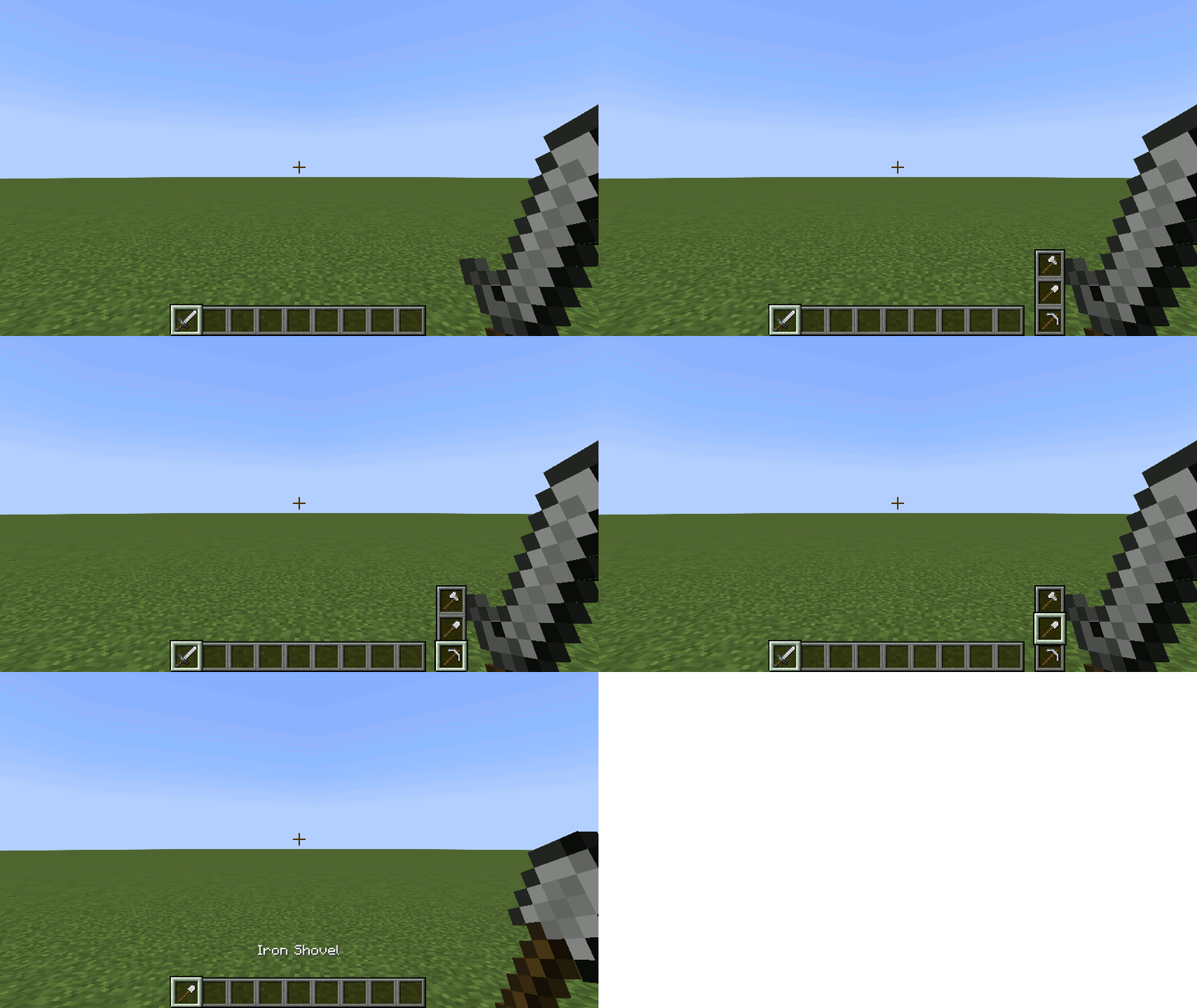
Adds a simple widget for hot swapping items.
See the wiki for video demos and complete details.
Inventory Hot Swap
Players may swap their hotbar items without having to open the inventory by holding down the Hot Swap key (default: _left alt_) and scrolling with the mouse wheel.
Equipment Hot Swap
Players may equip heads by right-clicking it. This feature will work for Carved Pumpkin, and any vanilla heads and skulls.
For Minecraft versions 1.19.3 and below, armor equipment may also be swapped by right-clicking it.
Item Hot Swap Settings
The position of the widget, selection type, and indexing may be changed in the options menu.
Game Rules
Inventory and/or equipment hot swapping can be enabled/disabled by setting the respective game rule.
Required Mods
Other Mods by Author
No files available for download.