Loading...
Beta Modpages Unclaimed

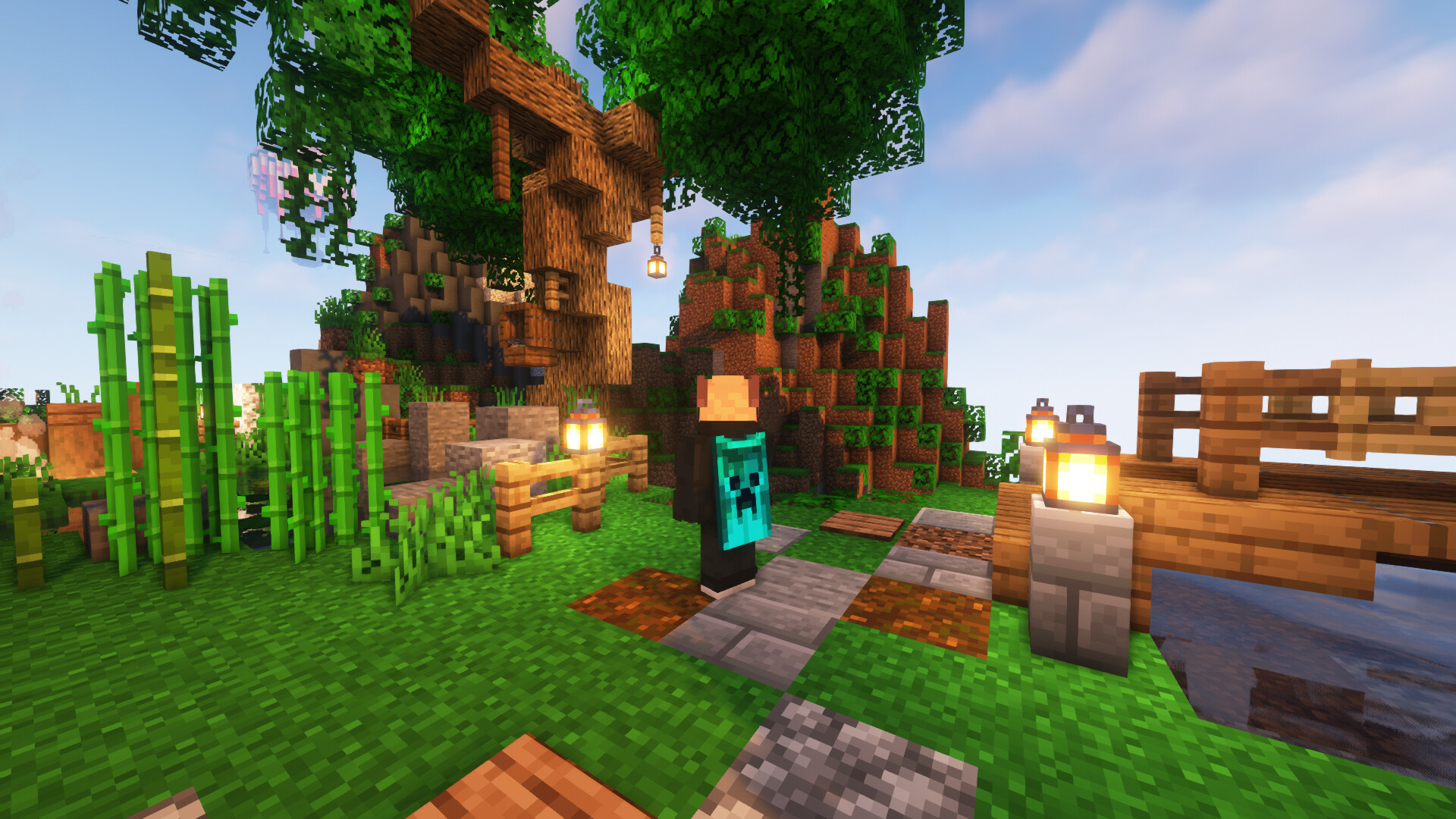
SkinMC: Custom Capes

Customise your skin with a custom cape — available for free and visible for anyone using the mod

0 Likes
14501 Downloads
Created by RuxGG

Description

SkinMC Mod

SkinMC-Mod

Create your cape on SkinMC. Wear it in-game with the SkinMC Mod.

Requirements

  • Minecraft 1.21.5
  • Fabric or NeoForge (choose one; use the matching mod build)

Features

SkinMC Mod Features

  • Displays your SkinMC cape in-game in singleplayer and multiplayer
  • Choose how capes are shown: SkinMC overrides default capes, default only, or SkinMC only
  • Shift + right-click a player to open their SkinMC profile (optional, can be turned off)
  • Works on both Fabric and NeoForge

Configuration

Settings are in Mod Menu (Fabric) or the mod list config button (NeoForge), under SkinMC Cape Settings. You can also edit config/skinmc_mod.json:

Option Description
Cape display SkinMC overrides (default) — SkinMC capes replace Mojang/OptiFine capes when set; Default only — only show Mojang/OF capes; SkinMC only — only show SkinMC capes (hide default when no SkinMC cape)
Shift + right-click player When enabled, shift + right-clicking a player opens their SkinMC profile

How to install it

The SkinMC Mod is available for Fabric and NeoForge. Pick the loader that matches your setup.

  1. Download the latest release from https://skinmc.net/p/mod (choose the Fabric or NeoForge version).
  2. Install a mod loader:
    • Fabric: Download and install Fabric for your Minecraft version.
    • NeoForge: Download and install NeoForge for your Minecraft version.
  3. Put the SkinMC mod .jar file into your Minecraft mods folder.

How to get a cape

  1. Go to https://skinmc.net
  2. Sign up / Sign in
  3. Link your Minecraft account via Microsoft
  4. Go to Account, then choose SkinMC Capes
  5. Select a cape .png file and hit upload and use

You can also create your own cape in the SkinMC Cape Editor.

Links

Where to get capes from?

You can find a large selection of Minecraft capes on the following pages, or make your own:

What format does it support?

Currently capes must be

  • .png, .jpg, .jpeg
  • 64x32px

Contribute

Contribute code on GitHub or submit your ideas for future versions!

License

This project is licensed under the GNU Lesser General Public License v2.1 (LGPL-2.1).

Credits

This mod is built with Architectury, which enables a single codebase to run on both Fabric and NeoForge.

Do you need support?

Please open a support ticket


AD Become Premium to remove Ads!

What means Verified?

  • Compatibility: The mod should be compatible with the latest version of Minecraft and be clearly labeled with its supported versions.
  • Functionality: The mod should work as advertised and not cause any game-breaking bugs or crashes.
  • Security: The mod should not contain any malicious code or attempts to steal personal information.
  • Performance: The mod should not cause a significant decrease in the game's performance, such as by causing lag or reducing frame rates.
  • Originality: The mod should be original and not a copy of someone else's work.
  • Up-to-date: The mod should be regularly updated to fix bugs, improve performance, and maintain compatibility with the latest version of Minecraft.
  • Support: The mod should have an active developer who provides support and troubleshooting assistance to users.
  • License: The mod should be released under a clear and open source license that allows others to use, modify, and redistribute the code.
  • Documentation: The mod should come with clear and detailed documentation on how to install and use it.

AD Become Premium to remove Ads!

How to Install

1

Download Forge & Java

Download Forge from the offical Site or here. If you dont have Java installed then install it now from here. After Downloading Forge you can run the file with Java.

2

Prepare

Lounch Minecraft and select your Forge istallation as Version this will create a Folder called Mods.

3

Add Mods

Type Win+R and type %appdata% and open the .minecraft Folder. There will you find your Folder called Mods. Place all Mods you want to play in this Folder

4

Enjoy

You are now Ready. Re-start your Game and start Playing.

More Mods like this

Quark

A Quark is a very small thing. This mod is a collection of small things that improve the vanilla minecraft experience.

Chisel

A builder's best friend.

Better Advancements

Successor to BetterAchievements for the new advancements system in minecraft 1.12+

Cosmetic Armor Reworked

This mod allows you to wear two sets of armor, one for display, one for function.

Macaw's Doors

Adds vanila doors with every wood color and new unique doors!

MalisisDoors

New animations for doors. You can build you own doors with millions of possibilities!

Macaw's Roofs

Build roofs with actual roofs instead of stairs!