The all-in-one server management solution for Minecraft
Supported: Minecraft 1.20.1 (Forge 47.4.0+ / Fabric API 0.92.8+) | Minecraft 1.21.1 (Forge 52.1.0+ / NeoForge 21.1.80+ / Fabric API 0.116.1+)
ServerManagement+ gives you a complete suite of tools to run your server — a full economy with bank accounts, a player marketplace, a casino, daily tasks, world management, and a sleek admin dashboard — all in one mod.
Latest Release — Minecraft 1.21.1 & 1.20.1 v2.1.0
The v2.1.0 release is now live on both Minecraft 1.21.1 and 1.20.1!
- 1.21.1: Shipped for Forge, NeoForge, and Fabric.
- 1.20.1: Shipped for Forge and Fabric with complete feature parity, including the manual PostChain shader caching pass, database backups before migrations, circular pricing cycle protection, and network session token validation.
Both versions feature a full GUI polish pass across every screen, uniform pose-matrix scaling (fixing layouts at scale 2-4 / Auto), Player Manager rework, and a long list of critical fixes for Chat Isolation, Tab Isolation, /spectate, /teleportlobby, and the OP-2 console.
Next — Minecraft 1.21.4 Port
A dedicated port for Minecraft 1.21.4 is currently in active development, slated for release this summer. It will ship for NeoForge and Fabric on day one.
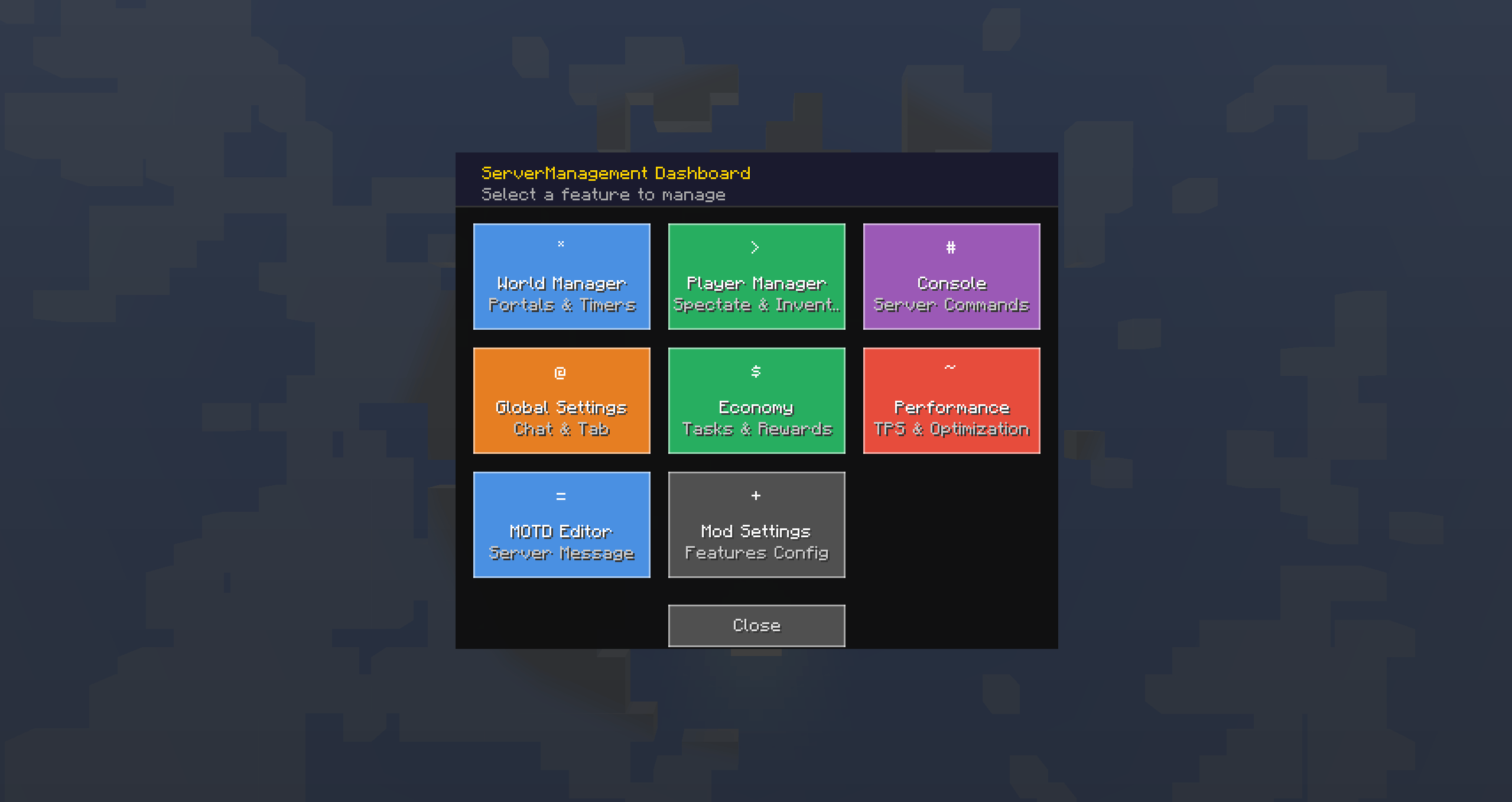
A modern dark-themed command center accessible with /sm. Six feature cards let you jump straight into World Manager, Player Manager, Console, Global Settings, Economy Management, or Mod Settings. Every screen has consistent navigation with back/close buttons and a polished header bar.
Live Server Console — Run server commands directly from the GUI. Output is color-coded by log level (red for errors, yellow for warnings) and scrollable. Requires OP level 2.
Global Settings — Toggle Chat Isolation (separate chat per dimension) and Tab Isolation (separate tab list per dimension) with iOS-style toggle switches.
Mod Settings — Enable or disable individual features (World Manager, Player Manager, SlimeHead, Economy, Server Performance, MOTD) without restarting the server. Each toggle ships with a short description and alternating row backgrounds for clarity.
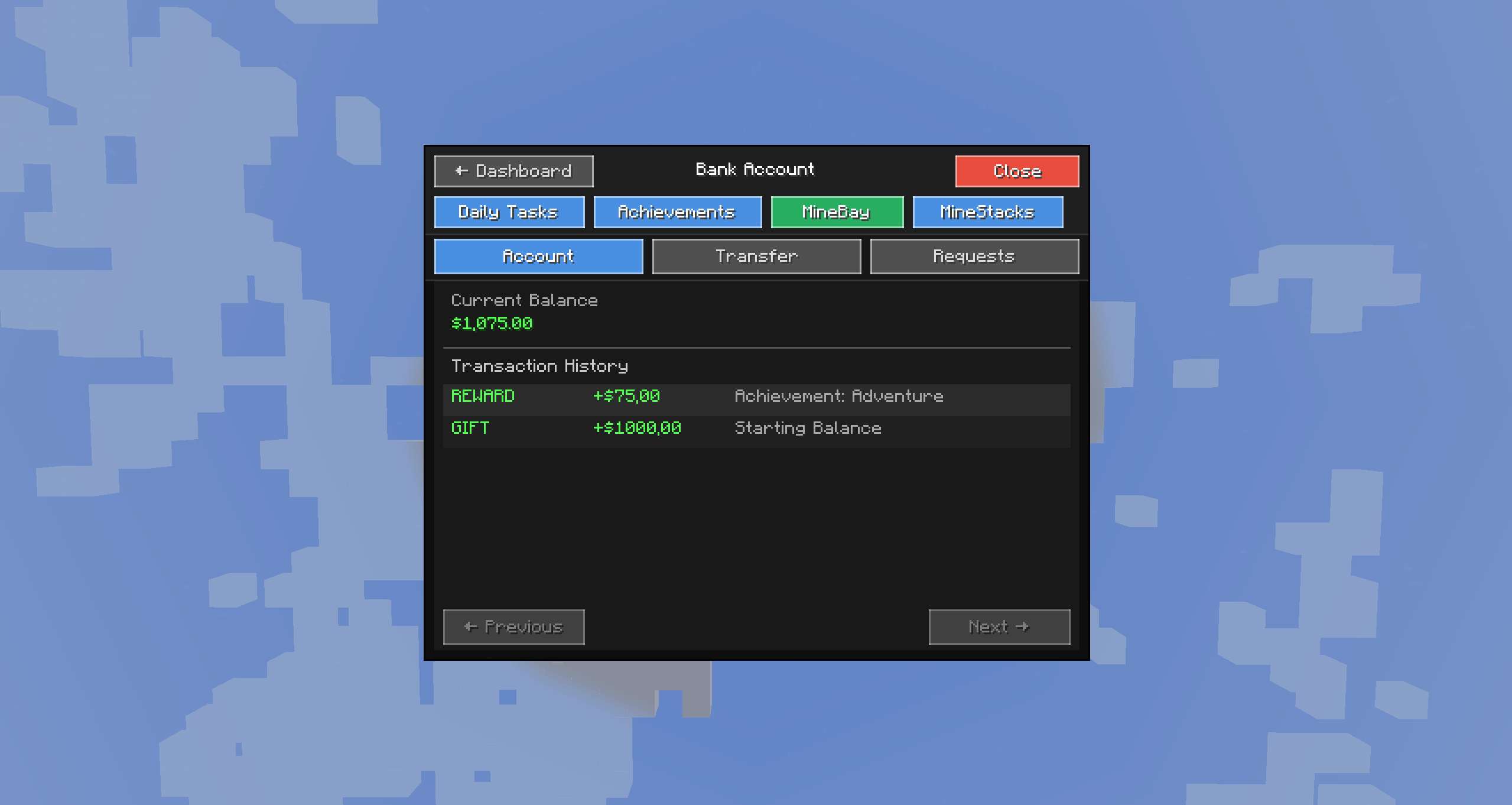
Every player gets a bank account on first join with a configurable starting balance (default: $1,000).
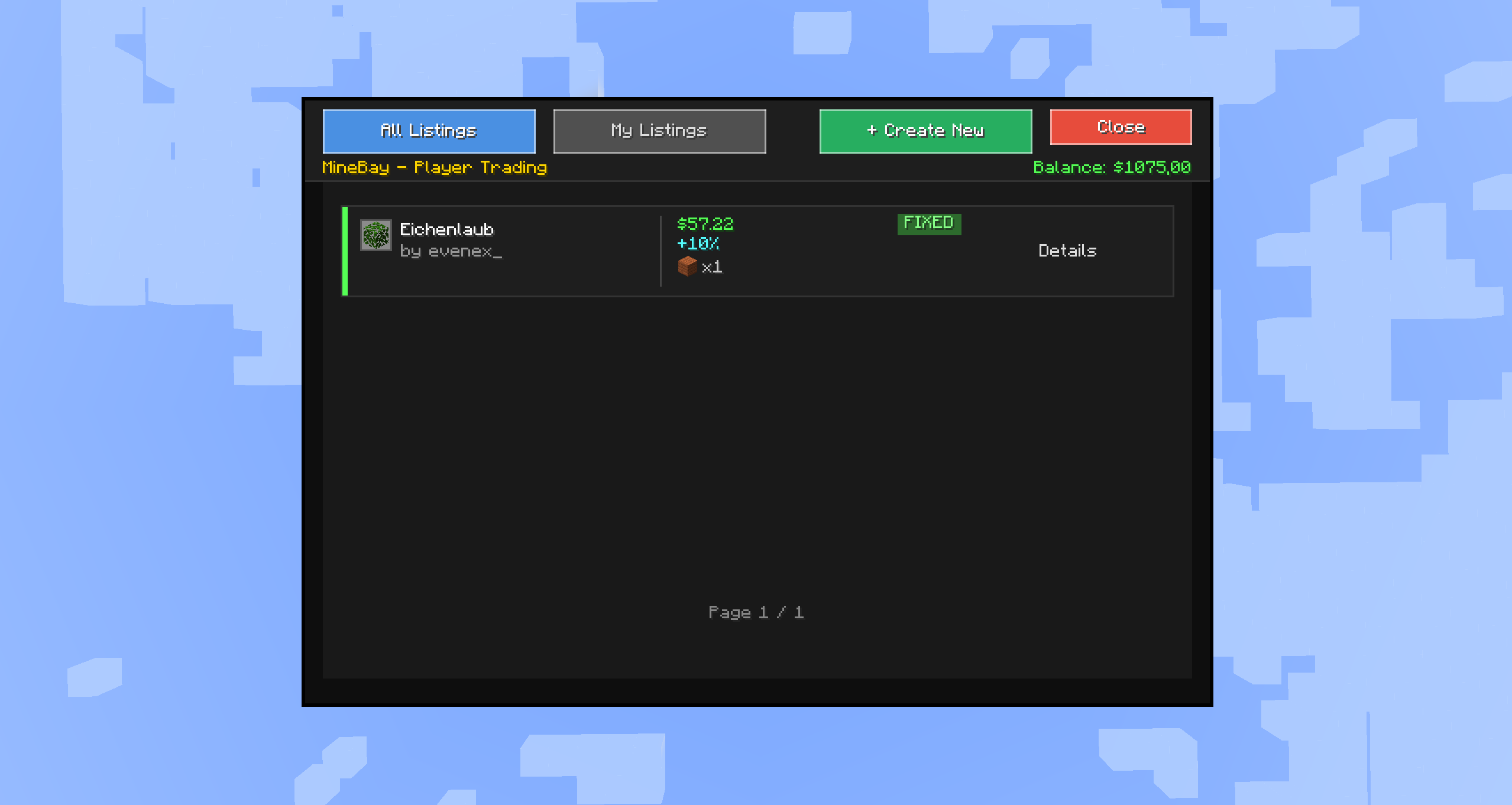
A fully-featured player marketplace where you can buy and sell items with other players.
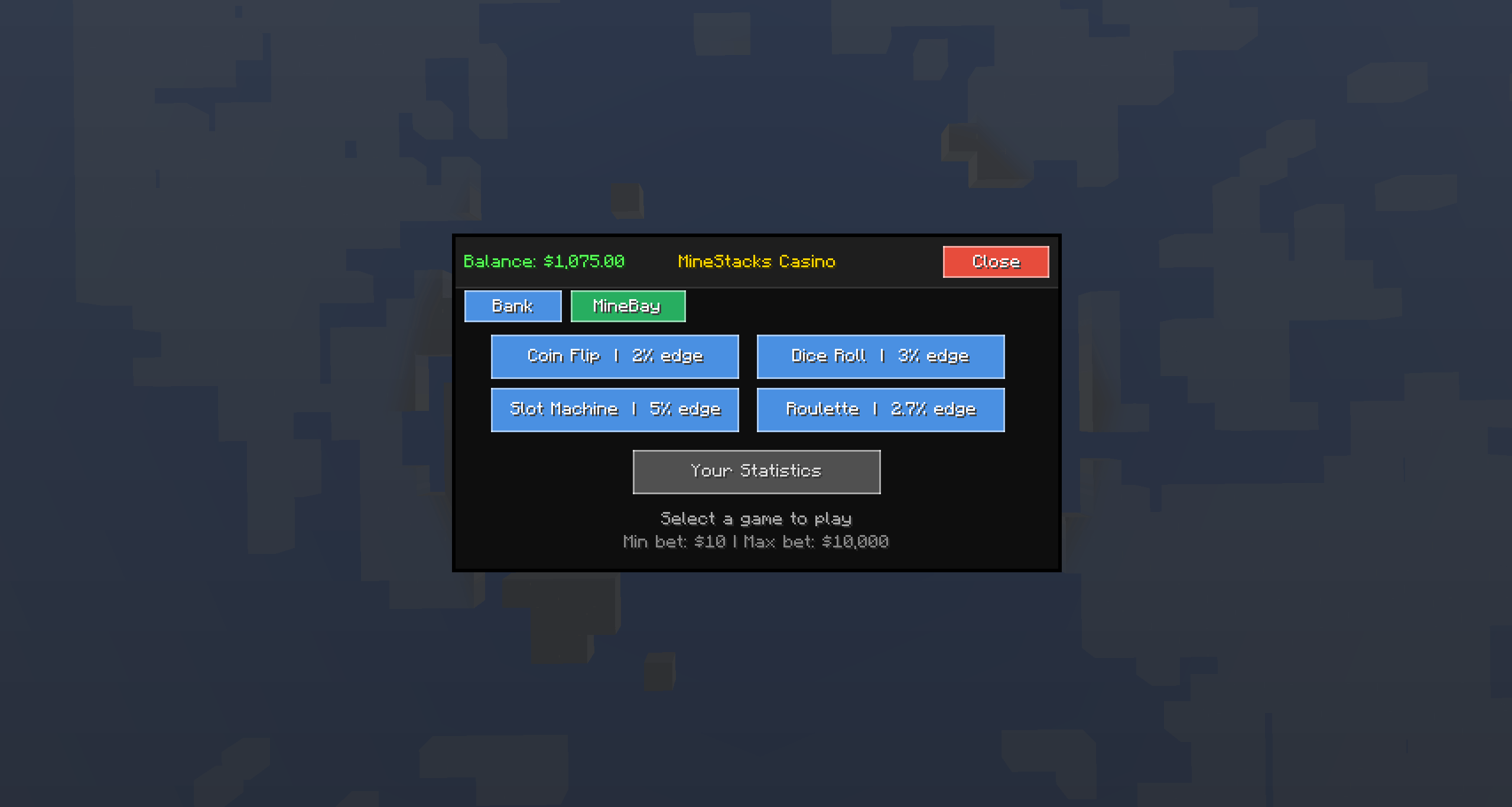
A full casino experience with four games, all using SecureRandom for provably fair results.
Supports both money bets ($10–$10,000) and item bets (auto-valued). Includes spinning animations, particle effects on wins, screen shake, and sound effects. Your gambling stats are tracked.
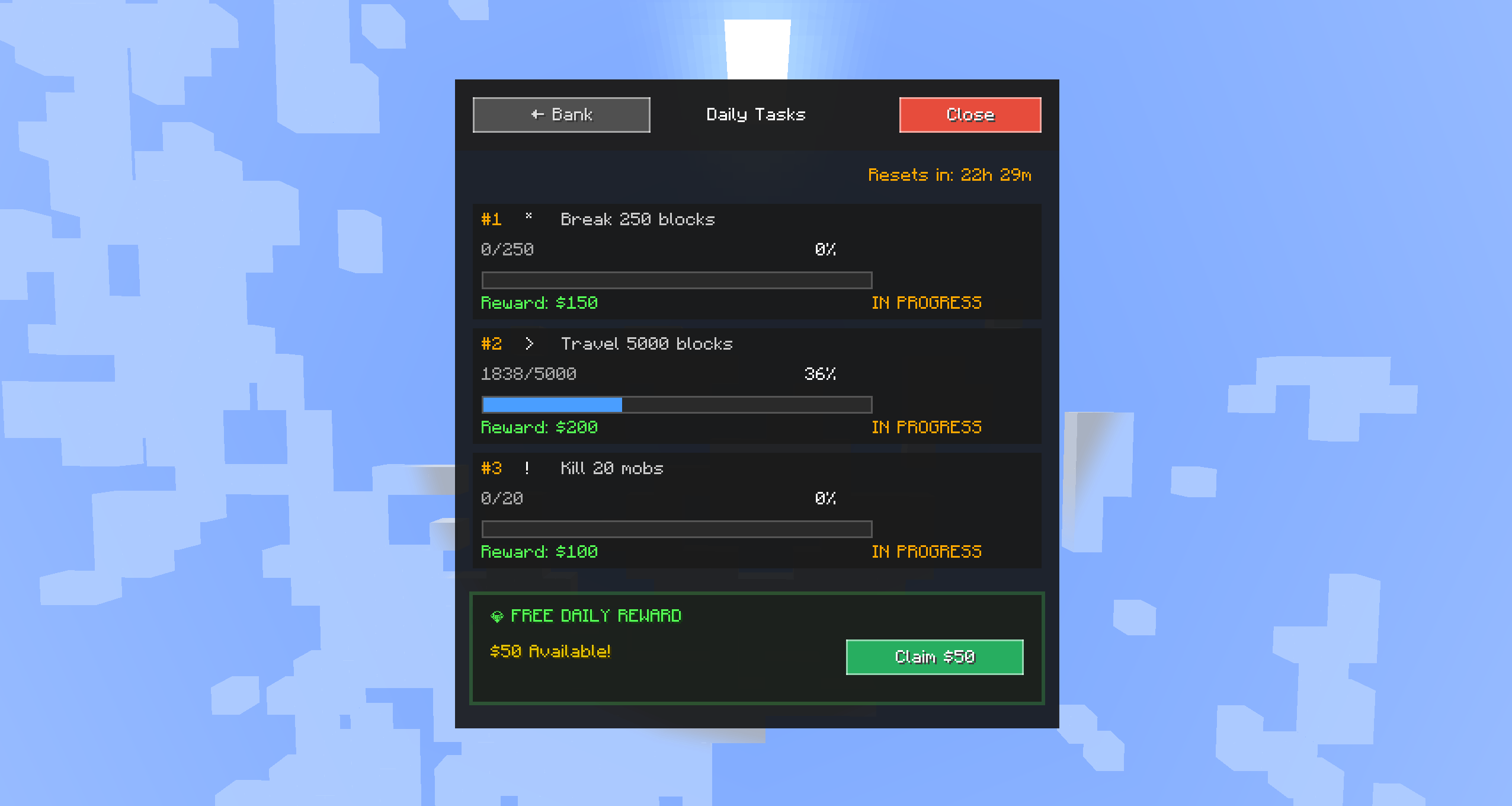
Three randomly assigned tasks per day, drawn from a configurable template pool.
Task Types:
| Type | Example |
|---|---|
| Break Blocks | Break 250 blocks |
| Kill Mobs | Kill 50 mobs |
| Travel Distance | Travel 5,000 blocks |
| Craft Items | Craft 100 items |
| Mine Ores | Mine 75 ores |
| Trade Villagers | Trade 25 times |
Manage all server worlds from a visual interface.
Admin tools for managing online and offline players. Reworked in v2.1.0 with tabs, search, and pagination.
A fun cosmetic item — an unbreakable slime head block with a custom texture.
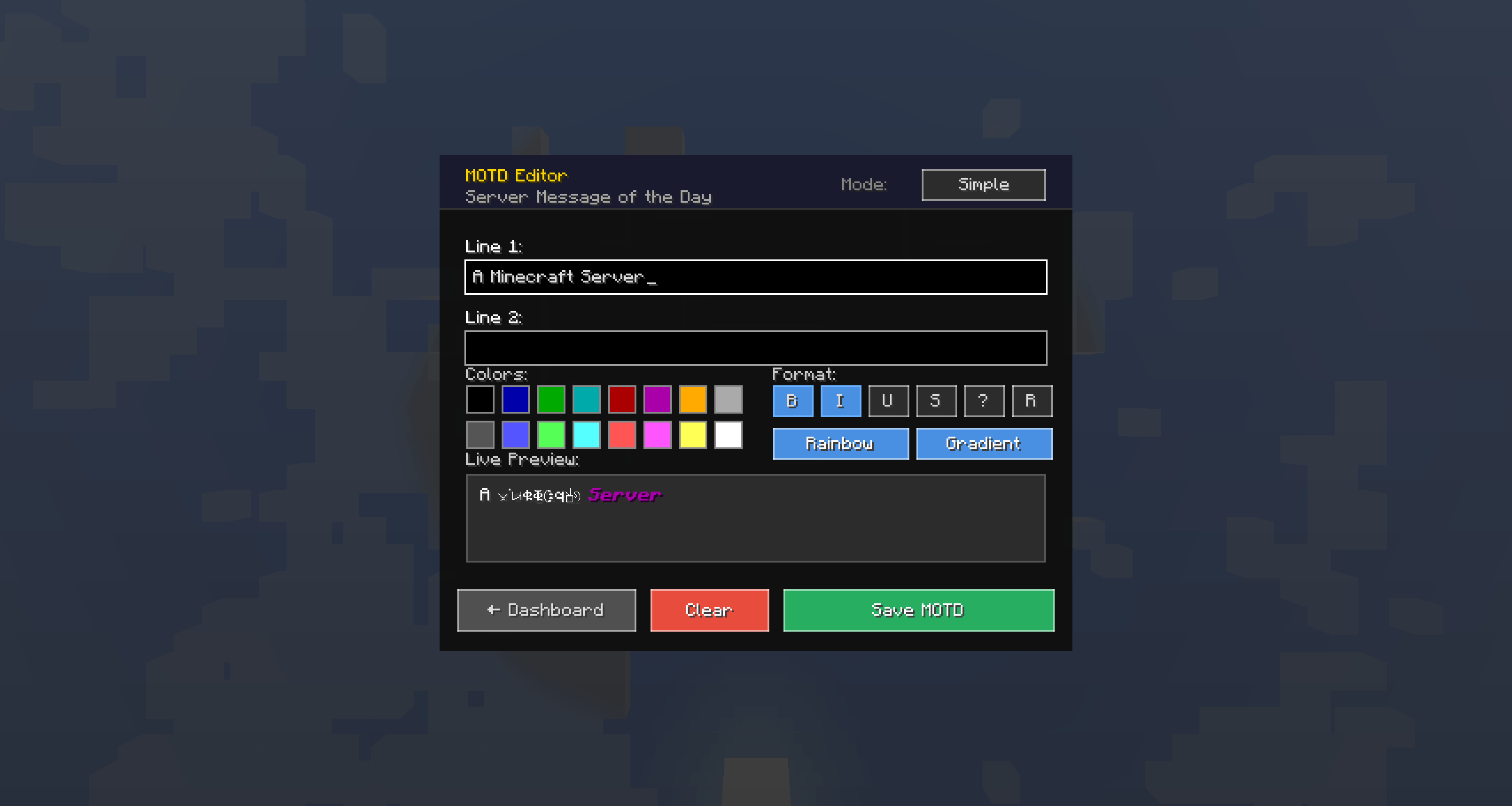
/slimehead command or a 5% drop chance from slimesCustomize your server's Message of the Day with a visual editor.
Performance Settings panel with eight runtime toggles and a scrollable Stats tab — TPS, MSPT, memory usage, and entity counts at a glance.
Clickable chat notifications keep players informed without being spammy.
All ServerManagement+ commands are integrated into the vanilla /help command.
/help — Lists all available commands including ServerManagement+ ones with descriptions/help <command> — Detailed usage for any mod command (e.g., /help bank)Automatic over-the-air mod updates for connected clients.
All sensitive data is encrypted at rest and authenticated in transit.
[a-zA-Z0-9_]{1,16} regex at the network layer before any server-side processing| Command | Description |
|---|---|
/bank |
Open Bank GUI |
/bank balance |
View your balance |
/bank pay &lt;player&gt; &lt;amount&gt; |
Send money to a player |
/bank request &lt;player&gt; &lt;amount&gt; |
Request money from a player |
/bank requests |
View pending money requests |
/bank accept &lt;id&gt; |
Accept a money request |
/bank deny &lt;id&gt; |
Deny a money request |
/bank stats |
View your bank statistics |
/bank dailies |
Open Daily Tasks GUI |
/bank dailies claim &lt;1-3&gt; |
Claim a completed daily task |
/bank dailies free |
Claim free daily reward |
/minebay |
Open MineBay marketplace |
/minestacks or /casino |
Open MineStacks Casino |
/teleportlobby |
Teleport to lobby |
| Command | Permission | Description |
|---|---|---|
/sm or /servermanagement |
OP 2 | Open admin Dashboard |
/smconfig |
OP 2 | Open mod settings GUI |
/smconfig toggle &lt;feature&gt; |
OP 2 | Toggle a feature on/off |
/smconfig info |
OP 4 | Show config version info |
/smconfig validate |
OP 4 | Validate config integrity |
/smconfig reset confirm |
OP 4 | Reset config to defaults |
/worldmanager or /wm |
OP 2 | Open World Manager |
/playermanager or /pm |
OP 2 | Open Player Manager |
/spectate &lt;player&gt; |
OP 2 | Spectate a player |
/stopspectate |
OP 2 | Stop spectating |
/viewinv &lt;player&gt; |
OP 2 | View a player's inventory |
/netherportals &lt;true|false&gt; |
OP 2 | Toggle Nether portals |
/endportals &lt;true|false&gt; |
OP 2 | Toggle End portals |
/setlobby |
OP 2 | Set lobby spawn |
/clearlobby |
OP 2 | Remove lobby spawn |
/slimehead [player] |
OP 2 | Give a Slime Head |
/bank admin set &lt;player&gt; &lt;amount&gt; |
OP 2 | Set a player's balance |
/bank admin give &lt;player&gt; &lt;amount&gt; |
OP 2 | Give money to a player |
/bank admin take &lt;player&gt; &lt;amount&gt; |
OP 2 | Take money from a player |
/servermanagement resetdailies |
OP 2 | Force-reset all daily tasks |
/smmetrics |
OP 2 | View performance metrics |
/smmetrics reset |
OP 2 | Reset performance metrics |
The config file is located at config/servermanagement-common.toml. Key settings:
| Setting | Default | Description |
|---|---|---|
| Starting Balance | $1,000 | Initial money for new players |
| Encrypted Storage | Enabled | AES-256-GCM data encryption |
| Transaction History Limit | 100 | Transactions stored per player |
| Tasks Per Day | 3 | Daily tasks assigned per player |
| Free Reward Amount | $50 | Daily free claim amount |
| Free Reward Cooldown | 24 hours | Time between free claims |
| Max Listings Per Player | 10 | MineBay listing cap |
| Max Price Items | 3 | Item types accepted per listing |
| Counteroffers | Enabled | Allow buyers to make offers |
| Teleport Cooldown | 5 seconds | Between world teleports |
All economy data, task templates, and player progress persist across server restarts with automatic backup and migration support.
ServerManagement-forge-1.20.1-2.1.0-mc1.20.1.jarServerManagement+-fabric-1.20.1-2.1.0-mc1.20.1.jarServerManagement-forge-1.21.1-2.1.0-mc1.21.1.jarServerManagement-neoforge-1.21.1-2.1.0-mc1.21.1.jarServerManagement+-fabric-1.21.1-2.1.0-mc1.21.1.jarmods/ folderconfig/servermanagement-common.toml and restart/sm to explore features/bank, /minebay, and /minestacksAll mod data is stored in world/data/servermanagement/:
| File | Contents | Format |
|---|---|---|
economy.json |
Bank accounts & balances | Encrypted JSON |
daily_tasks.json |
Player task progress | Encrypted JSON |
daily_task_templates.json |
Admin task templates | Encrypted JSON |
money_requests.json |
Pending transfers | Encrypted JSON |
achievement_rewards.json |
Achievement claims | Encrypted JSON |
world_manager.json |
World settings | Plain JSON |
minebay_listings.dat |
Marketplace listings | Compressed NBT |
playerdata/[UUID]/bank_inventory.dat |
Bank items | Compressed NBT |
playerdata/[UUID]/transactions.dat |
Transaction history | Compressed NBT |
Back up world/data/servermanagement/ and config/servermanagement/ before updates.
| Problem | Solution |
|---|---|
| "Could not load economy data" | Restore economy.json from backup, or delete it to reset |
| MineBay listings not loading | Check minebay_listings.dat — restore from backup if corrupted |
| Daily tasks not resetting | Verify server system clock; adjust resetHour in config |
| GUI not opening | Ensure the mod is installed on both client and server; reconnect |
| Transaction failed | Check chat error message — transactions auto-rollback, no data is lost |
MIT License — free to use, modify, and distribute.
ServerManagement+ — Minecraft 1.21.1 v2.1.0 (Forge 52.1.0+ / NeoForge 21.1.80+ / Fabric 0.116.1+) — Minecraft 1.20.1 v2.1.0 (Forge 47.4.0+ / Fabric API 0.92.8+) — Minecraft 1.21.4 port to follow this summer