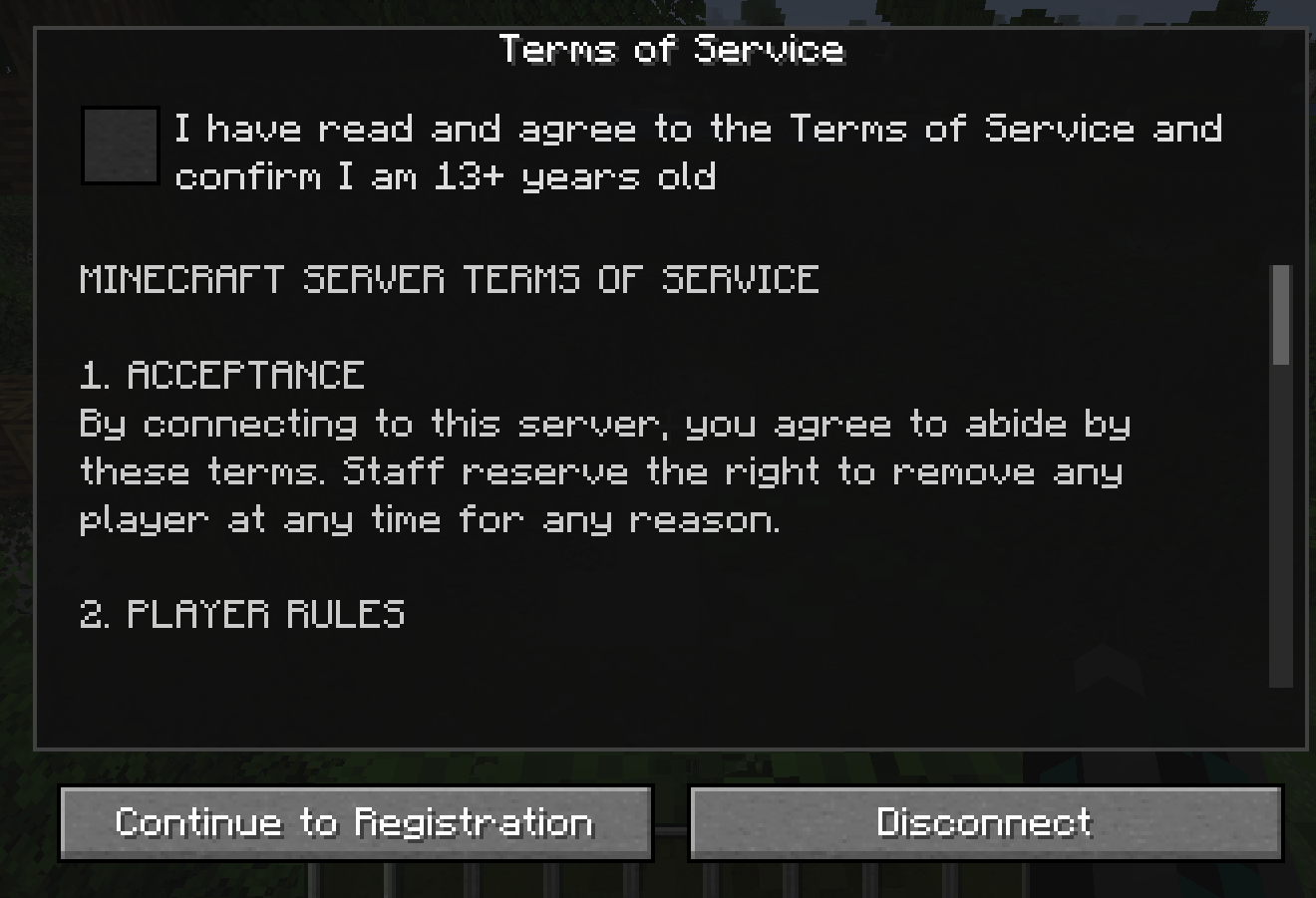
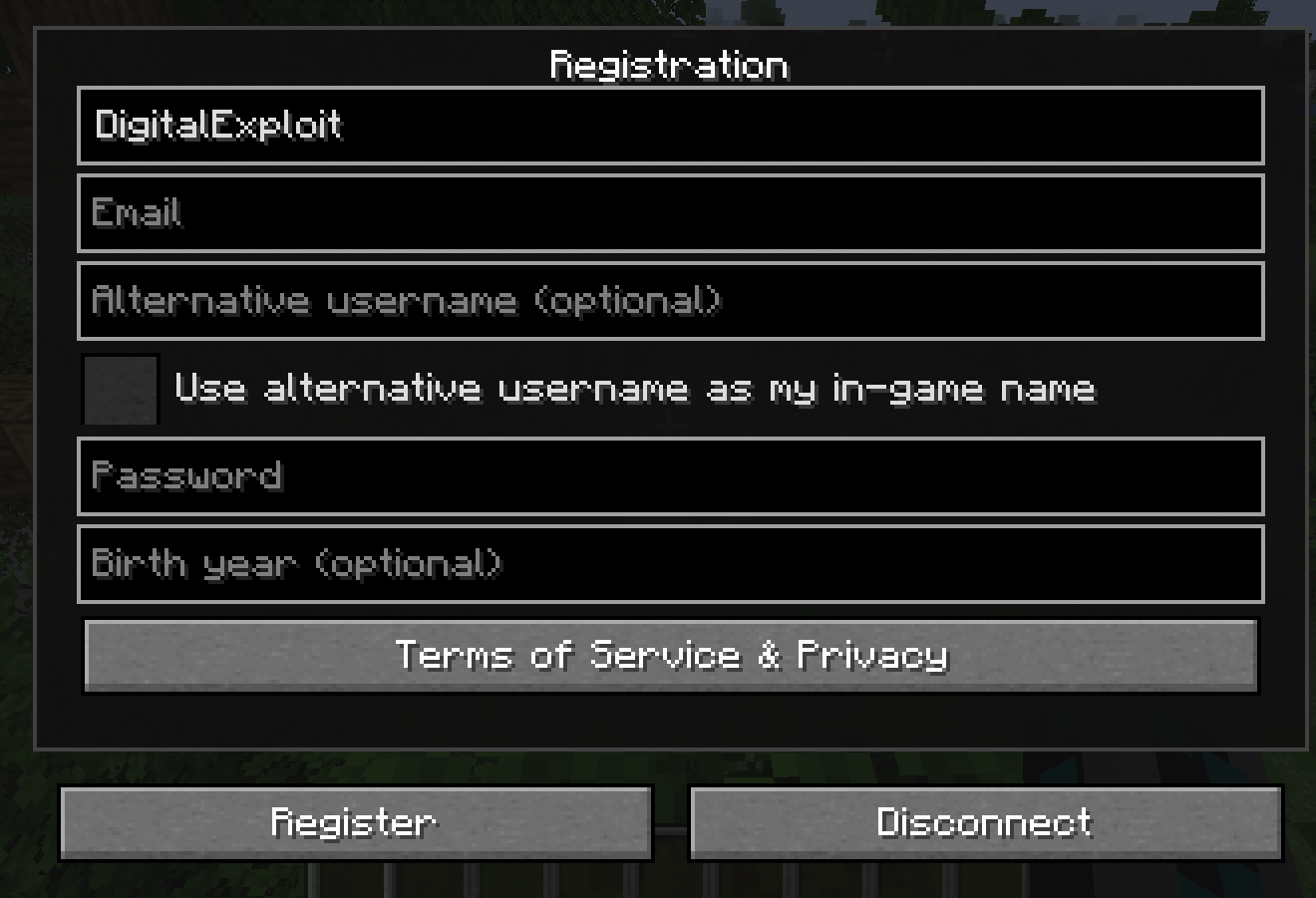
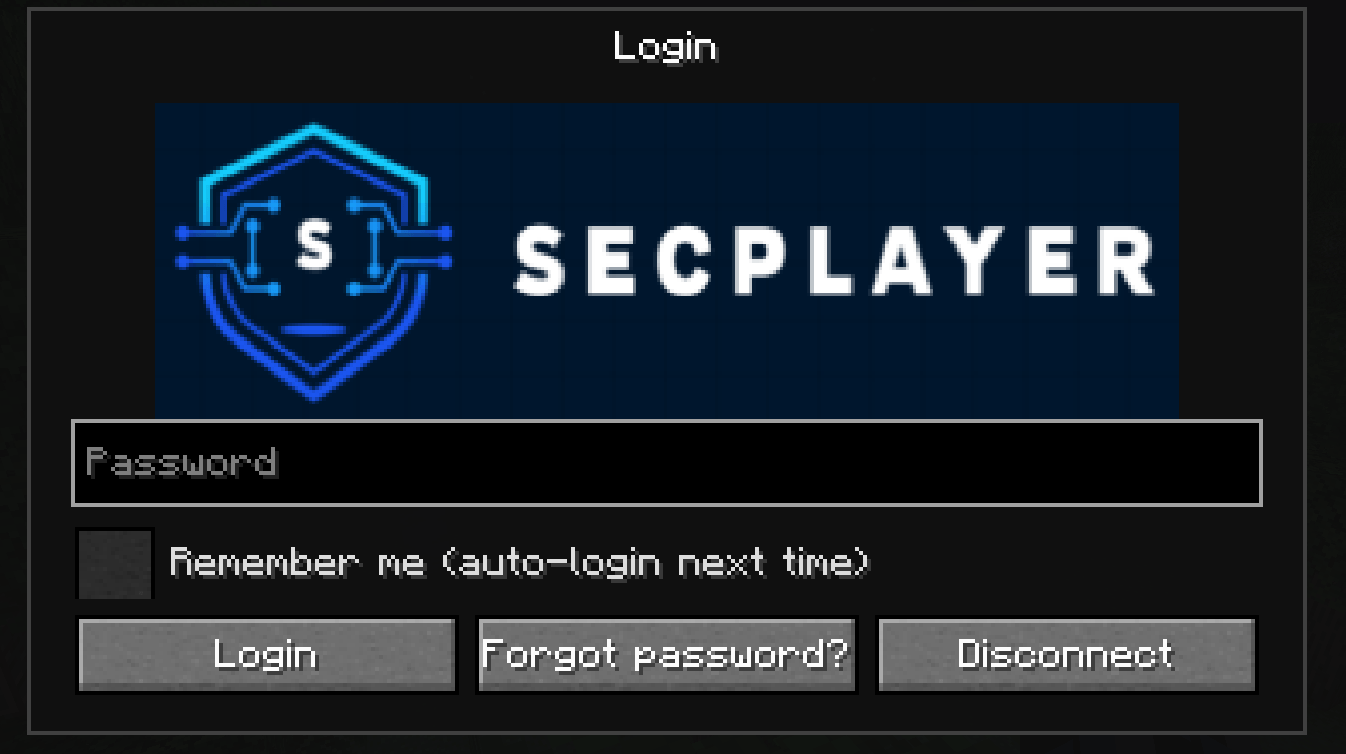
SecPlayer adds registration and login to your Minecraft server. Players must register once (or log in on later joins) before they can move or play. The mod provides a Terms of Service and age-confirmation screen, optional forgot-password emails, IP and geolocation logging, a custom login-screen logo, an OP-only admin panel (with optional approval mode for new registrations, timezone grouping, and approve/deny), and a player profile where users can change their password, update their email, or delete their account (with an email notification and disconnect).
config/secplayer_privacy.txt on the client). Passwords are masked. One "I agree to the Terms of Service" checkbox confirms age (minimum configurable)./secplayer info to open a profile screen. You can view your info (username, masked email, alternative name), change password, update email, or delete your account. Deleting your account removes all data, sends you a confirmation email (including the server name), and disconnects you; re-joining requires registering again.config/secplayer_tos.txt (file is created on server start if missing).config/ (you place the files manually; obtain them from a free MaxMind account). In the admin player detail, only country and last login (timezone-formatted) are shown; full geo data is still stored in the database until the account is deleted./secplayer admin to open a list of registered players grouped by timezone (search by player or timezone; players with no timezone appear under "Local"). Open a player to view details (username, UUID, masked email, alternative name, birth year, status, country, last login), ban/unban (Minecraft's ban list), reset password, set alternative username, approve/deny (when approval mode is on), or delete the player (sends them an email and removes the account). All scrollbars support click-and-drag.requireApproval=true in config so new registrations are "pending" until an admin approves. Use the Pending filter in the admin list, or Approve / Deny in player detail, or /secplayer approve <player> / /secplayer deny <player>. Deny adds the player to the ban list; optional email when approved (if SMTP is configured)./secplayer setAlt <name> to set or clear it; setting a non-empty name automatically enables "use as in-game name," so you don't need to have checked the box at registration.config/secplayer.db is created on first run and holds accounts, login history (IP, geolocation, timestamps), and password-reset tokens. You can back up or inspect it with any SQLite tool.mods/ folder on both the server and every client.Registration and login only run on dedicated servers. Single-player / integrated server does not use the registration flow.
/secplayer info to open your profile. From there you can change your password, update your email, or delete your account (you'll get an email and be disconnected)./secplayer setAlt <name> to set or clear your in-game display name (no spaces). Setting a name automatically turns on "use as in-game name" if you didn't enable it at registration./secplayer admin (requires OP). You’ll see registered players grouped by timezone (search box filters by player or timezone). Use the Pending filter when approval mode is on. Open a player to view details (country and last login are shown; full geo is stored but not shown in the UI), ban/unban, reset password, set alternative username, approve/deny (for pending players), or delete the player (sends them an email and removes the account). You can also use /secplayer approve <player> and /secplayer deny <player> from chat or console.config/secplayer_tos.txt on the server. Use %d in the text for the minimum age number. The file is created with default text on first server start if missing.Main config: config/secplayer.properties (created on first run).
| Option | What it does | Default |
|---|---|---|
| minAge | Minimum age in the TOS text (e.g. 13) | 13 |
| requireApproval | When true, new registrations need admin approval before they can log in | false |
| smtpHost, smtpPort, smtpUseTls | SMTP server for "Forgot password?" and account-deleted emails | (empty), 587, true |
| smtpUsername, smtpPassword | SMTP login | (empty) |
| smtpFromAddress, smtpFromName | Sender address and name for emails | (empty), SecPlayer |
| smtpPasswordFile | Optional: path to a file (relative to config/) containing the SMTP password; avoids special-character issues in .properties | (empty) |
| smtpDebug | Set to true to log the SMTP dialog to the server log (for troubleshooting) | false |
| loginLogoPath | Logo filename in the server config/ folder (e.g. mylogo.png). Server sends it to clients so everyone sees the same logo. |
(empty) |
| bannedAltNames | Comma-separated display names players cannot use (e.g. herobrine) |
herobrine |
| displayTimezone | Timezone for "last login" in the admin list (e.g. America/New_York, UTC) |
UTC |
Login logo (client-only override): Create config/secplayer_client.properties and set loginLogoPath=filename.png, then put the PNG in config/. Used when the server does not send a logo.
Geolocation (optional): For country/region/city, place GeoLite2-City.mmdb in the server config/ folder. For ISP (ASN), add GeoLite2-ASN.mmdb. Obtain these from MaxMind (free account) and place them in your server config/ folder.
/secplayer admin does nothing: You must be OP (e.g. /op YourName in the server console). There is no in-game menu button; the command opens the admin list.crash-reports/ (client or server). Ensure the mod and Forge versions match (e.g. Forge 40.x for 1.18.2).Requires Minecraft 1.18.2 and Forge 40.x. All Rights Reserved.