FiveM-style chat channels and HUD overlay for Minecraft
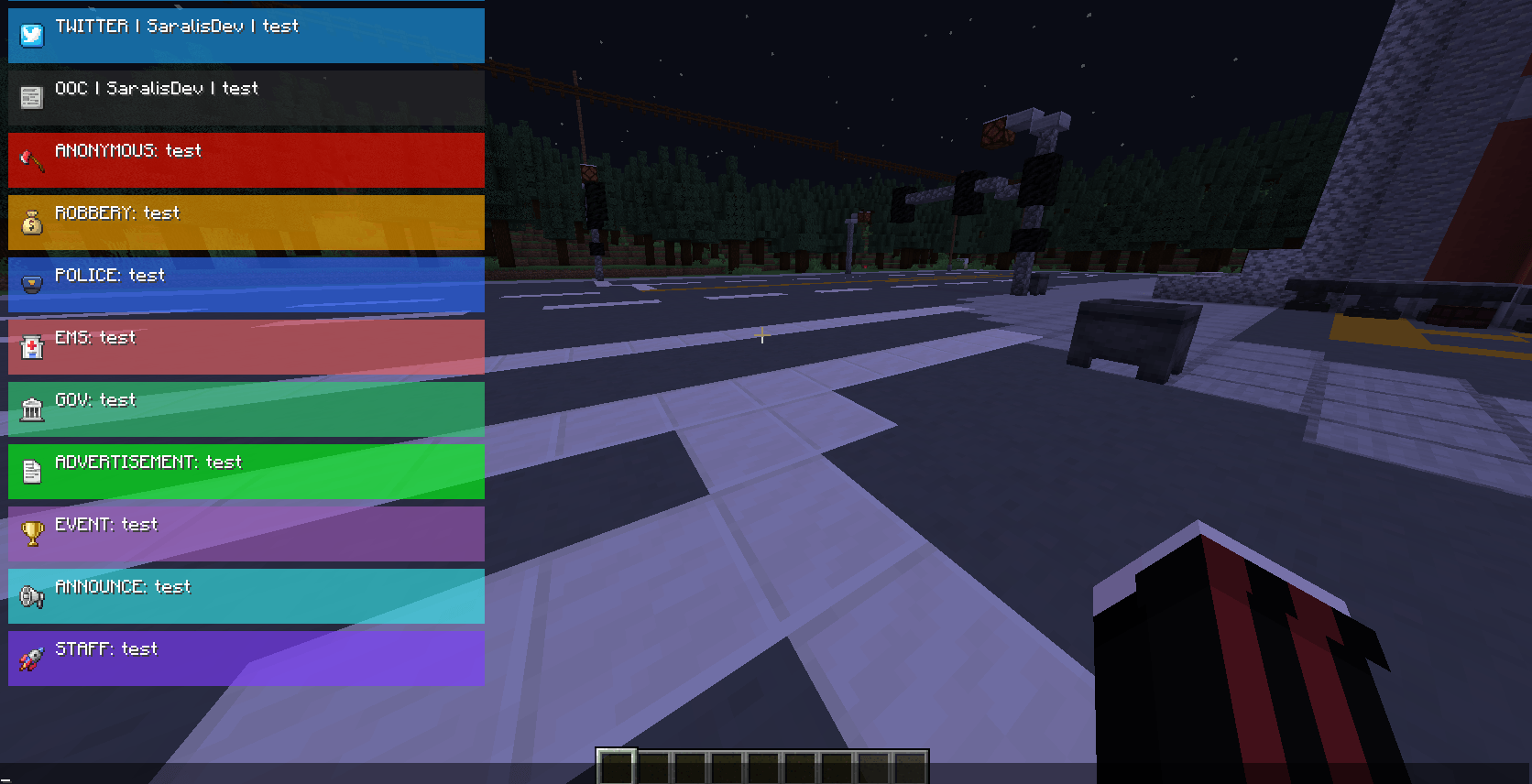
A server-side mod (with a required client component) that replaces Minecraft's default chat with a sleek, GTA/FiveM-inspired HUD. Messages appear as styled, icon-tagged boxes that slide in and fade out — perfect for roleplay servers.
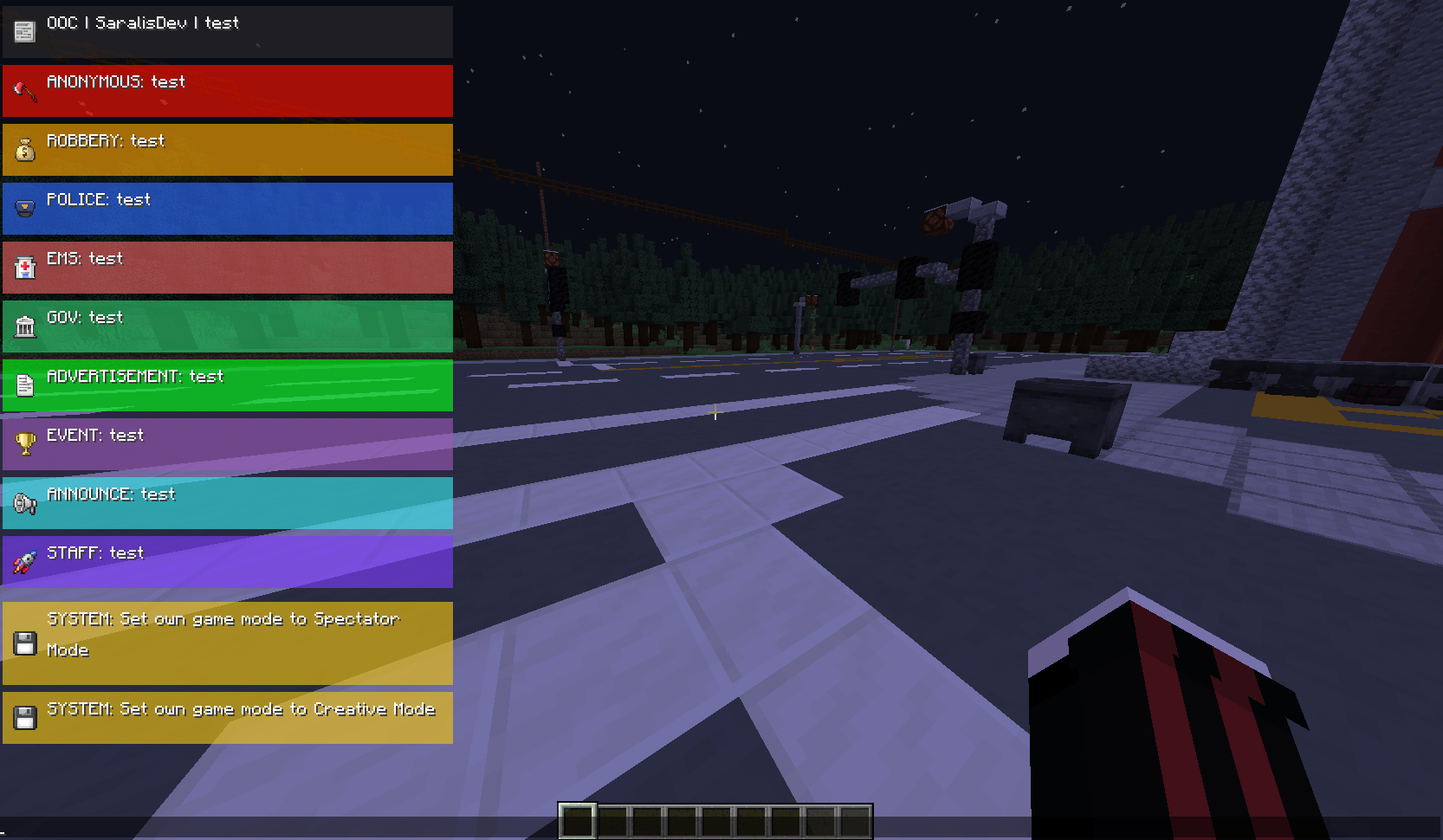
- Custom chat overlay — replaces the vanilla chat with a styled HUD overlay (colored boxes, icons, labels)
- 10+ chat channels — each with its own icon, color, and label
- Staff-only channels — `staff` and `system` are restricted to operators (permission level 2)
- Smooth animations — messages slide in and fade out after a configurable duration
- Scrollable chat history — open chat and scroll through up to 500 past messages
- Server-configurable HUD — the server can push HUD layout settings directly to clients via packets
- System message interception — server system messages are automatically styled and shown through the HUD
1. Download the `.jar` file from the releases page.
2. Place it in the `mods/` folder of both your server and client.
3. Start the server — the mod registers its config and network channel automatically.
These commands are available to send styled messages through the HUD. Most are open to all players; staff and system require permission level 2.
| Command | Label | Permission |
|---|---|---|
/staff |
STAFF | OP (lvl 2) |
/system |
SYSTEM | OP (lvl 2) |
/police |
POLICE | All |
/ems |
EMS | All |
/gov |
GOV | All |
/twt |
All | |
/ad |
ADVERTISEMENT | All |
/announce |
ANNOUNCE | All |
/ooc |
OOC | All |
/robbery |
ROBBERY | All |
/anon |
ANONONYMOUS | All |
/event |
EVENT | All |
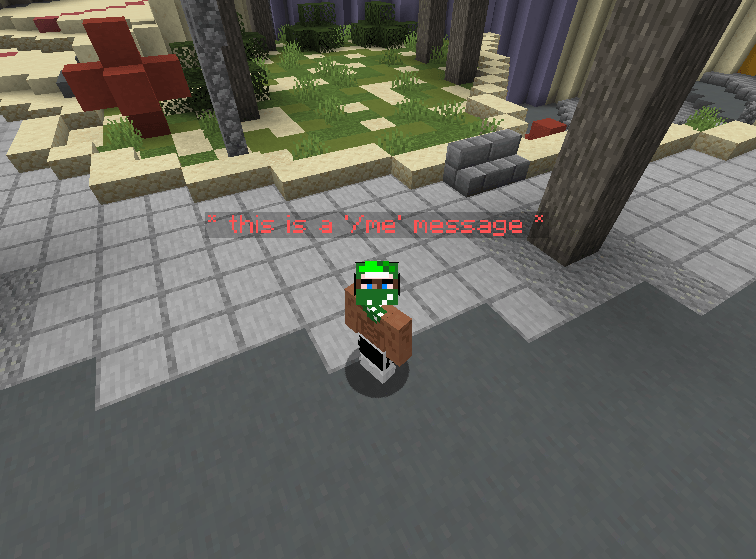
/me |
[message above the head] |
All |
| /clear chats | It’s deleting the messages | OP (lvl 2) |
> Note: For /twt and /ooc, the sender's name is automatically prepended to the message and displayed as CHANNEL | Username | message.
> You can use /cleat chats all/group/player in order to organize your chats easier!
/hud
Sends a raw markup string directly to all players. Requires permission level 0 (any player), but is mainly intended for admin/plugin use. See the [Markup Format](#markup-format) section below.
The HUD uses a simple tag-based markup parsed from a raw string. Tags appear at the start of the message in square brackets.
[emoji=][label=][box][color=#RRGGBB] Your message here
| Tag | Description |
|---|---|
[emoji=] |
Icon to display. Keys: staff, police, gov, twitter, system, announce, ooc, robbery, anon |
[label=] |
Channel label shown before the message (e.g. POLICE) |
[box] |
Draws a colored background box behind the message |
[color=#RRGGBB] |
Background box color. Accepts hex (#2E6BFF) or named colors |
[bg=#RRGGBB] |
Alias for [color=…] |
Named Colors
`blue`, `red`, `green`, `yellow`, `purple`, `gray`, `black`, `white`, `twitter`
[emoji=police][label=POLICE][box][color=#2E6BFF] Officer down at central bank!
The server can push HUD display settings to clients at any time using the `HudConfigPacket` network packet. The following values are configurable:
| Field | Default | Description |
|---|---|---|
offsetX |
8 |
Horizontal offset from the anchor edge (px) |
offsetY |
8 |
Vertical offset from the anchor edge (px) |
width |
240 |
Width of the HUD panel (120–260 px) |
lineHeight |
18 |
Height of each text line (12–40 px) |
gap |
4 |
Gap between messages (0–30 px) |
maxEntries |
8 |
Max messages visible at once (1–20) |
lifeMs |
9000 |
How long a message stays fully visible (ms) |
fadeMs |
1200 |
Fade-out duration after lifeMs expires (ms) |
showIcon |
true |
Whether to show channel icons |
iconSize |
14 |
Icon size in pixels (8–32) |
The HUD is anchored to the top-left by default. Messages grow downward when chat is closed, and are displayed above the chat input bar when chat is open. A slide-in animation plays for each new message.
When the chat screen is open, you can scroll through the last 500 messages:
| Key | Action |
|---|---|
| Scroll wheel | Scroll ±2 entries |
| Page Up | Scroll +10 entries |
| Page Down | Scroll −10 entries |
| Home | Jump to oldest |
| End | Jump to newest |
- m4r1os — original concept & development
- MNV — development
- SaralisDev — development & design
All Rights Reserved. Do not redistribute without permission.