This plugin has multiple features that make it easy to handle your money. This includes banks and signs that represent money called holdings signs.
Holdings:
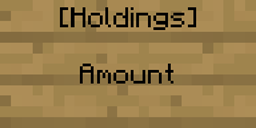
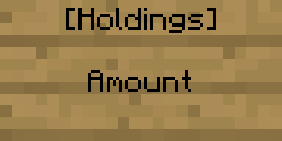
Holdings signs act like a representation of money as a sort of item. Once placed, anyone can pick up the money in a holdings sign, just like anyone can pick up items. To make one, just make the lines as follows:

Death drops: When you die, a configurable percentage of your money is dropped as a holdings sign to make money more like items. This sign will have the second line as "Death of (your name)". By default, the percentage is 100%, but this can easily be changed.
Banks:
Note: I make bank names not case-sensitive, and support spaces where possible, but otherwise use an underscore instead.
Banks can be made by ops to allow users to store money in a safe way. Different banks don't share a users money, and it takes a configurable set number of in-game days to transfer from one bank to another, which is 4 by default. To make a transaction with a bank, use the /bank command to choose what you want to do, then right-click the bank sign to complete the transaction. You can exchange money from currency items by simply right-clicking the bank sign with the item(s) in your hand. The item and their prices are configurable, but by default are gold($100) and diamond($300). It's also possible to take out loans from banks, with interest of course.
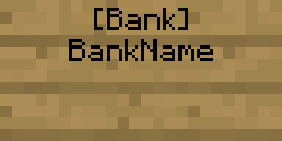
Making a bank: If you're an op, you can make a bank for users to access. First you must register the bank using /createbank <name>, then you can make a bank sign like this:

If you want to change the settings for loans (maximum, minimum, interest, etc...), then you need to use the /loansettings command. It will tell you how to use it in-game.