Mineuniverse
Log in Register
Mods

Raith's PiShock [NeoForge]

PiShock Minecraft Integration
by RaithSphere
Download Claim this project
234 downloads
0 likes
Updated Jul 6, 2026
0 hypes
Miscellaneous

PiShock Minecraft Integration

Build and unit tests

Features

  • Works in multiplayer, including non-modded servers.
  • Uses PiShock's current websocket broker API (wss://broker.pishock.com/v2).
  • Supports local serial communication with PiShock V3 hubs over USB.
  • Supports Shock, Vibrate, and Beep modes.
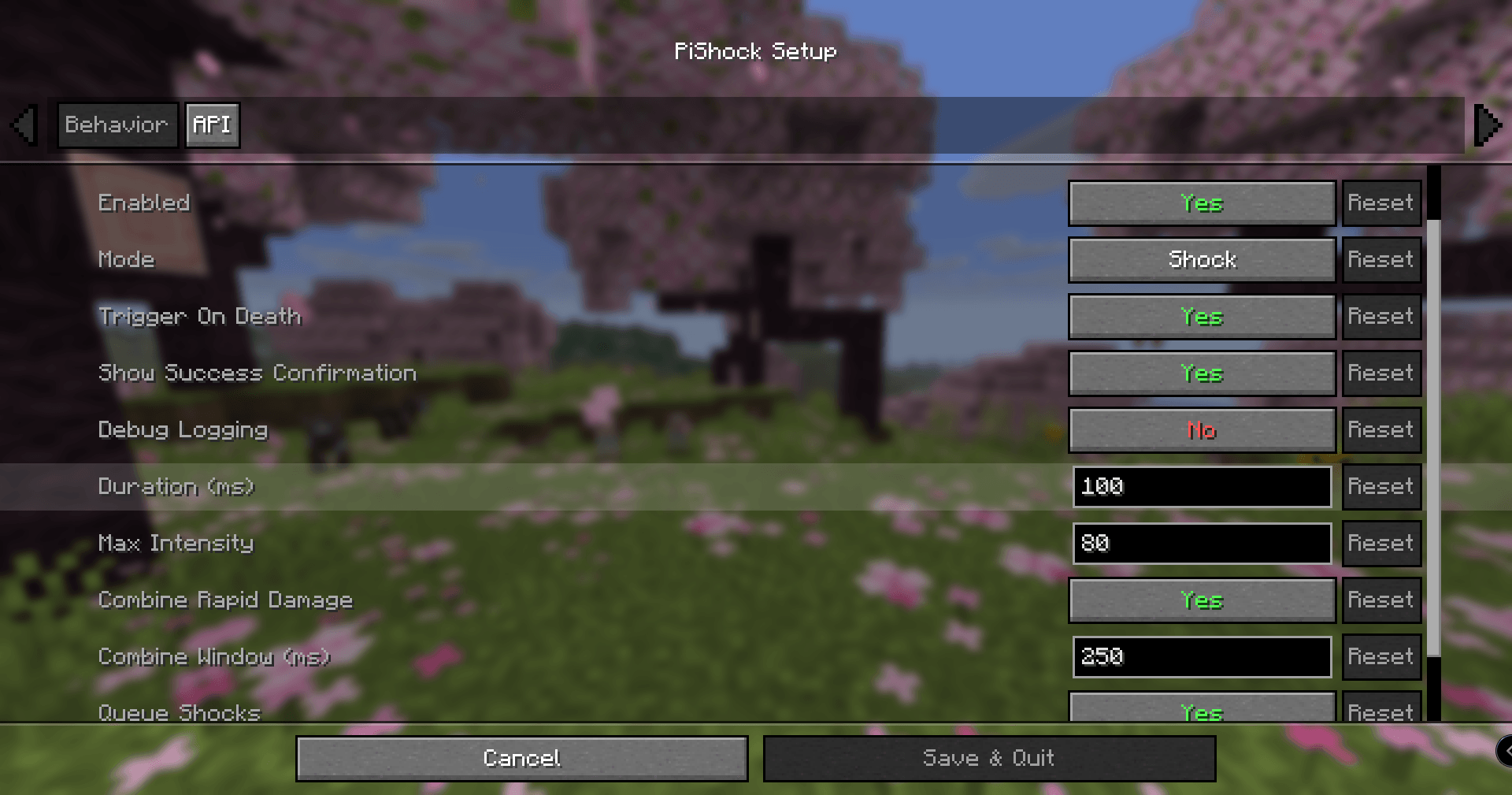
  • Millisecond-precise duration settings (100ms to 15000ms).
  • Queues and combines damage events that occur in quick succession.
  • Limit-respecting failsafes at dispatch time.
  • Broker error reporting in chat with anti-spam throttling.
  • Optional success confirmation in chat, including intensity and duration.
  • Includes death-trigger support.
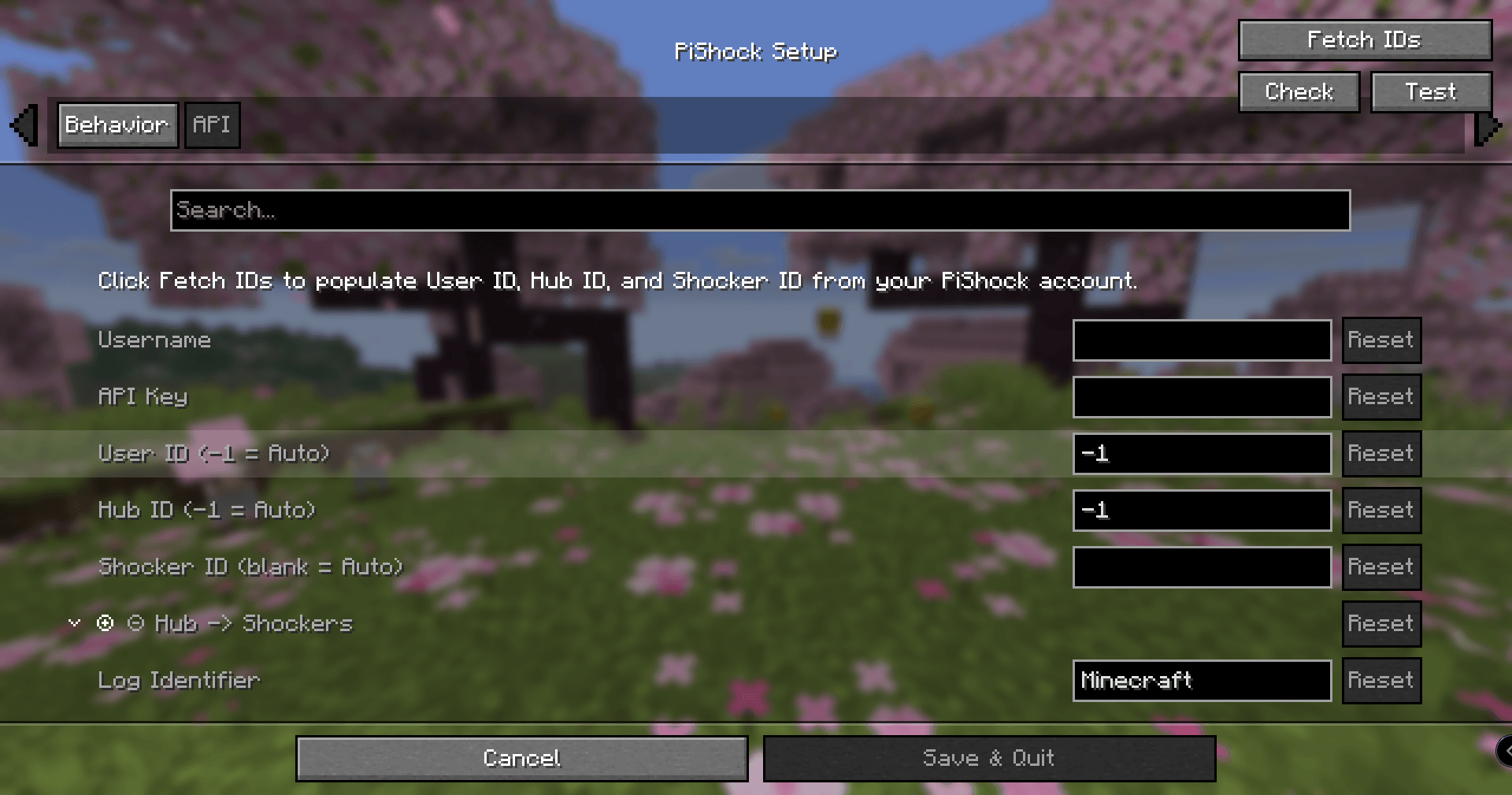
  • Auto-discovery for UserId, HubId, and ShockerId (/Account + /Shockers).
  • In-game setup UI with:
    • Fetch IDs
    • Check
    • Test
    • Serial
  • Quick enable/disable hotkey (default F12).
  • Client debug command:
    • /pishock debug
    • /pishock debug true
    • /pishock debug false
  • Config entry points:
    • Main menu icon button
    • Pause menu icon button
    • Mod config screen integration

Before You Use

  • If you need to stop immediately, close the game (Alt+F4 on Windows).
  • Test your emergency stop path before real use.
  • Set up and test the quick toggle hotkey (F12 by default).
  • Start with conservative intensity and duration values and verify behavior in a safe test world first.
  • Confirm your PiShock API key was generated on or after 2024-10-15 (required by websocket API login).

Setup

  • Launch Minecraft and open PiShock Setup from the main menu icon.
  • Enter your PiShock username and API key.
  • Use Fetch IDs to pull account/device routing values.
  • Use Transport to choose WebSocket or Serial.
  • For serial transport, open the Serial tab, connect a PiShock V3 hub over USB, set Serial Port or leave it blank for auto-detection, then use Serial to read firmware/device info and populate Hub/Shocker IDs when available.
  • Optionally use Check to validate the selected transport before live use.
  • Save config, then test with low values first.
PiShock 26.05.02.1 for Minecraft 1.18.2
MC Forge, 1.18.2
Release 2026-05-02 Get
PiShock 26.05.02.1 for Minecraft 1.21.1
MC 1.21.1, NeoForge
Release 2026-05-02 Get

You Might Also Like

LoadingTips
A mod that adds custom tips to the loading screen
999,218
Charm Fixer
Disables some modules on charm to fix incompatbility issues with owo
996,251
NarrateBookForMe [FABRIC]
Adds a narration keybind, and two GUI buttons to the book screen. Text-to-speech (tts) / narration on the go! Client sided.
99,734
Sampler
Performance oriented debugging/administration tools
998,926
VulkanMod
Vulkan renderer mod for Minecraft.
997,115
Easier Powdered Snow [Fabric]
Serverside mod to make powdered snow easier to farm
9,994