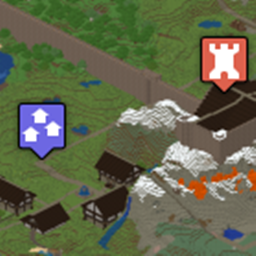
Easily create and remove points in Minecraft Overviewer without the hassle of manually editing the Overviewer configuration file! This plugin allows players to manage a list of Overviewer manualpoi definitions from within the Minecraft server.
After loading the plugin, the config.yml file in the plugin's subdirectory must be edited to reflect your server's Overviewer setup (Defaults almost guaranteed not to work on your system!):
--genPOI option instead of re-rendering the map tiles. You can also specify a script here (bash, batch, etc.) instead of overviewer.py. If you do use overviewer.py as the renderCommand make sure to include your config file with the --config= argument.
Then, for the plugins to show up in your map, you must edit your Overviewer config file. First, add:
sys.path.append("directory where you stored the poi file")
from poi_filename import manPOIList
Where poi_filename is the name of your chosen poifile without the ".py" extension. If you use the default, this would be poiMan. To get Overviewer to load your points, you must add:
'manualpois': manPOIList,
to your render definition. Note that you must also define filterFunctions and a list of marker dictionaries for Overviewer to display your points. You can learn how to do this over at Overviewer's Documentation. You can define any filterFunctions you want, and they will operate on the list generated by POIManager.
See here for a simple example Overviewer configuration: Example