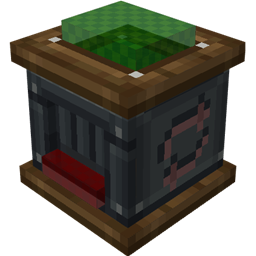
A Minecraft mod that adds two kinds of display blocks: the Trophy Base and the Medal. Put a block, item, or spawn egg (Trophy) or an item (Medal) on display and give it a custom name. Finished displays can be retrieved as items; their data is saved on the item and restored when placed again.
odventure_core§ color codes are supported.Two config files are generated.
odventure_core-client.toml
[render]
    # Whether finished items dynamically render their display content (off = plain icon).
    renderFinishedItems = true
    # Show a floating name when looking at a trophy/medal.
    showFloatingName = true

[entities]
    # Entity render blacklist (registry names). Not rendered anywhere, prevents crashes.
    renderBlacklist = ["minecraft:area_effect_cloud", "minecraft:lightning_bolt", "minecraft:falling_block", "minecraft:item", "minecraft:player"]
odventure_core-common.toml
[gameplay]
    # Whether to block anvil renaming of finished items.
    enableAnvilBlock = true
    # Whether sneak right-click retrieves the item (off = break only).
    enableSneakRetrieve = true
If rendering finished items in the inventory causes lag (many entity trophies stacked), turn off renderFinishedItems, or add the heavy entity to renderBlacklist.
A finished item is just an item with data under BlockEntityTag.
Trophy displaying a diamond:
/give @p odventure_core:trophy_base{BlockEntityTag:{ContentType:"ITEM",ContentId:"minecraft:diamond",ContentLocked:1b,CustomName:"§6Champion Trophy",NameLocked:1b,DisplayScale:1.0f,DisplayYaw:0.0f,DisplayY:0.0f}}Trophy displaying a creeper:
/give @p odventure_core:trophy_base{BlockEntityTag:{ContentType:"ENTITY",ContentId:"minecraft:creeper",ContentLocked:1b,CustomName:"§aBoss Slayer",NameLocked:1b,DisplayScale:0.8f,DisplayYaw:0.0f,DisplayY:0.0f}}Medal embedding a nether star:
/give @p odventure_core:medal{BlockEntityTag:{EmbeddedItem:{id:"minecraft:nether_star",Count:1b},ContentLocked:1b,CustomName:"§bGreatest Hero",NameLocked:1b}}Compatible out of the box, because all data lives in standard item NBT (BlockEntityTag), which the quest reward serializer preserves.
OdventureCoreAPI, then use it as the reward stack.KubeJS example:
// kubejs/server_scripts/odventure_reward.js
const API = Java.loadClass('com.odventure.core.api.OdventureCoreAPI')
const ContentType = Java.loadClass('com.odventure.core.data.TrophyData$ContentType')
const ResourceLocation = Java.loadClass('net.minecraft.resources.ResourceLocation')

global.makeChampionTrophy = () => {
    return API.createTrophy(
        ContentType.ITEM,
        new ResourceLocation('minecraft', 'diamond'),
        '§6Champion Trophy',
        1.0, 0.0, 0.0
    )
}Facade class: com.odventure.core.api.OdventureCoreAPI
// Build finished items
ItemStack createTrophy(TrophyData.ContentType type, ResourceLocation contentId, String name)
ItemStack createTrophy(TrophyData.ContentType type, ResourceLocation contentId, String name,
                       float displayScale, float displayYaw, float displayY)
ItemStack createMedal(ItemStack embedded, String name)

// Write into an existing display block in the world
boolean writeTrophy(Level level, BlockPos pos, TrophyData data)
boolean writeMedal(Level level, BlockPos pos, MedalData data)

// Read
TrophyData readTrophy(ItemStack stack)
TrophyData readTrophy(Level level, BlockPos pos)
MedalData readMedal(ItemStack stack)
MedalData readMedal(Level level, BlockPos pos)
TrophyData exposes display parameters via getDisplayScale()/setDisplayScale(float), getDisplayYaw()/setDisplayYaw(float), and getDisplayY()/setDisplayY(float). MedalData has no display parameters. Both classes are public; see the in-class comments for field semantics.
All Rights Reserved. Copyright (c) liluo23.
为 Minecraft 添加两类展示型方块:奖杯基座与奖章。把方块、物品、刷怪蛋(奖杯)或物品(奖章)放进去展示并自定义名称。成品可作为物品取回,数据随物品保存,重新放置即可还原。
odventure_core§ 颜色代码。会生成两个配置文件。
odventure_core-client.toml
[render]
    # 成品物品是否动态渲染展示内容(关闭则使用普通图标,省性能)。
    renderFinishedItems = true
    # 准心指向奖杯/奖章时是否悬浮显示名字。
    showFloatingName = true

[entities]
    # 实体渲染黑名单(注册名)。名单内实体在世界与物品中都不渲染,避免崩溃。
    renderBlacklist = ["minecraft:area_effect_cloud", "minecraft:lightning_bolt", "minecraft:falling_block", "minecraft:item", "minecraft:player"]
odventure_core-common.toml
[gameplay]
    # 是否屏蔽铁砧对成品改名。
    enableAnvilBlock = true
    # 是否支持潜行右键取回(关闭则只能破坏取回)。
    enableSneakRetrieve = true
如果背包里动态渲染成品导致卡顿(堆叠了大量展示实体的奖杯),关闭 renderFinishedItems,或把对应的高开销实体加入 renderBlacklist。
成品就是一个数据存在 BlockEntityTag 下的物品。
展示钻石的奖杯:
/give @p odventure_core:trophy_base{BlockEntityTag:{ContentType:"ITEM",ContentId:"minecraft:diamond",ContentLocked:1b,CustomName:"§6冠军奖杯",NameLocked:1b,DisplayScale:1.0f,DisplayYaw:0.0f,DisplayY:0.0f}}展示苦力怕的奖杯:
/give @p odventure_core:trophy_base{BlockEntityTag:{ContentType:"ENTITY",ContentId:"minecraft:creeper",ContentLocked:1b,CustomName:"§aBoss终结者",NameLocked:1b,DisplayScale:0.8f,DisplayYaw:0.0f,DisplayY:0.0f}}嵌入下界之星的奖章:
/give @p odventure_core:medal{BlockEntityTag:{EmbeddedItem:{id:"minecraft:nether_star",Count:1b},ContentLocked:1b,CustomName:"§b最佳勇士",NameLocked:1b}}开箱兼容,因为所有数据都存在标准物品 NBT(BlockEntityTag)里,任务奖励的序列化会原样保留。
OdventureCoreAPI 构造出精确的物品,作为奖励物品使用。KubeJS 示例:
// kubejs/server_scripts/odventure_reward.js
const API = Java.loadClass('com.odventure.core.api.OdventureCoreAPI')
const ContentType = Java.loadClass('com.odventure.core.data.TrophyData$ContentType')
const ResourceLocation = Java.loadClass('net.minecraft.resources.ResourceLocation')

global.makeChampionTrophy = () => {
    return API.createTrophy(
        ContentType.ITEM,
        new ResourceLocation('minecraft', 'diamond'),
        '§6冠军奖杯',
        1.0, 0.0, 0.0
    )
}门面类:com.odventure.core.api.OdventureCoreAPI
// 构造成品
ItemStack createTrophy(TrophyData.ContentType type, ResourceLocation contentId, String name)
ItemStack createTrophy(TrophyData.ContentType type, ResourceLocation contentId, String name,
                       float displayScale, float displayYaw, float displayY)
ItemStack createMedal(ItemStack embedded, String name)

// 写入世界中已存在的展示方块
boolean writeTrophy(Level level, BlockPos pos, TrophyData data)
boolean writeMedal(Level level, BlockPos pos, MedalData data)

// 读取
TrophyData readTrophy(ItemStack stack)
TrophyData readTrophy(Level level, BlockPos pos)
MedalData readMedal(ItemStack stack)
MedalData readMedal(Level level, BlockPos pos)
TrophyData 通过 getDisplayScale()/setDisplayScale(float)、getDisplayYaw()/setDisplayYaw(float)、getDisplayY()/setDisplayY(float) 暴露展示参数。MedalData 没有展示参数。两个类均为 public,字段语义见类内注释。
保留所有权利(All Rights Reserved)。版权所有 (c) liluo23。