Replaces Minecraft's loading screens, dirt backgrounds, and title panorama with custom videos and audio. Also supports building actual video screens in-world.
ffmpeg or ffmpeg-win / ffmpeg-linux / ffmpeg-mac depending on your OS, and yt-dlp for yt-dlp.ffmpegExePath, ffprobeExePath, and ytdlpExePath options in narutoloading.json to point directly to the executables.enableUrlForSourceSelection in narutoloading.json, or the yt-dlp feature will not be available.config directory of your game.narutoloading.json and set videoFileName and audioFileName to the respective file names.narutoloading-sources in the config folder of your game.narutoloading-sources.video and audio respectively.| Key | Action | Type |
|---|---|---|
F12 |
Reload current video | No-world only |
Shift + F12 |
Roll for a random source from the narutoloading-sources directory |
No-world only |
Ctrl + F12 |
Open source selection GUI screen | No-world only |
Shift + Right Mouse |
Clear text in focused edit box (in GUI) | Universal |
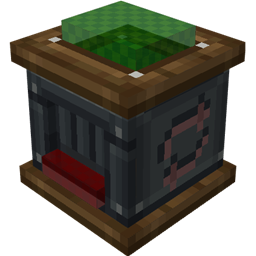
Built with Displayer blocks or Item Frames.
Screens can be built in any aspect ratio and size you like. Earlier versions required 16:9 or 9:16, but this restriction has been removed since 2.2.0. The minimum screen size is 2×2, meaning you need at least 4 Displayers or Item Frames to form a valid screen. The only real limitation is Minecraft's building height limit.
Make sure your render distance and simulation distance are large enough (e.g. 32) before using these.
/gamerule commandModificationBlockLimit 9999999/fill ~ ~ ~-400 ~ ~449 ~399 narutoloading:displayer