Summary
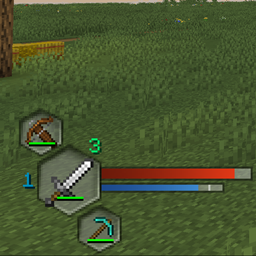
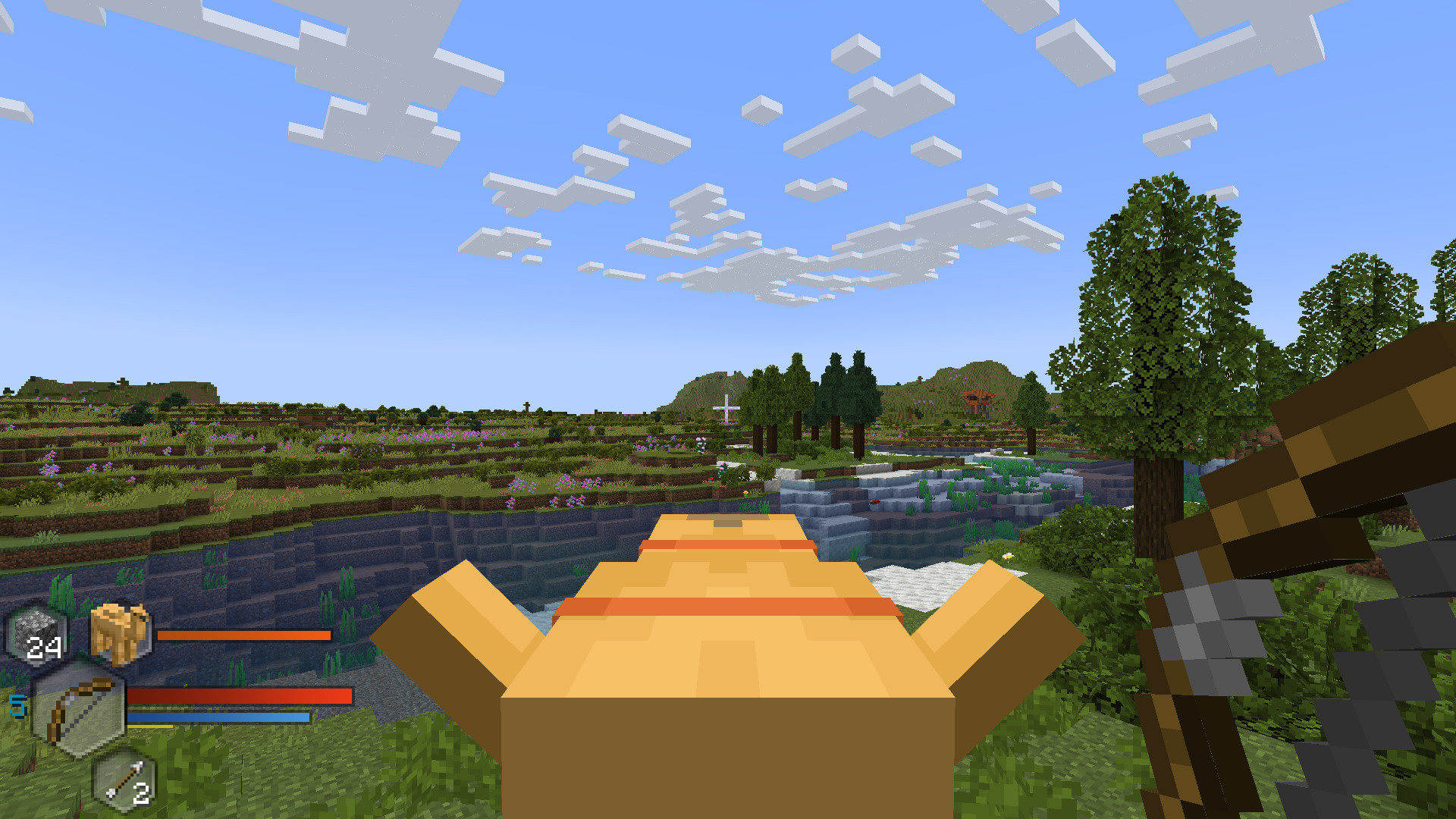
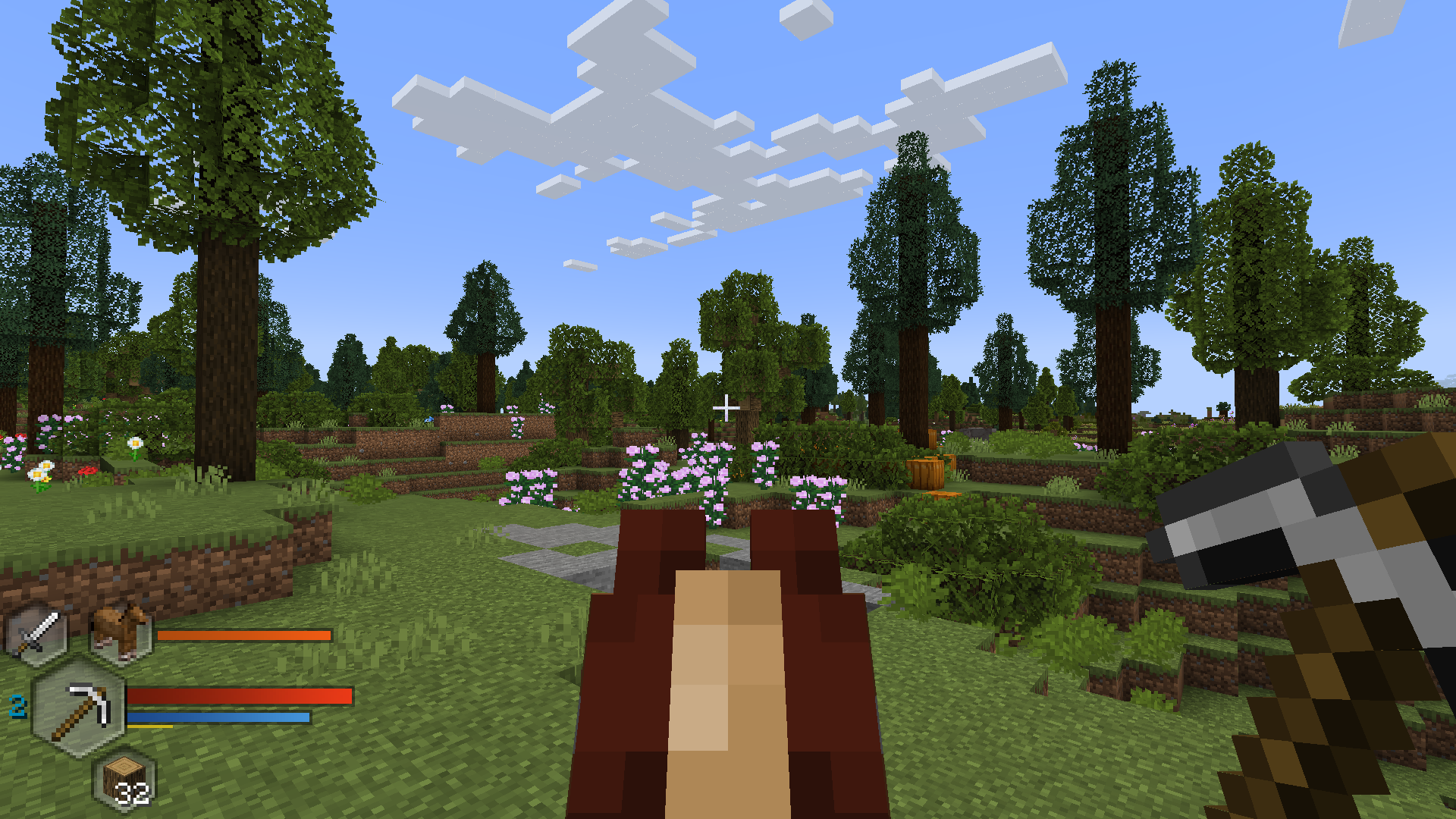
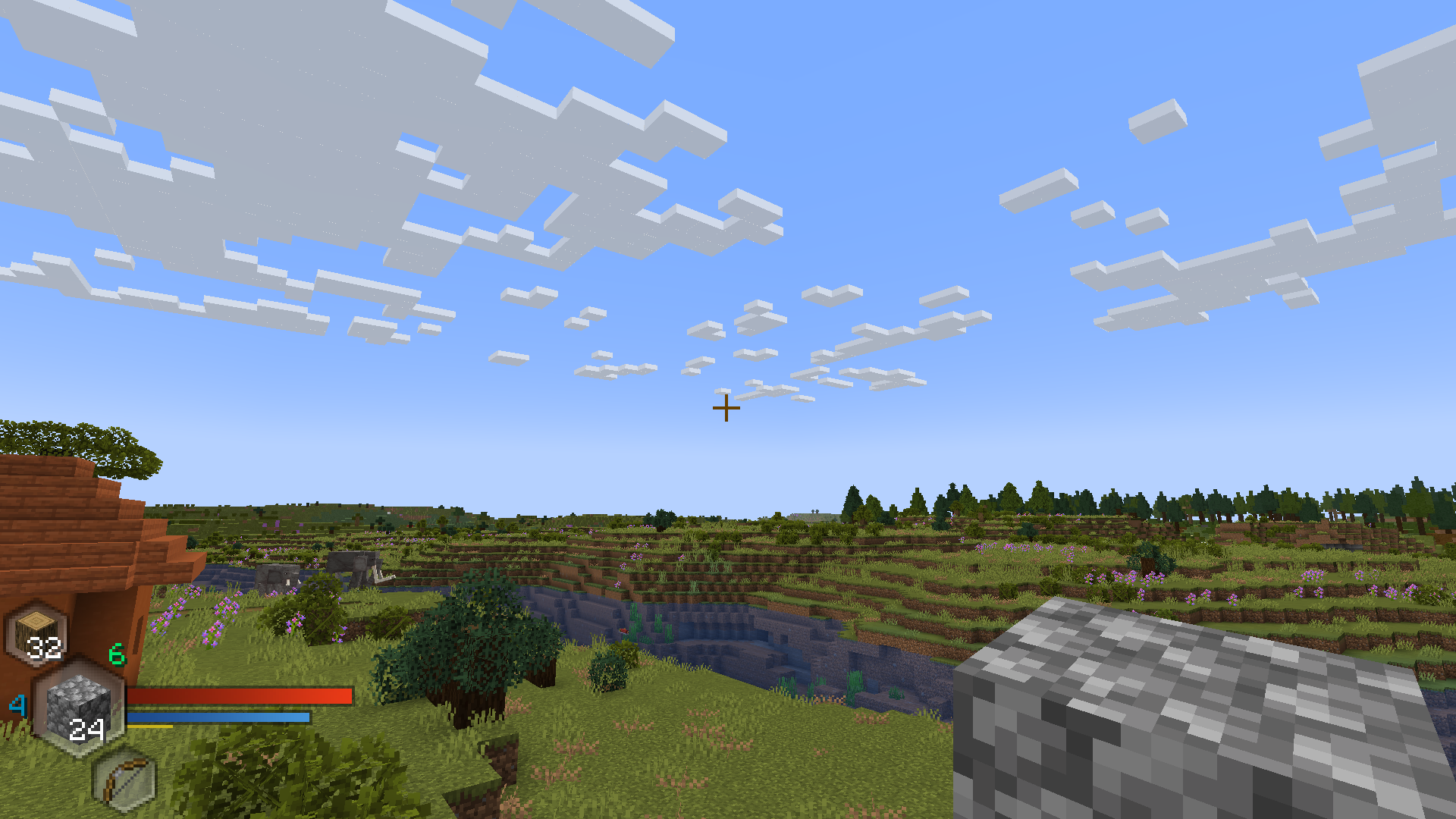
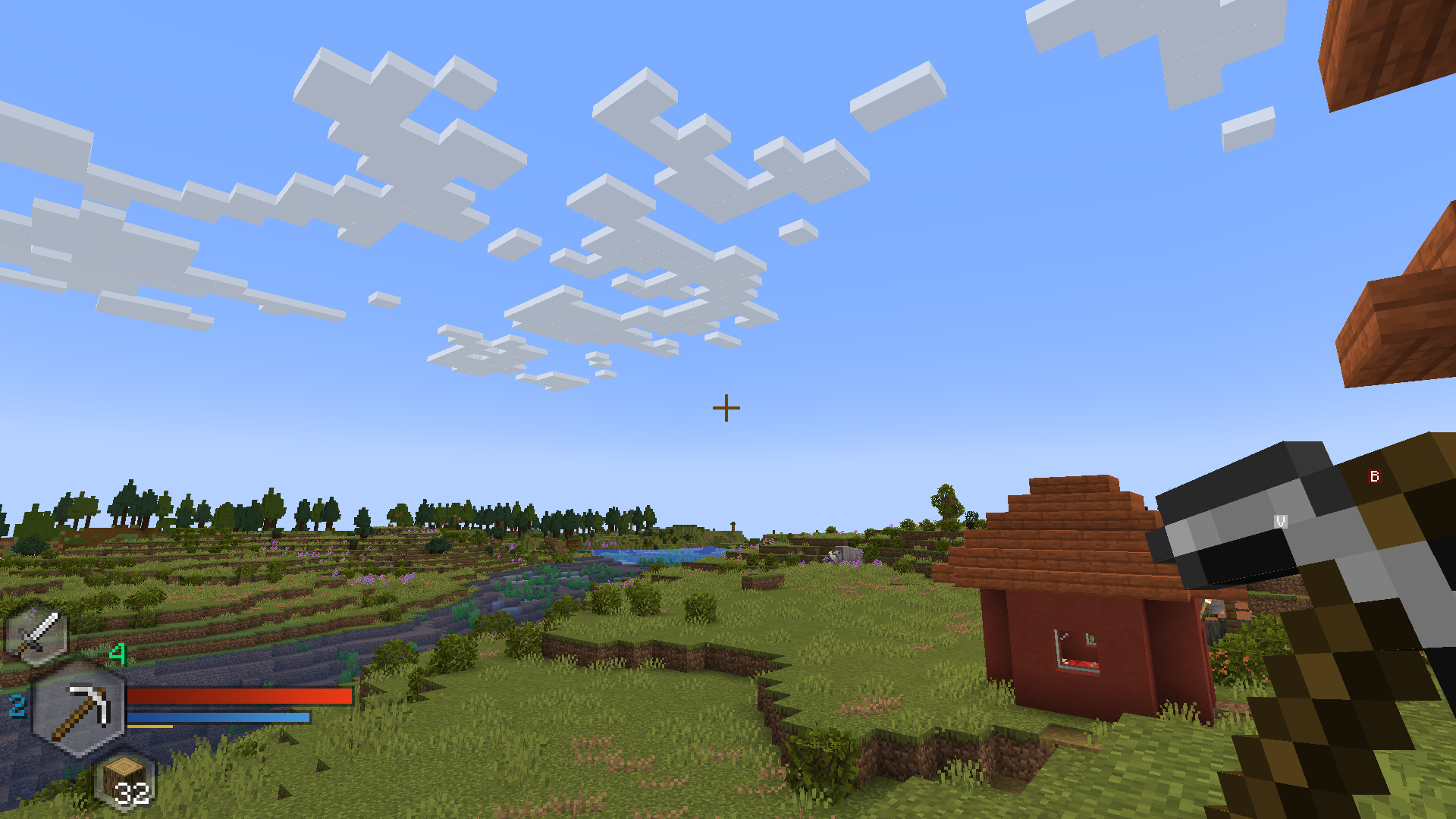
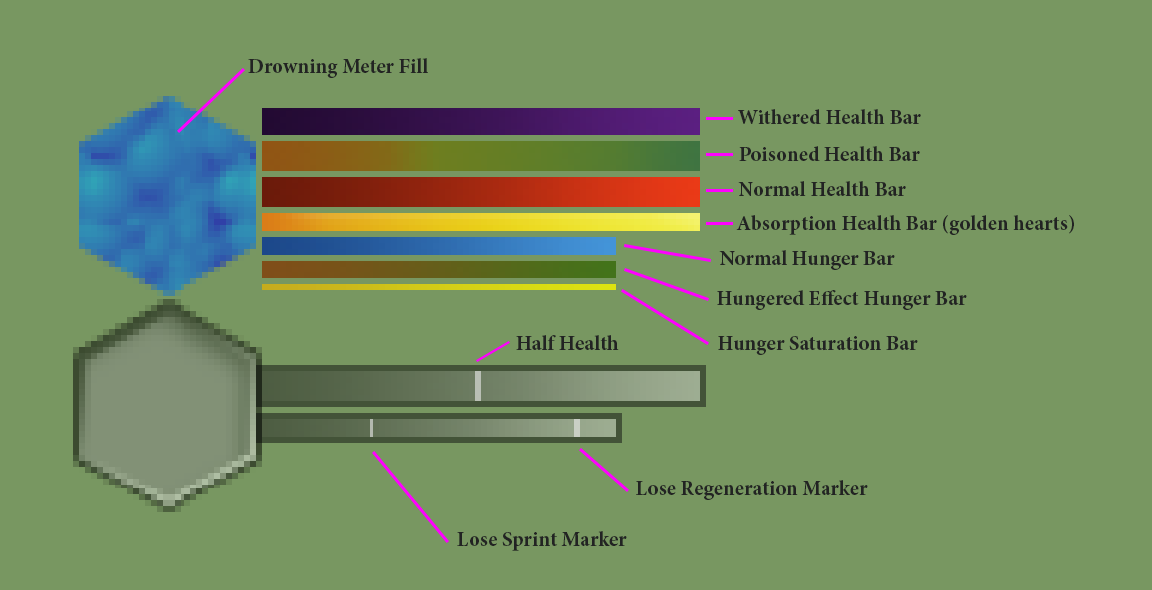
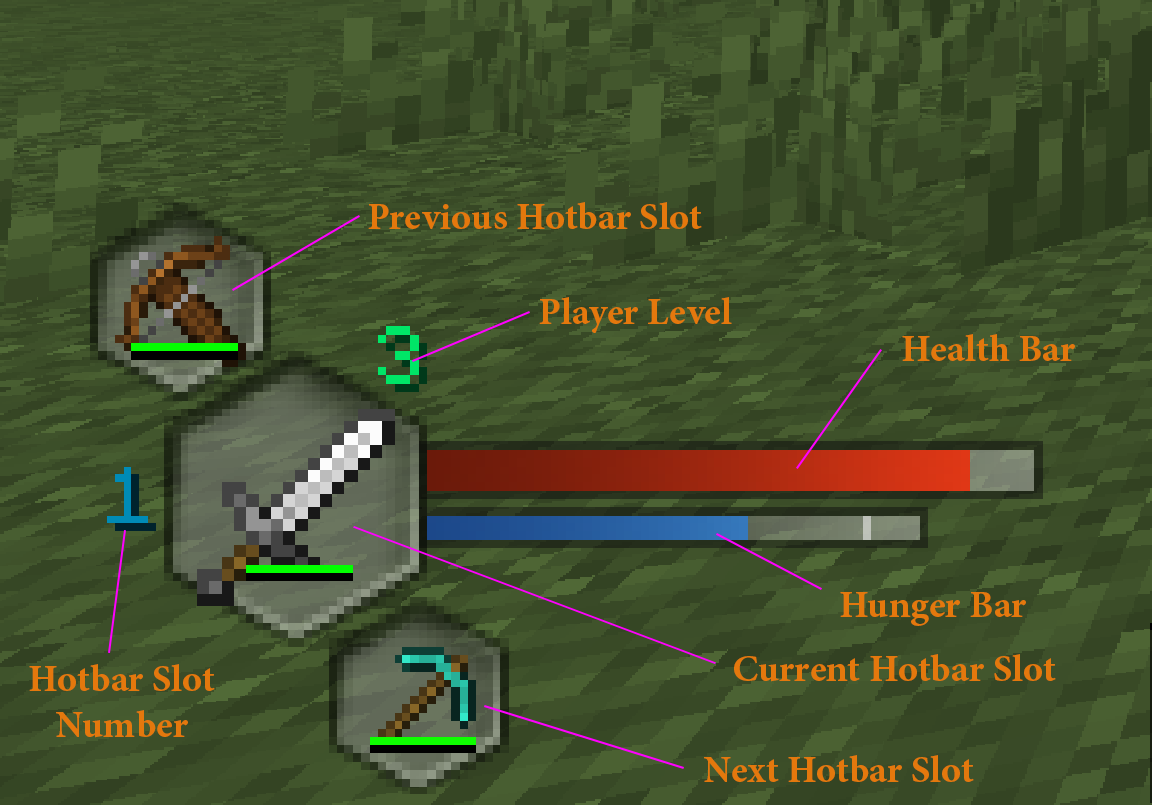
Replaces the standard HUD UI with a new experience. Collapses all of the main UI elements into a modern set of elements. Below are labled images of the various HUD elements. Other sections detail settings for the mod, configured using the config/minimalmodern.toml or config/minimalmodern-client.toml files.
Forge & NeoForge
Previously Minimal Modern HUD was a Forge loader mod. As of Minecraft version 1.21.X, I have converted the mod to be a NeoForge loader mod. I do NOT have any plans to create any further versions using Forge, nor do I have any current plans to port to other mod loaders.
Key Binds
Additionally adds 3 new key binds to make navigating the smaller hotbar easier. Each set the player's active slot if the conditions are met.
Forge - AutoHud: The forge versions of this mod require [Auto HUD](https://www.curseforge.com/minecraft/mc-mods/auto-hud) for the full recommended experience.
This allows for hiding and toggling the hotbar and other UI elements.
Change that mod's setting: hotbar.onChange to false, and hotbar onSlotChange to false.
NeoForge - AutoHud : The NeoForge versions are NOT compatible with AutoHud, and should NOT be used in conjuction at this time. I have recreated most of the recomened features that AutoHUD provided directly into Minimal Modern HUD.
AutoHud configuration: the other UI elements need to have their "policy" values set to "Disabled. The following values need updated: health, hunger, air, armor, mountHealth. Below is my Auto HUD config file (autohud.json5). This is found in your instance's "/config" folder. Within the game you can optionally bind a key for toggling the hotbar.
autohud.json5 - expand spoiler
{
"dynamicOnLoad": true,
"ticksRevealed": 40,
"animationMove": true,
"animationFade": true,
"animationSpeed": 2.0,
"animationSpeeds": {
"moveIn": 0.0,
"moveOut": 0.0,
"fadeIn": 0.0,
"fadeOut": 0.0
},
"revealType": "Stacked",
"events": {
"onScreenOpen": "Nothing",
"onMoving": "Nothing",
"onStandingStill": "Nothing",
"onPauseScreen": "Nothing",
"onSneaking": "Nothing",
"onFlying": "Nothing",
"onUsingItem": false,
"onMining": false,
"onSwinging": false,
"onAttacking": false
},
"statusEffectTimer": true,
"defaultValues": {
"speedMultiplier": 1.0,
"distance": 60,
"maximumFade": 0.0
},
"health": {
"policy": "Disabled"
},
"hunger": {
"policy": "Disabled"
},
"revealHungerWhenHoldingFoodItem": false,
"air": {
"policy": "Disabled"
},
"armor": {
"policy": "Disabled"
},
"experience": {
"active": true,
"onChange": true
},
"experienceBar": {
"active": true,
"onChange": true
},
"revealExperienceTextOnTargetingEnchantingBlock": true,
"mountJumpBar": {
"active": true,
"onChange": true
},
"mountHealth": {
"policy": "Disabled"
},
"statusEffects": {
"active": true,
"onChange": true
},
"hidePersistentStatusEffects": true,
"showHiddenStatusEffects": false,
"hotbar": {
"hotbar": {
"active": true,
"onChange": true
},
"onSlotChange": true,
"onLowDurability": true,
"durabilityPercentage": 10,
"durabilityTotal": 20,
"maximumFadeHotbarItems": 0.0,
"revealExperienceTextWithHotbar": true,
"hideTooltip": false
},
"scoreboard": {
"scoreboard": {
"active": true,
"onChange": true
},
"onScoreChange": true,
"onTeamChange": true
},
"crosshair": {
"active": true,
"onChange": true
},
"chat": {
"chat": {
"active": false
},
"displayIndicator": true
},
"actionBar": {
"active": false
},
"bossBar": {
"active": false
},
"advanced": {
"hotbar": {
"direction": "Down",
"speedMultiplier": -1.0,
"distance": -1,
"maximumFade": -1.0
},
"health": {
"direction": "Down",
"speedMultiplier": -1.0,
"distance": -1,
"maximumFade": -1.0
},
"armor": {
"direction": "Down",
"speedMultiplier": -1.0,
"distance": -1,
"maximumFade": -1.0
},
"hunger": {
"direction": "Down",
"speedMultiplier": -1.0,
"distance": -1,
"maximumFade": -1.0
},
"air": {
"direction": "Down",
"speedMultiplier": -1.0,
"distance": -1,
"maximumFade": -1.0
},
"experience": {
"direction": "Down",
"speedMultiplier": -1.0,
"distance": -1,
"maximumFade": -1.0
},
"mountJumpBar": {
"direction": "Down",
"speedMultiplier": -1.0,
"distance": -1,
"maximumFade": -1.0
},
"mountHealth": {
"direction": "Down",
"speedMultiplier": -1.0,
"distance": -1,
"maximumFade": -1.0
},
"statusEffects": {
"direction": "Up",
"speedMultiplier": -1.0,
"distance": -1,
"maximumFade": -1.0
},
"scoreboard": {
"direction": "Right",
"speedMultiplier": -1.0,
"distance": 100,
"maximumFade": -1.0
},
"crosshair": {
"speedMultiplier": 2.5,
"maximumFade": 0.1
},
"chat": {
"direction": "Left",
"speedMultiplier": -1.0,
"distance": 100,
"maximumFade": -1.0
},
"actionBar": {
"direction": "Down",
"speedMultiplier": -1.0,
"distance": -1,
"maximumFade": -1.0
},
"bossBar": {
"direction": "Up",
"speedMultiplier": -1.0,
"distance": -1,
"maximumFade": -1.0
}
}
}
HUD Elements
Check out the images tab for clearer images.
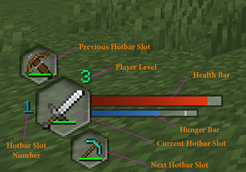
HUD Colors and extras
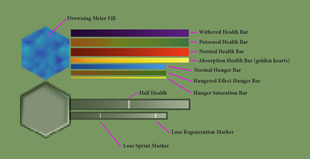
Settings
By updating the mod's config, this will allow a player the following customization.
["Configs for Minimal Modern"]
    #Which corner to display main GUI? 0 = TopLeft, 1 = TopRight, 2 = BottomLeft, 3 = BottomRight
    #Range: 0 ~ 3
    MainGuiCorner = 2
    #Horizontal Padding for main GUI.
    #Range: 0 ~ 50
    MainGuiHorizontalPadding = 2
    #Vertical Padding for main GUI.
    #Range: 0 ~ 50
    MainGuiVerticalPadding = 0
    #Separate the main GUI from the Value Bars.
    #The following settings will only take effect if set to true
    #The corner values must also be different.
    SeparateValueBars = false
    #Which corner to display Value Bars? 0 = TopLeft, 1 = TopRight, 2 = BottomLeft, 3 = BottomRight
    #Range: 0 ~ 3
    ValueBarsCorner = 1
    #Horizontal Padding for Value Bars.
    #Range: 0 ~ 50
    ValueBarsHorizontalPadding = 0
    #Vertical Padding for Value Bars.
    #Range: 0 ~ 50
    ValueBarsVerticalPadding = 0