Zip and Unzip your files and data in game or on the console. Backing up the entire server will be easier than ever. If you have problems uploading multiple files, why not just use a zip file to upload everything and unzip it again?
German? Check the translated page here.
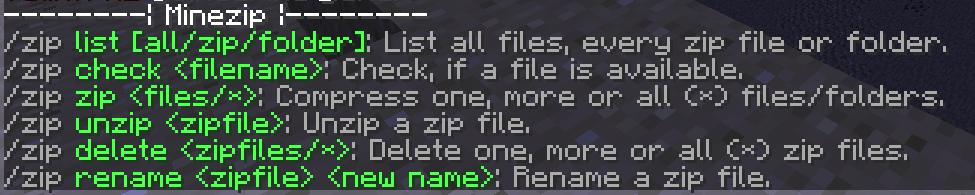
"/zip" will bring up this help menu:

| Command | Description |
|---|---|
| /zip list | List every file in the server folder |
| /zip list all | Same as /zip list |
| /zip list zip | List all the zip files in the server folder |
| /zip list folder | List all the folders in the server folder (e.g. "plugins") |
| /zip check [filename] | List all the files that have or contain that name. |
| /zip zip [folder] | Zip a folder. This command can take multiple commands, meaning that you can zip multiple files at once into one zip file. If you use /zip zip *, you will compress the whole server. |
| /zip unzip [zipfile] | Unzip a zip file. The zip file will have the same name as the zip file, only leaving out the ".zip" at the end |
| /zip delete [zipfile] | Delete a zip file. This command is turned off by default, it only can be activated in the config.yml file. You will have the same features here as in the /zip zip command. |
| /zip rename [zipfile] [new name] | Rename files such as world.zip to parkour.zip. It also checks, if the new name is already taken, which means that it's impossible to accidentally overwrite other files. |
Without any permissions, only OPs (and the console) will be allowed to use all /zip commands.
For everything else, there's just one permission:
- zip.commands
Note: If a user does not have the permission, by default he will receive a "Unknown command. Type "help" for help." message. This message is configurable.
When creating a zip file, it is important to create the zip file in the world folder. If you compress the world folder itself, unzipping it will create 2 world folders inside of each other, which the server can't read.