Ever wanted to feel that one friends lag? Wait no more.
With MakeLag you can artificially create lag!
Simply just run this one command on a hosted server, an Essential Mod world, or an e4mc world and enjoy yourself some lag: /makelag start.
The lag will increase gradually, if you ever feel like the need to speed it up a little, use the /makelag progression skip <ticks> command and set the ticks value to something like 12000 for 10 minutes of gameplay passed, 24000 for 20 minutes passed, etc.
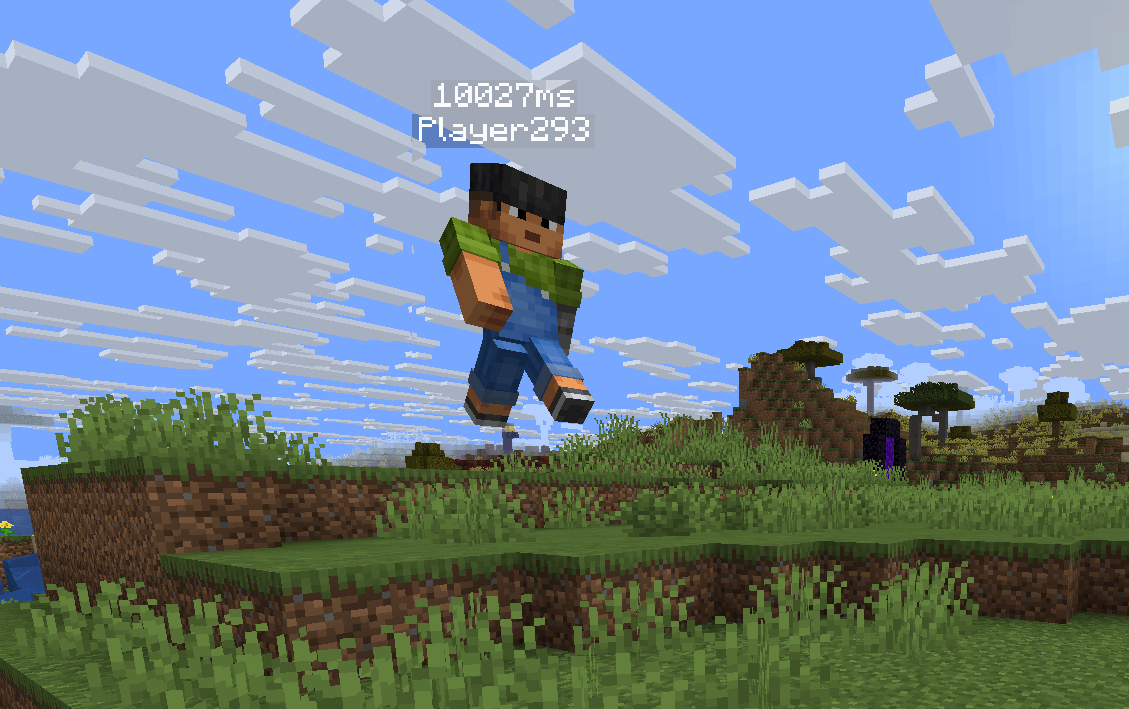
By default, the client-side ping display is disabled. Toggle it whenever you want using /makelag togglePingDisplay. This will toggle it for all players.
/makelag start - Starts making lag using the currently loaded progression./makelag togglePingDisplay - Toggle the above nameplate ping display for all clients with this mod./makelag progression pause - Pauses the currently loaded progression, removes the lag until resumed./makelag progression resume - Resumes the currently loaded progression./makelag progression load <id> - Loads the progression with the passed in id./makelag progression tick <tick> - Sets the tick of the progression to the passed in tick./makelag progression skip <ticks> - Skips the progression tick by the specified ticks amount./makelag progression tickRate <rate> - Sets the tick rate, this means that every normal tick, the progression tick will be incremented by the tick rate./makelag state <player> <module> <key> <value> - Sets the passed in key of the specified module to the passed in value for the specified player./makelag config <key> <value> - Sets the specified key to the passed in value for all players.See CONFIGURATION.md


no