LOTR Info is a mod for LOTR: Renewed Extended that adds highly customizable hover tooltips to pouches, kegs, and weapons with bane progress along with a HUD for the LOTR daylight cycle.
Cloth Config API Is required for the in-game config menu, if that’s not an option you can edit lotrinfo-client.toml in your .minecraft/config folder. If you’re not using the GUI you should read the config section of this description so you can understand all the options.
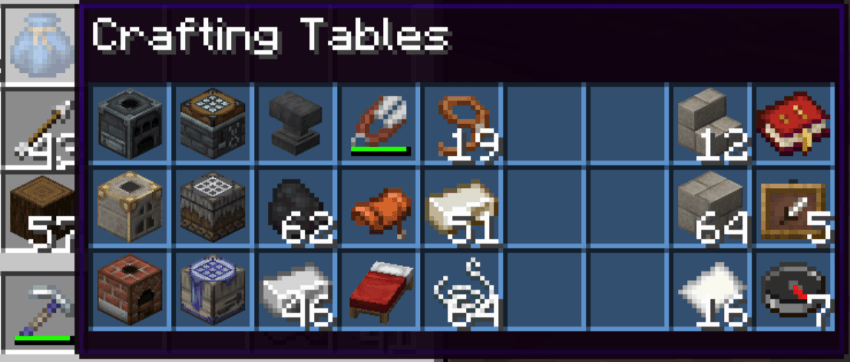 You can turn off or customize the colored background, and show some default lines of lore.
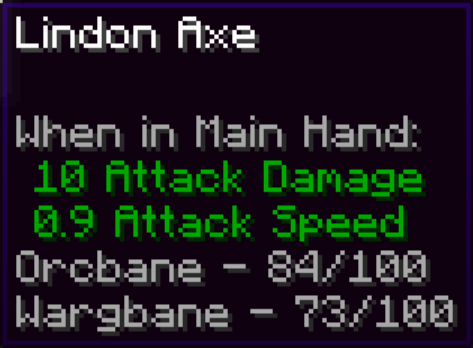
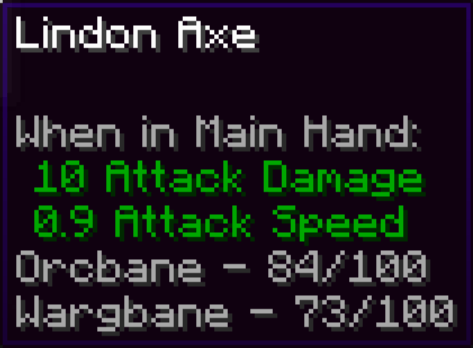
The lines are always sorted by the number of kills, but you can customize how they will look.
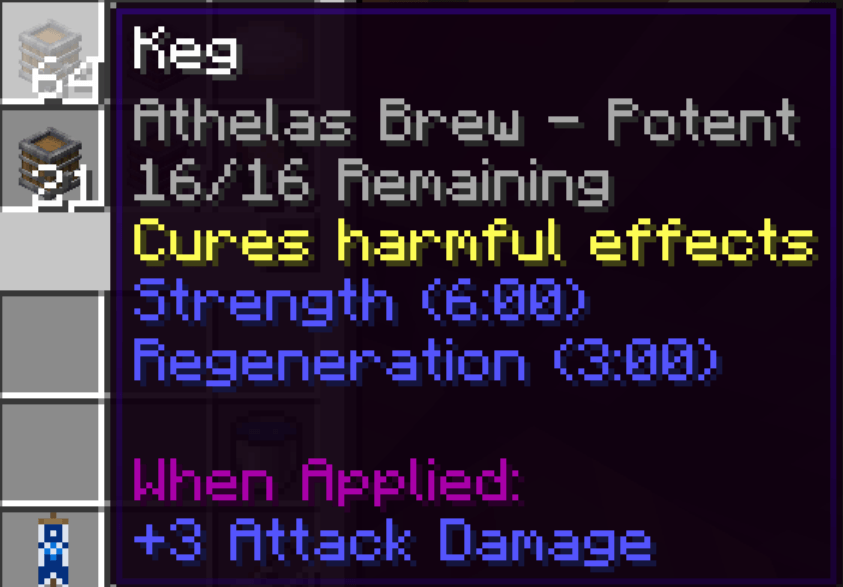 You can disable the drink’s lore, or require shift (rebindable)
 Time left is exactly when mobs will start or stop spawning, which I tested to be 26,375-45,625 out of the 48,000 tick cycle.
All text editing allows the use of formatting codes, so &e is yellow.
general_settingsEnable Mod - Toggles all mod functionality. enable_mod default:true
Percentage Rounding - Choose what number to round the percentage displays to, for example 0.1 rounds to tenths. percentage_rounding default:0.01, range:0.001-100
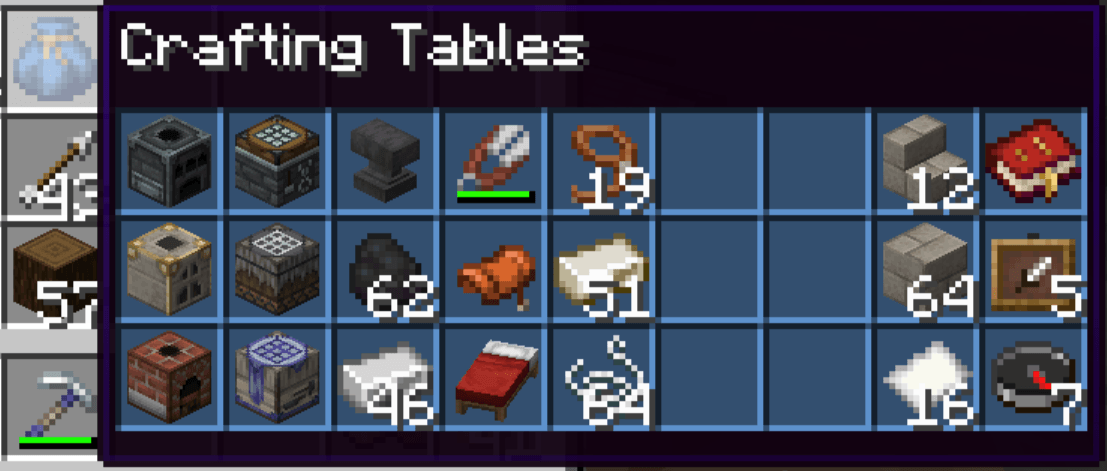
pouch_displayEnable Pouch Tooltips - Toggles the pouch tooltips display. enable_pouch default:true
Hold Key for Pouch Tooltips - Requires the "Show Hidden Tooltips" keybind to be pressed for the pouch tooltips display. pouch_key_required default:false
Deitalicize Pouch Names - Removes the italic styling on pouch names in tooltips and above the hotbar. deitalicize_name default:true
Return Mouse on Release - Resets the cursor to where it was before you pressed the "Hover Items in Pouch" key. mouse_reset default:true
Pouch Coloring - Color background slots based on pouch color. pouch_coloring default:true
Default Background Color - Hex color for the background if Pouch Coloring is off or pouch isn't dyed (#RRGGBB). default_bg_color default:"#FFFFFF"
(First option is to hide a line, second is to invert that when the "Show Hidden Tooltips" key is held.)
hide_item_list default:true, invert_hide_item_list default:falsehide_slots_counter default:true, invert_hide_slots default:truehide_dyed default:true, invert_hide_dyed default:truehide_picked_up_new default:true, invert_hide_picked_up default:truebane_trackerEnable Bane Tracker - Toggles the bane tracker display. enable_bane default:true
Hold key for Bane Tracker - Requires the "Show Hidden Tooltips" keybind to be pressed to see the keg tooltips. bane_key_required default:true
Bane Text Format - How the bane tracker display will look. bane_text_format default:"&7%race% - %kills%/100"
%race% - The race to get bane against.
%kills% - The number of kills on that race.
time_hudEnable Time HUD - Toggles the time hud display. enable_hud default:true
Display Format - How the text will look. hud_format default:"&e%h%:%m% %a% &7(%m_left%m %s_left%s left)"
Text Shadow - Toggles text shadows in the HUD. hud_shadow default:true
Text Background - Toggles the text background of the HUD. hud_background default:false
Background Color - The color of the text background in ARGB (#AARRGGBB) Hex format. The format goes like this: alpha (transparency), red, green, and blue intensity, with two digit numbers from 0 to F where A = 11, #80FF0000 would be 50% transparency with 100% red. hud_background_color default:"#40000000"
Text Size (%) - The size of the text in the time hud, 50% would be half the size and 200% would be double. hud_scale default:100 range:1.0-1000.0
Vertical Position (%) - The percent of the way down your screen the hud will appear from the HUD's anchor point. hud_y default:1 range:0.0-100.0
Vertical Anchor - Display the HUD above, in the middle, or below the vertical position. (anchor top = display below) hud_y_anchor default:"TOP" allowed values:TOP, MIDDLE, BOTTOM
Horizontal Position (%) - The percent of the way across your screen from the left that the hud will appear from the HUD's anchor point. hud_x default:0.5 range:0.0-100.0
Horizontal Anchor - Display the HUD to the left, center, or right of the horizontal position. (anchor left = display right) hud_x_anchor default:"LEFT" allowed values:LEFT, CENTER, RIGHT
%h% - The in game daylight cycle's hours. (12-hour)
%h24% - The in game daylight cycle's hours. (24-hour)
%m% - The in game daylight cycle's minutes.
%a% - AM or PM for the 12 hour clock.
%m_real% - The amount of real minutes into the game's 40 minute daylight cycle.
%s_real% - The amount of real seconds into the game's daylight cycle % 60. (remainder after minutes)
%m_left% - The amount of real minutes until mobs will start/stop spawning for the night.
%s_left% - The amount of real seconds until mobs will start/stop spawning for the night % 60.
%dn% - says if it's currently "Day" or "Night" for the time left display.
%!dn% - inverted version of %dn% Day = Night, Night = Day.
keg_tooltipsEnable Keg Tooltips - Toggles the keg tooltips display. enable_keg_info default:true
Hold key for Keg Tooltips - requires the "Show Hidden Tooltips" keybind to be pressed to see the keg tooltips. keg_key_required default:false
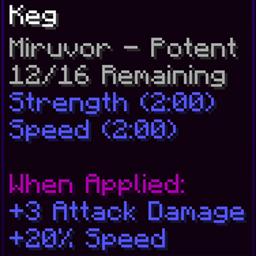
Show Drink Lore - Shows the lore of the drink brewed inside the keg below the other info. show_drink_lore default:true
When to Show Drink Lore - Determines when the Drink Lore is visible, held means the "Show Hidden Tooltips" keybind is down, finished means the keg is done brewing. lore_display_mode default:"FINISHED_OR_HELD", allowed values:ALWAYS, IF_FINISHED, IF_HELD, FINISHED_OR_HELD, FINISHED_AND_HELD
Line Editing - Not Started - Text that will display on kegs with a recipe that haven't started. not_started_lines default:["&7%type%", "&7Not Started"]
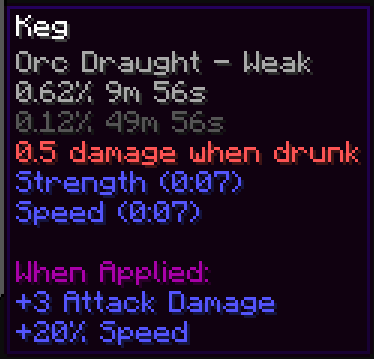
Line Editing - Brewing - Text that will display on kegs that were in the middle of brewing. brewing_lines default:["&7%type% - %potency%", "&7%percent%% %m%m %s%s Left", "&8%percent_max%% %m_max%m %s_max%s Max"]
Line Editing - Finished - Text that will display on kegs that have finished brewing. finished_lines default:["&7%type% - %potency%", "&7%count%/16 Remaining"]
%type% - The name of the brewed drink, ex: "Athelas Brew".
%potency% - The Potency level. (if it's currently breing it'll show the potency level that it's brewing, not the one it already achieved)
%count% - The number of remaining drinks.
%percent% - The percentage progress towards the next potency tier.
%percent_max% - The percentage progress towards the maximum potency tier.
%m% The number of minutes left until the next potency tier.
%s% The number of seconds left until the next potency tier % 60. (remainder after minutes)
%m_max% The number of minutes left until the maximum potency tier.
%s_max% The number of seconds left until the maximum potency tier % 60.
Tooltips in variables on the config screen render behind the scrollbar.
Config word wrap doesn't preserve § format coloring.
Pouch Lore is not being hidden in a dynamic way (won’t work with different languages).
LOTR tooltips have a word wrap function which breaks the pouch tooltips on high GUI scale to resolution ratios.
Held key debug option doesn’t cancel item rendering.
Reset Keybinds option doesn't work when reset all is also selected.
Pouch hover inside tint renders behind items