Live Camera is a Fabric mod that adds placeable camera blocks to Minecraft.
Place camera blocks in your world, configure their name, color, enabled state, direction, pitch, and FOV, then view the world through them using Camera View mode.
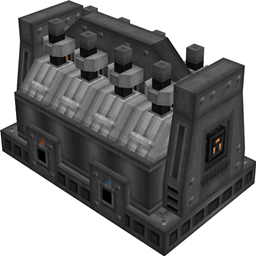
Placeable Live Camera blocks
Camera Settings screen
Aim Camera mode for adjusting camera direction
Camera View mode for viewing through placed cameras
Camera Hub for switching between cameras
Custom camera names and colors
Adjustable yaw, pitch, and FOV
Persistent camera settings after saving and restarting the world
Fixed camera view behavior with movement and input protection
Place a Live Camera block in the world.
To open the Camera Settings screen, look at the camera block, hold Sneak, and right-click the camera.
From the Camera Settings screen, you can change the camera name, color, enabled state, and FOV. You can also enter Aim Camera mode to adjust the camera direction.
Aim Camera mode lets you adjust the direction and FOV of the selected camera.
Controls:
Move Mouse: Aim the camera
Mouse Wheel: Adjust FOV
Enter: Save camera aim
Right Click: Save camera aim
Esc: Cancel
R: Cancel
Backspace: Cancel
H: Toggle Aim HUD
Aim Camera is limited to the forward range of the physical camera, so the camera cannot be aimed backwards through itself.
Camera View mode lets you view the world through a placed camera.
Controls:
A / D: Switch between available cameras
R: Exit Camera View
H: Toggle Camera View HUD
While in Camera View, player movement and world interaction are disabled so the camera stays fixed. Right-clicking, attacking, picking blocks, and moving with WASD are blocked during Camera View.
Each camera can store:
Name
Color
Enabled state
Yaw
Pitch
FOV
Settings are saved to the world and remain after restarting.
Minecraft 26.1.2
Fabric Loader
Fabric API
Java 25
This is the initial release of Live Camera.
The core camera system is implemented, including placement, settings, aiming, viewing, camera switching, persistent names, colors, direction, and FOV.
Please report bugs with:
Minecraft version
Fabric Loader version
Fabric API version
What you were doing when the bug happened
Logs or crash reports if available
This mod is currently for Fabric only.
Forge and NeoForge versions are not available at this time.