Mineuniverse
Log in Register
Mods

Litematica Inventory Highlight

A mod that makes it easier to visualize missing blocks when building schematics in Survival mode.
by tvinch_
Download Claim this project
3,478 downloads
0 likes
Updated Jul 6, 2026
0 hypes
Addons

Demonstration

https://youtu.be/BY0mpSpLVVU

ENG

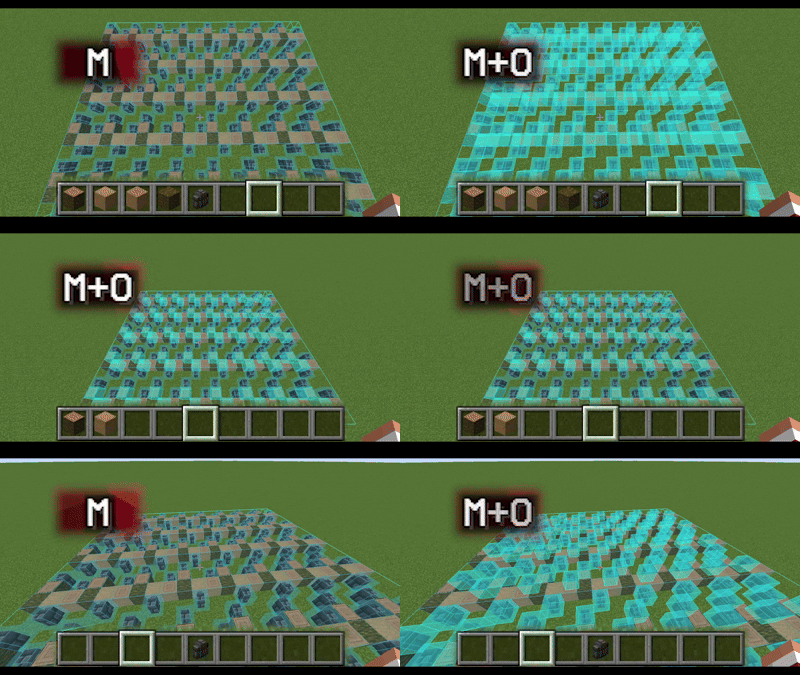
Litematica Inventory Highlight is a client-side addon for Litematica that, using a hotkey (default M+O), highlights all missing blocks based on the blocks available in your inventory (shulker box contents are not taken into account).

The mod highlights blocks in the same way as the built-in Schematic Verification, as if you were manually selecting each block and all of its states.

How to use:

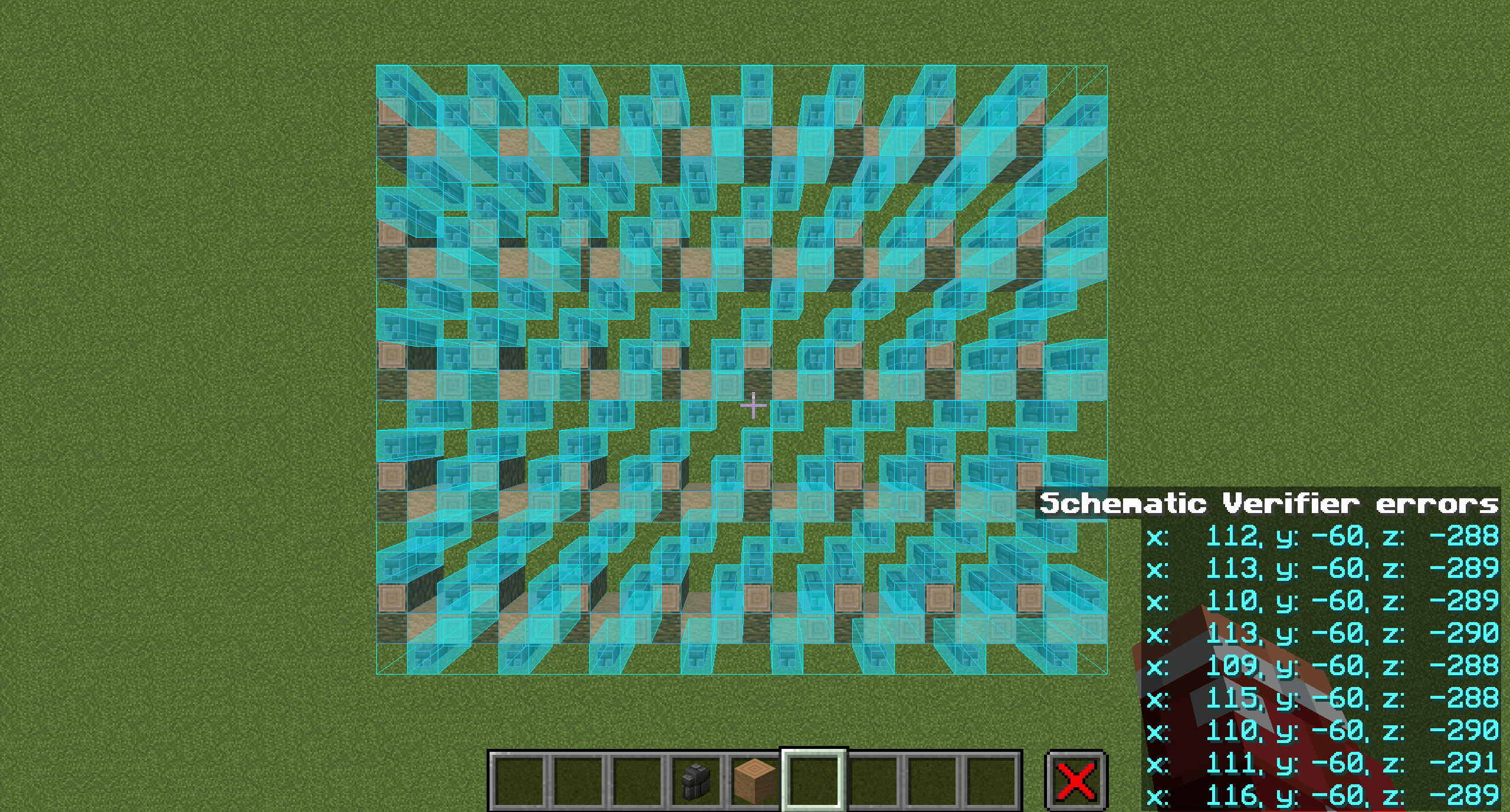
  1. Start Schematic Verification in Litematica (default M+V) and wait until the check is complete.
  2. Put the blocks you want to place into your inventory.
  3. Press M+O (default). All blocks that exist in your inventory will be highlighted, regardless of their quantity.

Dependencies:

  • Litematica
  • MaLiLib
  • Mod Menu (required for configuration)

Configuration

Open via Mod Menu → Litematica Inventory Highlight → Config.

General tab

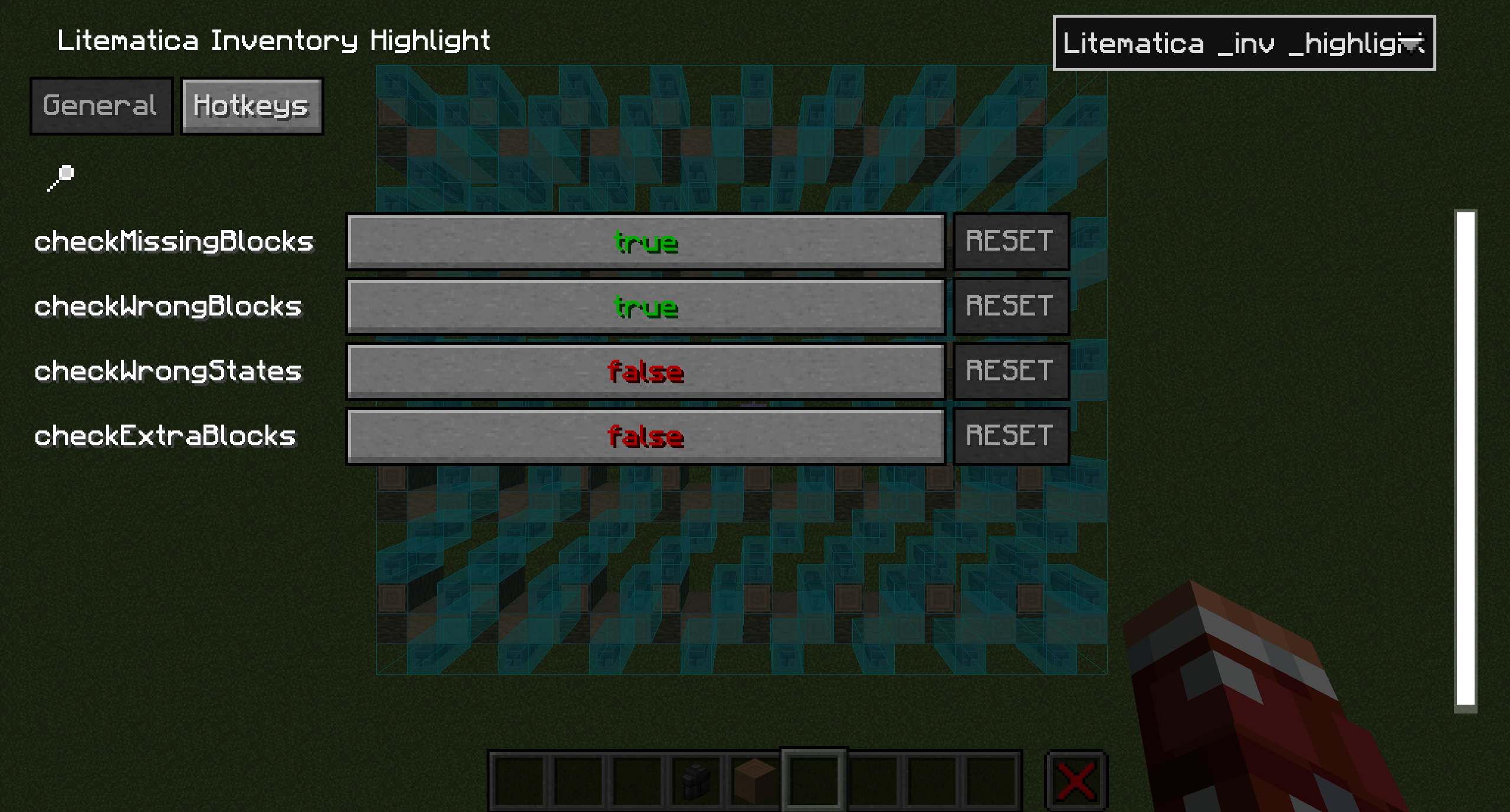
checkMissingBlocks (default: true) Checks and highlights missing blocks

checkWrongBlocks (default: true) Checks and highlights incorrect blocks

checkWrongStates (default: false) Checks and highlights incorrect block states

checkExtraBlocks (default: false) Checks and highlights extra blocks

Hotkeys tab

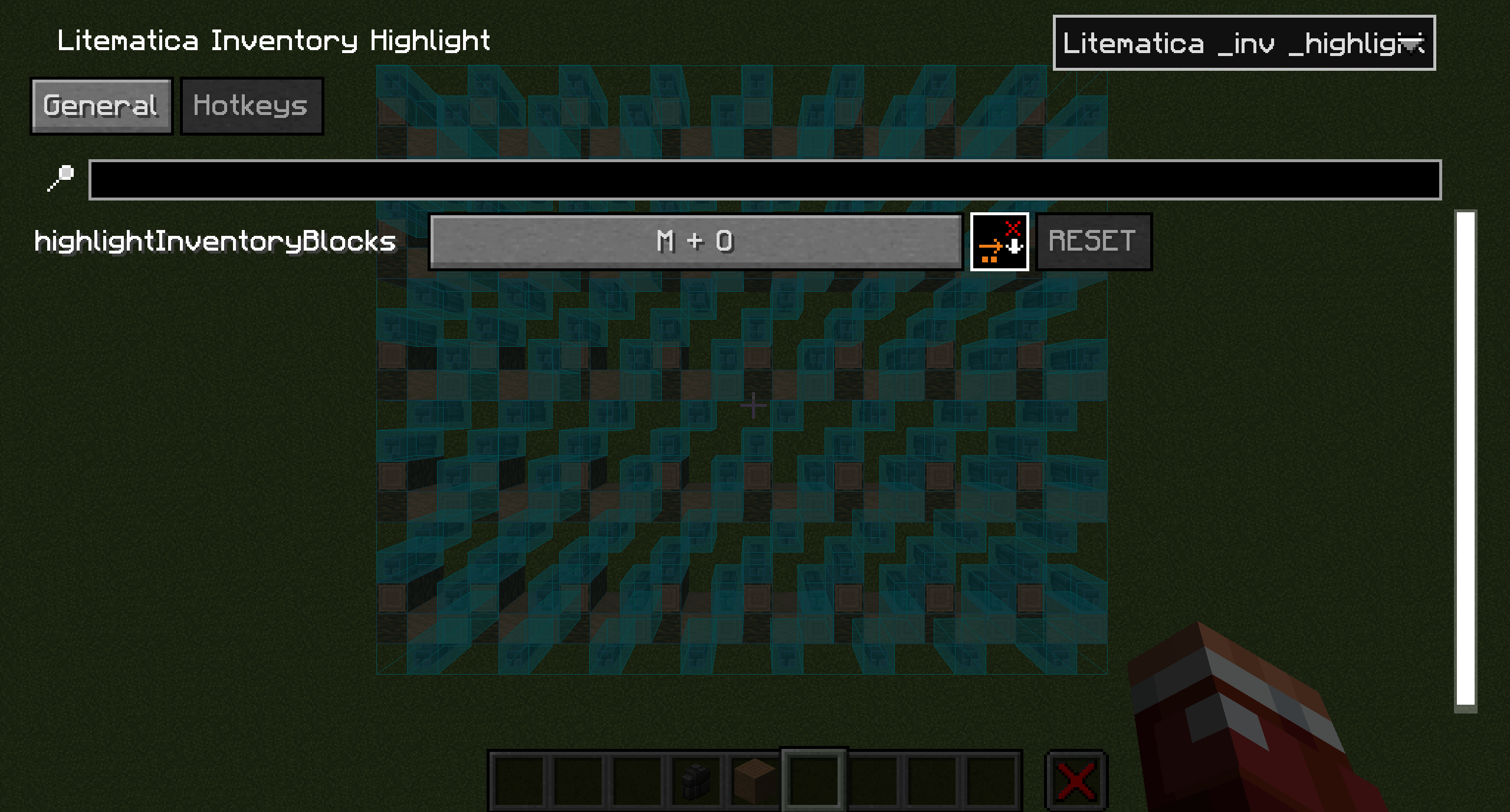
highlightInventoryBlocks (default: M+O) Highlights schematic blocks

RUS

Litematica Inventory Highlight - клиентский аддон для Litematica, который с помощью бинда (по умолчанию M+O) подсвечивает все пропущенные блоки на основе тех, которые есть в вашем инвентаре (без учёта предметов в шалкерах).

Мод подсвечивает блоки так же, как если бы вы делали это вручную через Проверку схемы, с выделением каждого отдельного блока и всех его состояний.

Как пользоваться:

  1. Запустите Проверку схемы в Litematica (M+V по умолчанию) и дождитесь окончания проверки.
  2. Положите в инвентарь блоки, которые хотите установить.
  3. Нажмите M+O (по умолчанию) после этого все блоки, имеющиеся в вашем инвентаре, будут подсвечены независимо от их количества.

Зависимости:

  • Litematica
  • MaLiLib
  • Mod Menu (для настройки конфигурации мода)

Настройки

Открываются через Mod Menu → Litematica Inventory Highlight → Config.

Вкладка General

checkMissingBlocks (по умолчанию: true) Проверка и отображение пропущенных блоков

checkWrongBlocks (по умолчанию: true) Проверка и отображение неправильных блоков

checkWrongStates (по умолчанию: false) Проверка и отображение неверных состояний блоков

checkExtraBlocks (по умолчанию: false) Проверка и отображение лишних блоков

Вкладка Hotkeys

highlightInventoryBlocks (по умолчанию: M+O) Подсветка блоков схемы

litematica-inv-highlight-1.21.11-1.0.1.jar
MC Client, Fabric, 1.21.11
Release 2026-04-12 Get

More from tvinch_

PPL Global chat
22

You Might Also Like

SI: Scriptified [DISCONTINUED]
DISCONTINUED
99,868
FTB Quests Entity Visualization
Adds entity visualization to FTB Quests
99,525
JEI / REI WorldGen
JEI/REI Addon for World Gen Information with universal compatibility for all mods ores by utilizing biome generation data
99,419
Pixel Blocks
Pokemon Lucky Block! When mining the pixel block a random pokemon spawns.
9,988
TFC Bonsai
Add TFC Trees to bonsai pots
9,988
Laser Eyes
A "laser eyes" addon for the Viltrumite mod.
9,968