Never lose track of your items again.
Item Finder lets you search for any item across all your nearby storage containers press a key, pick the item, and the mod tells you exactly where it is, highlights it in the world, and guides you there with a particle trail.
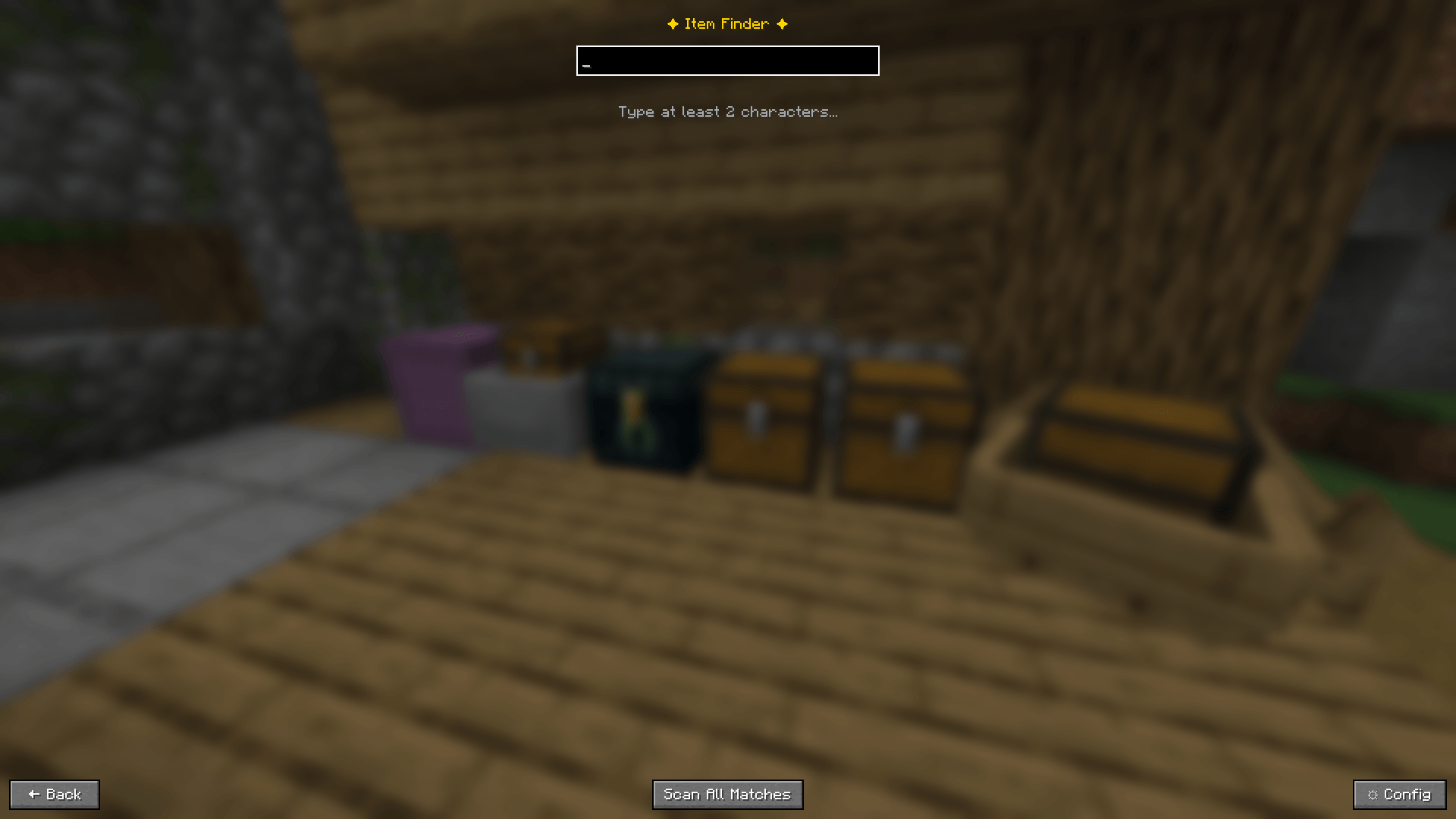
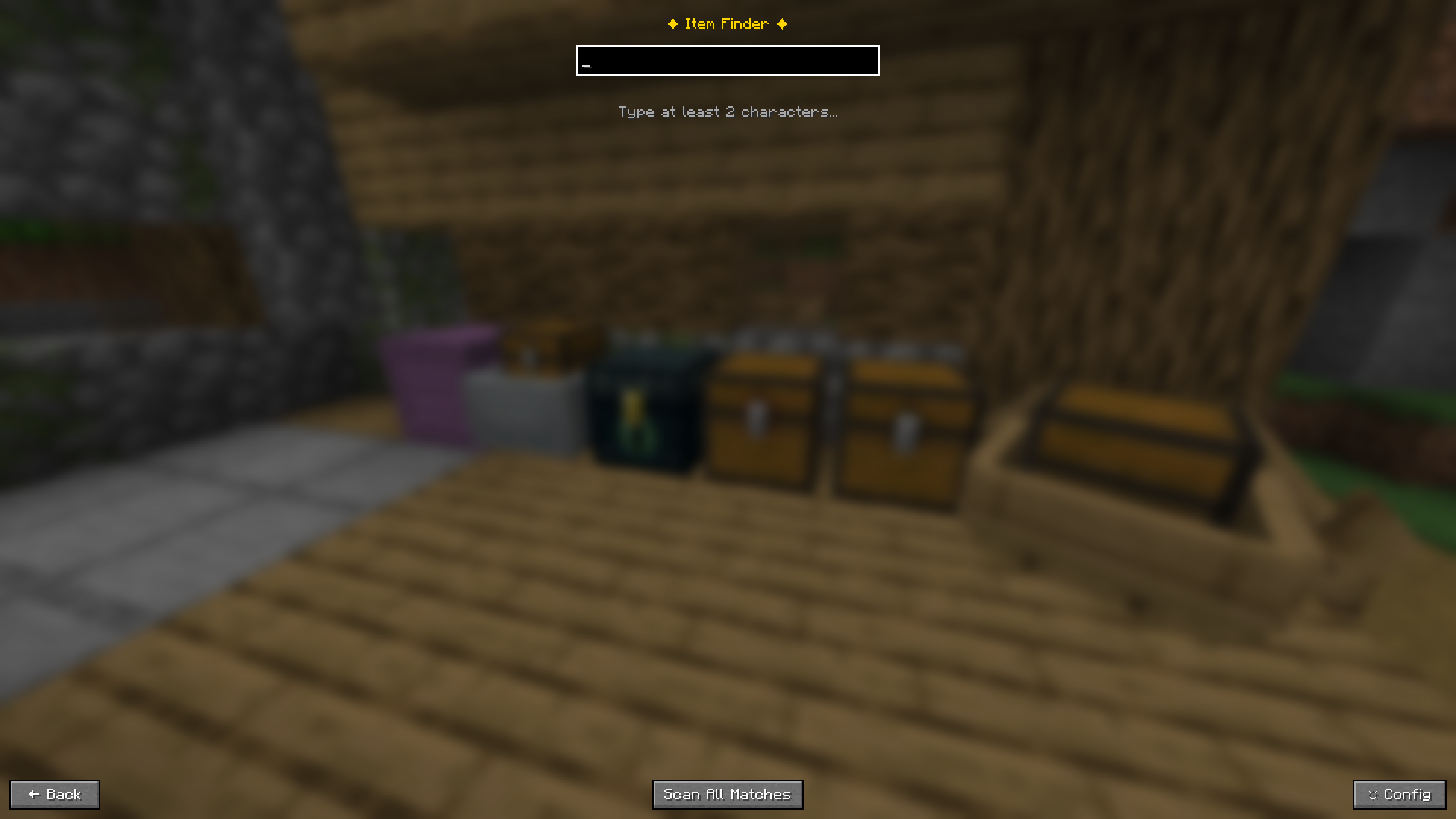 Open the search screen with a single keypress — the game keeps running in the background
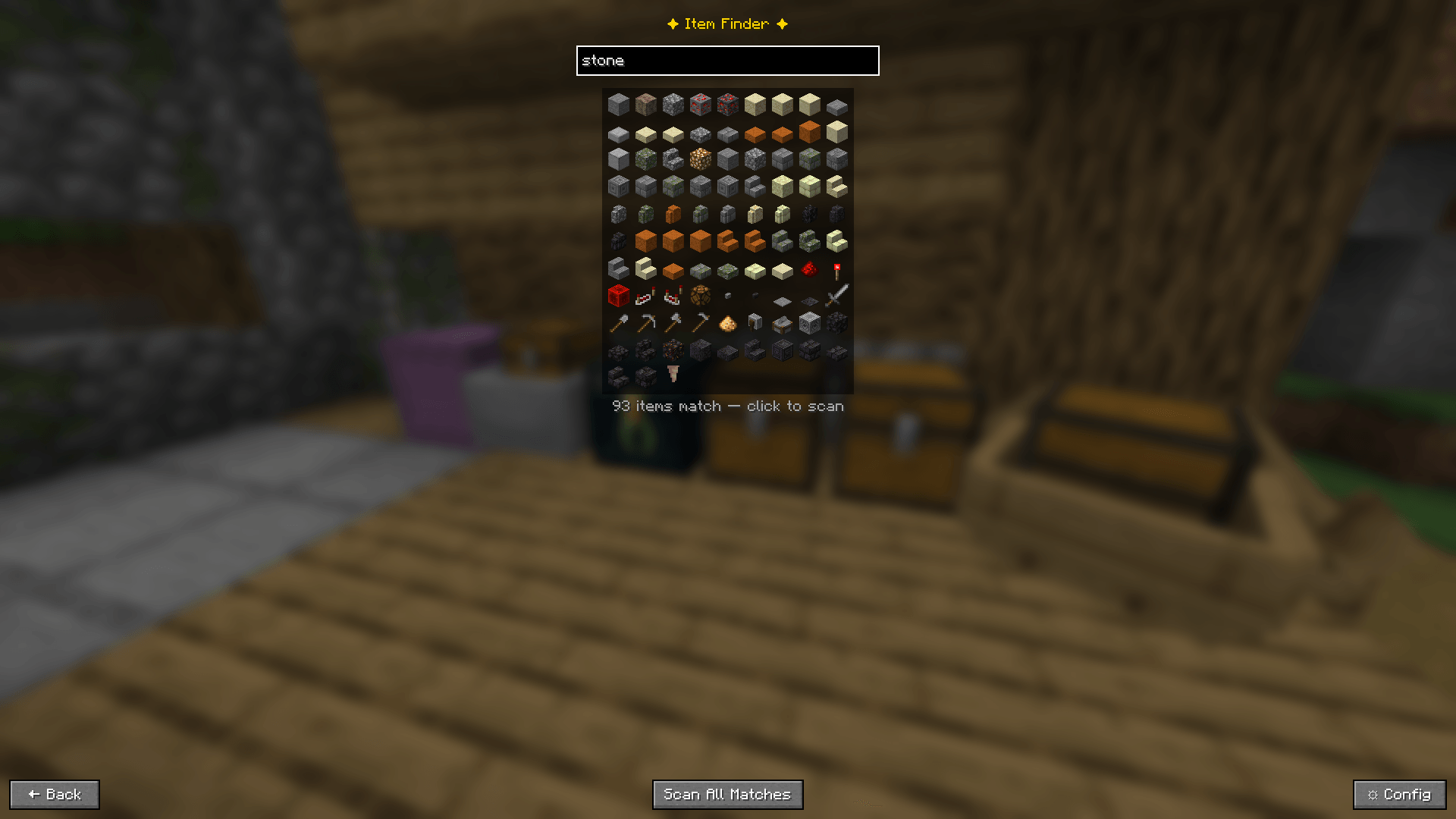
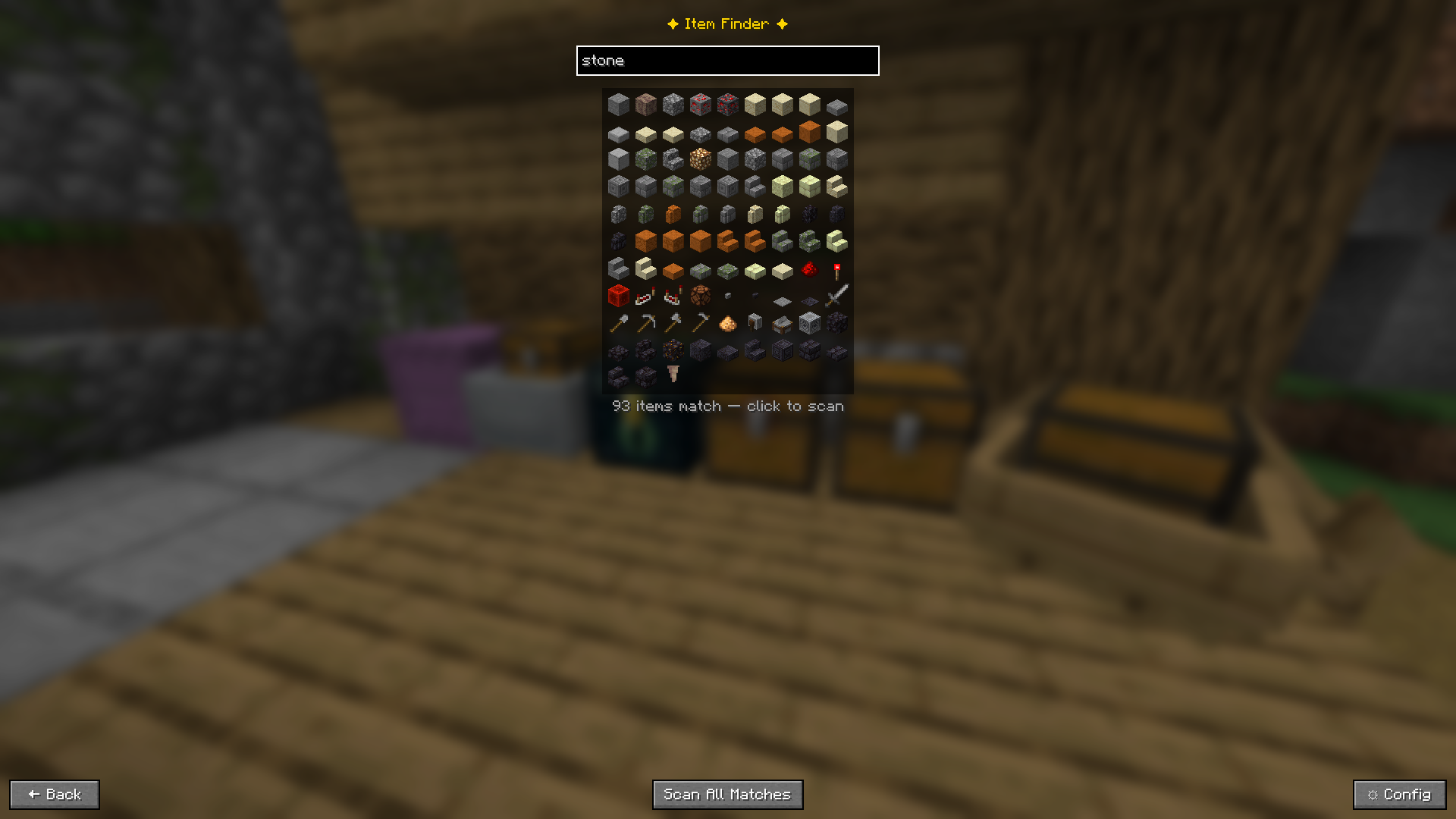 Type "stone" and see 93 matching items as icons. Click one to scan, or press Enter to search instantly
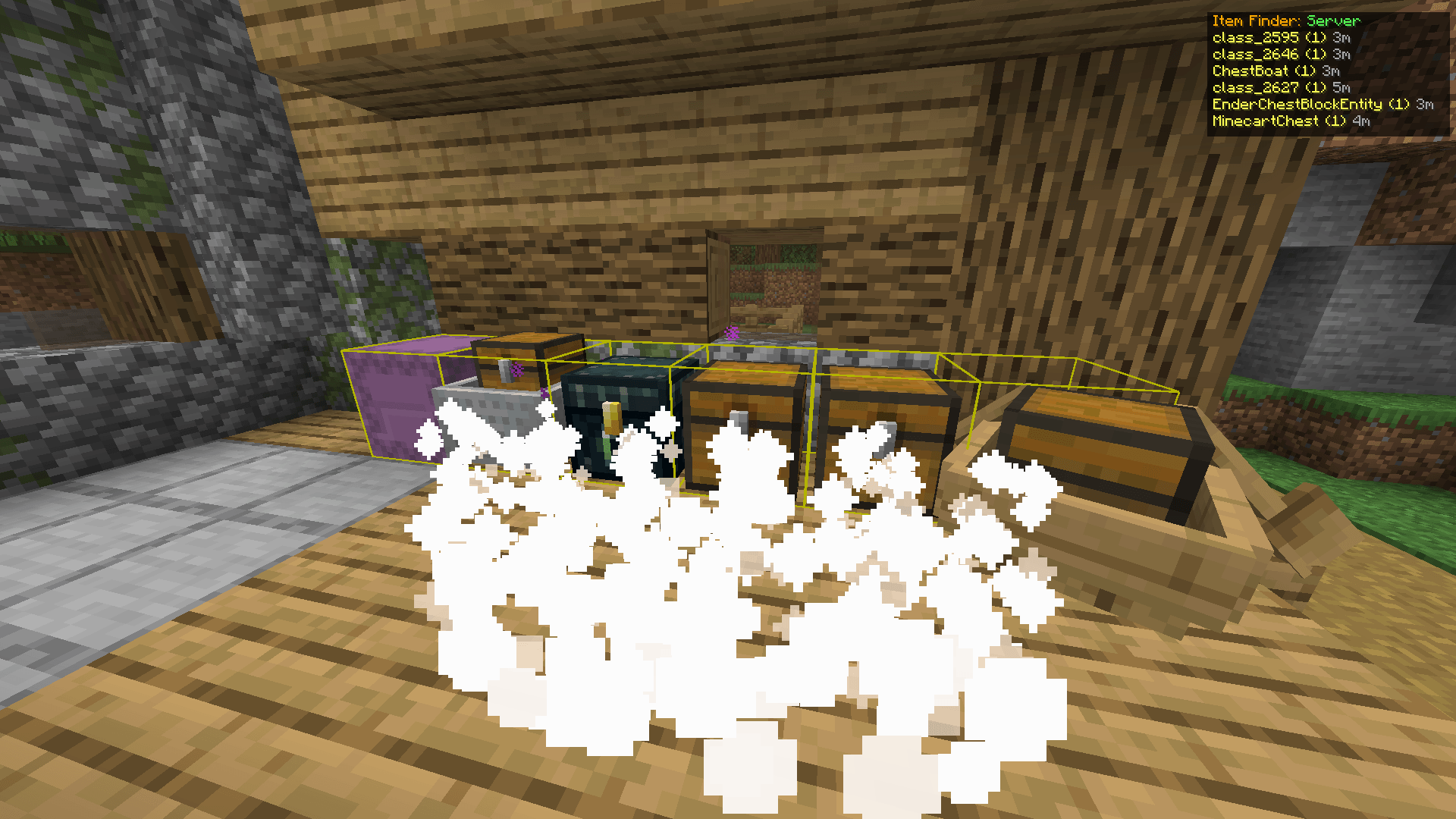
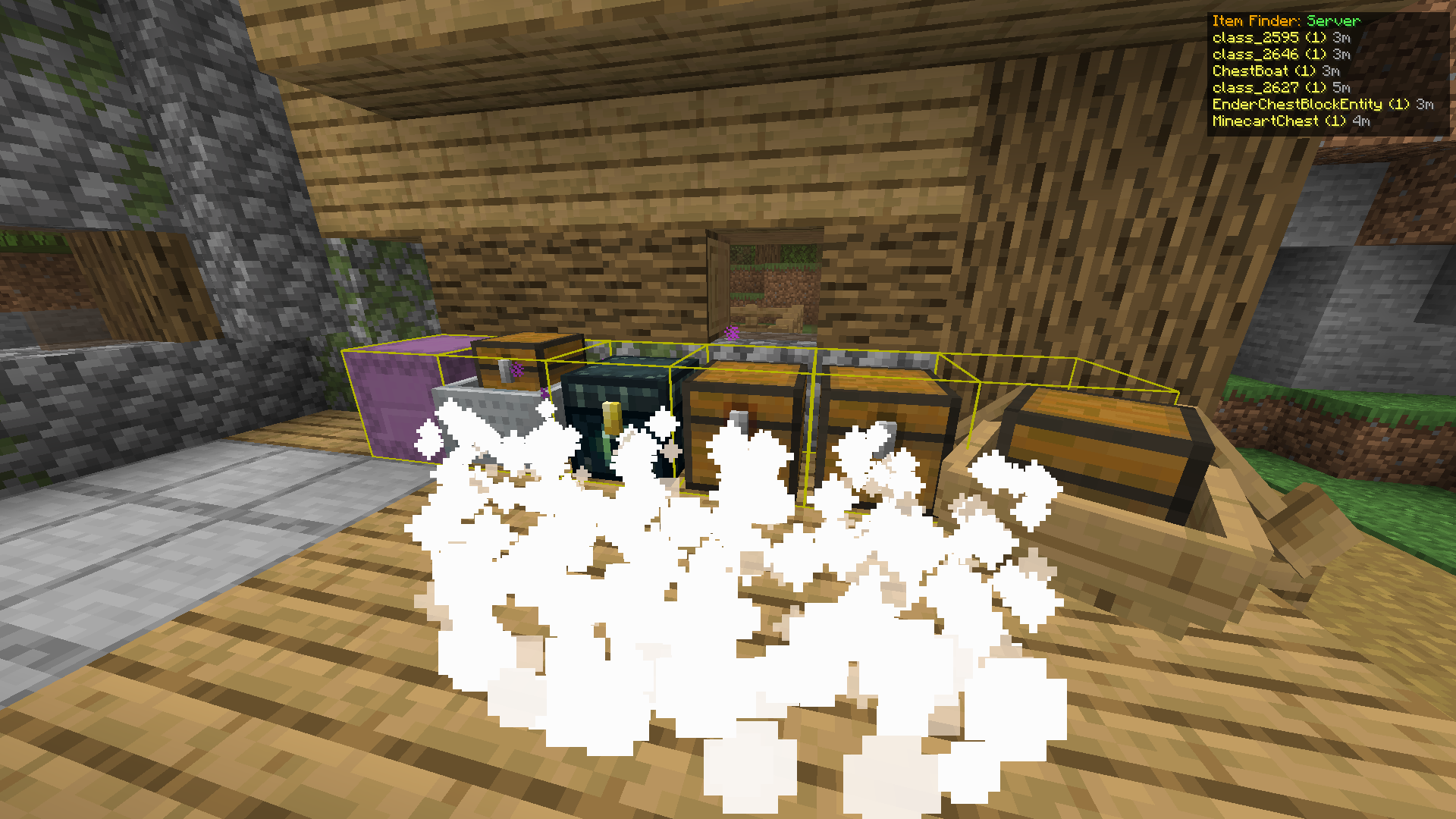 Found containers glow yellow. Particles stream toward them. The HUD shows name and distance for each
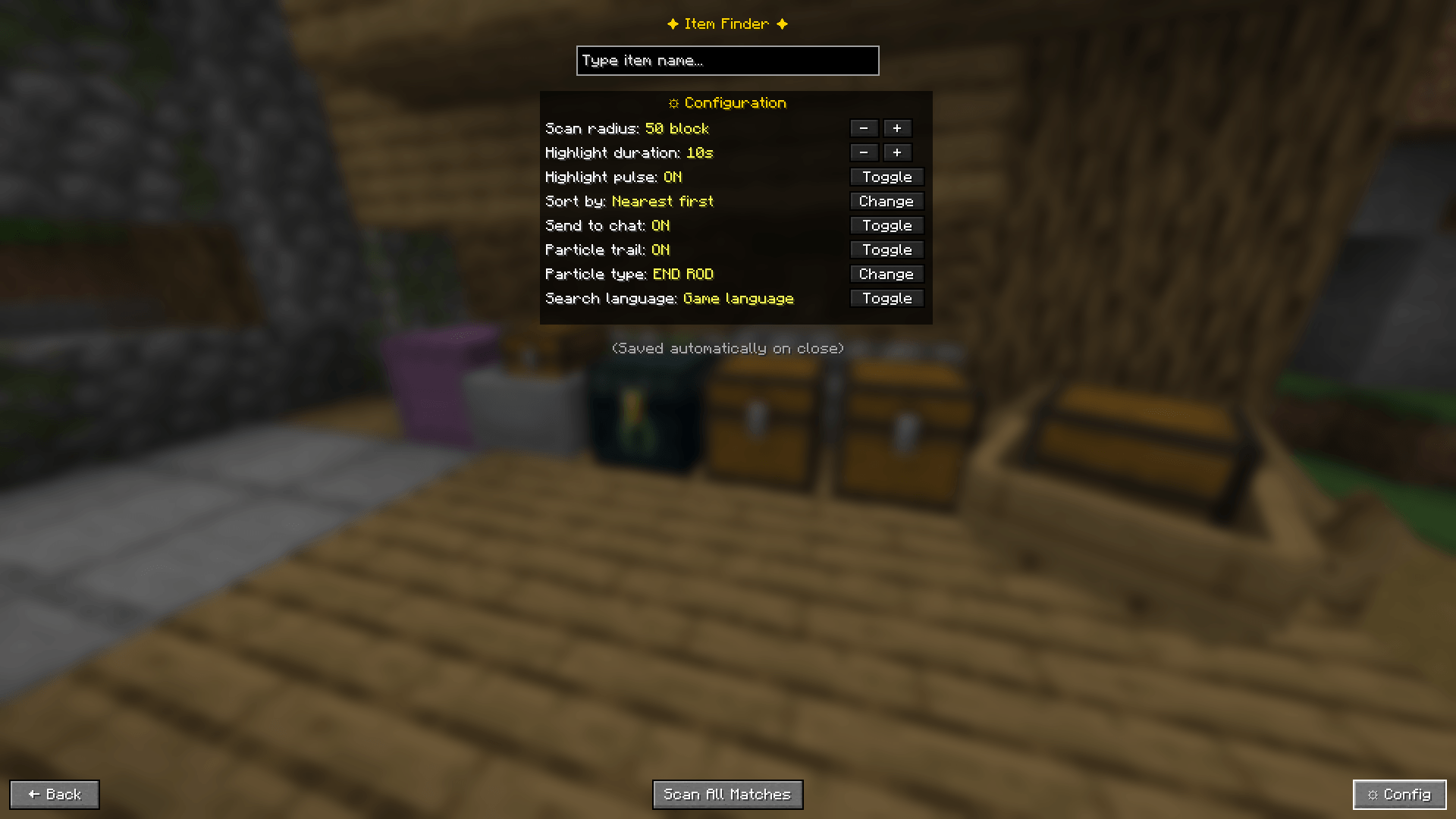
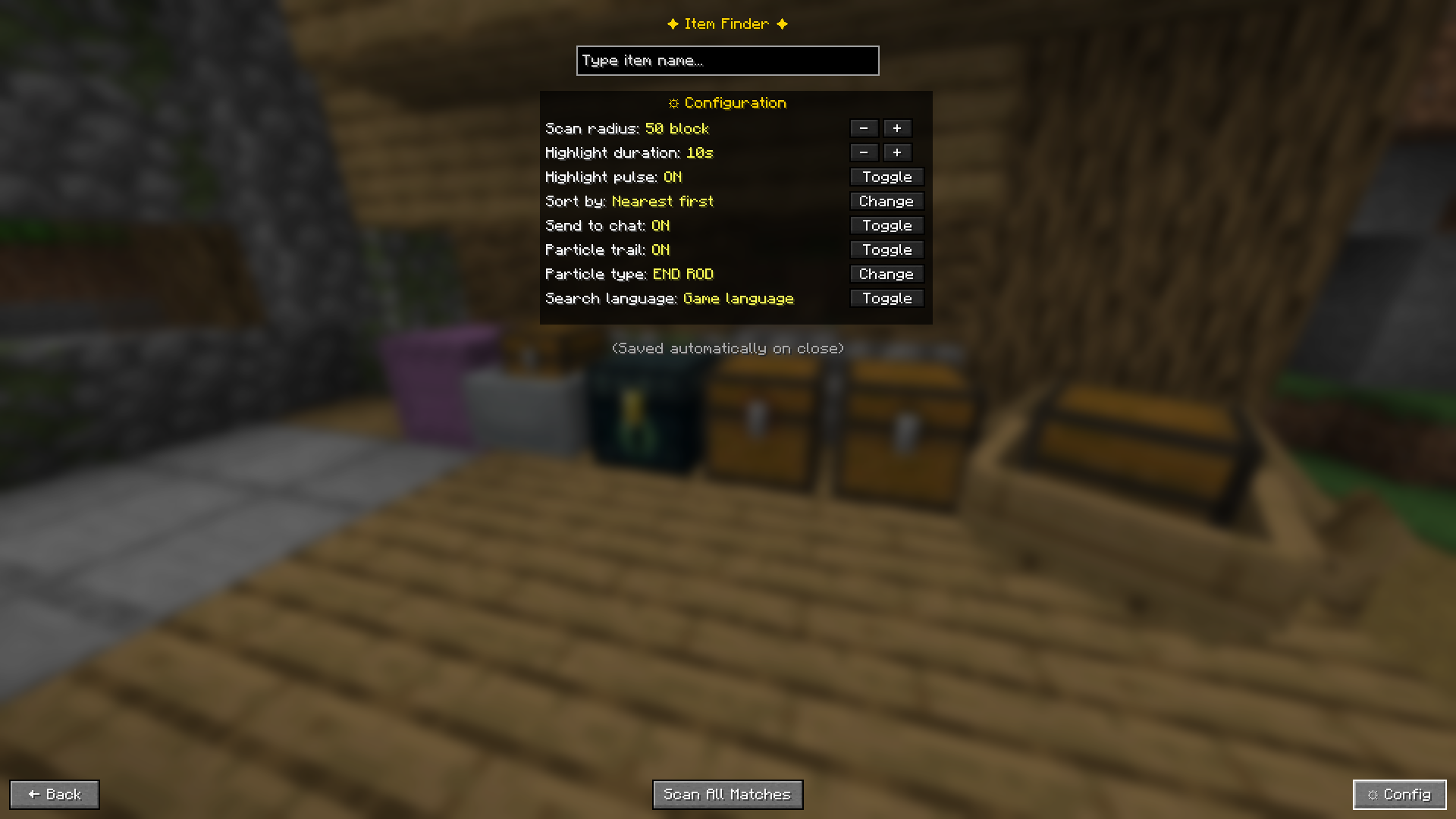 Everything is configurable in-game — no config files to edit
Two search modes:
oak to find oak logs, planks, slabs — everything at once)Enter key shortcut: configurable behavior when you press Enter:
Search language toggle: search by English item IDs or your game's display language
| Container |✅ | | ------------------- |- | | Chest |✅ | | Trapped Chest |✅ | | Barrel |✅ | | Shulker Box |✅ | | Ender Chest |✅ | | Furnace |✅ | | Smoker |✅ | | Blast Furnace |✅ | | Hopper |✅ | | Dispenser |✅ | | Dropper |✅ | | Minecart with Chest |✅ | | Chest Boat |✅ |
When playing on a server without the mod installed server-side, Item Finder falls back to a local cache:
3d ago) so you know how fresh it isPress ⚙ Config in the search screen, or access it via Mod Menu.
| Setting | Description | Default |
|---|---|---|
| Scan Radius | How many blocks away to search | 50 |
| Highlight Duration | How long the glow stays (seconds) | 10 |
| Highlight Pulse | Animate the outline | ON |
| Sort By | Nearest first or most items first | Nearest |
| Send to Chat | Print results in chat | ON |
| Particle Trail | Show particle path to containers | ON |
| Particle Type | Which particle effect to use | END ROD |
| Search Language | English ID or game display language | English |
| Enter Key | What pressing Enter does: Off / Pick first / Scan all | Pick First Result |
All settings save automatically when you close the config panel.
| Action | Default Key |
|---|---|
| Open Item Finder | Y |
| Search / Confirm | Enter (configurable behavior) |
| Back / Close | ESC |
Change the open key in Options → Controls → Key Binds → Item Finder.
Item Finder works with controllers via Controllify (install separately).
Once Controllify is installed, map the following in its settings:
| Action | Suggested Button |
|---|---|
| Open Item Finder | Y (Xbox) / Triangle (PlayStation) |
| Confirm / Enter | A (Xbox) / Cross (PlayStation) |
| Back / Close | B (Xbox) / Circle (PlayStation) |
Tip: Set Enter Key to "Pick first result" or "Scan all matches" in Item Finder config so you can search entirely without a mouse, just open, type, and press confirm on your controller.
| Scenario | Works? | Mode |
|---|---|---|
| Singleplayer | ✅ | Real-time scan |
| Open to LAN (you are host) | ✅ | Real-time scan |
| Server with mod + your client has mod | ✅ | Real-time scan |
| Server without mod + your client has mod | ✅ | Cache mode |
| Your client does not have mod | ❌ | — |
For server owners: install the mod
.jarin your server'smods/folder. Players who also have the mod will get real-time accurate results. Players without the mod are completely unaffected.
Cache mode note: only containers you have personally opened are searchable. Data may be outdated if others have changed contents since your last visit. A warning is always shown when results come from cache.
.minecraft/mods/ folder.minecraft/mods/ folderFully translated into 15 languages, follows your Minecraft language setting automatically.
English · Indonesian · Malay · Chinese (Simplified) · German · Japanese · Portugese (Brazil) · Russian · Spanish · French · Italian · Korean · Dutch · Polish · Turkish
Change at Options → Language.
This project is licensed under the MIT License.
You are free to use, modify, and include this project in modpacks. Attribution is appreciated.
Found a bug or have a suggestion? Open an issue on GitHub.
Please include your Minecraft version, mod version, and steps to reproduce.