Summary
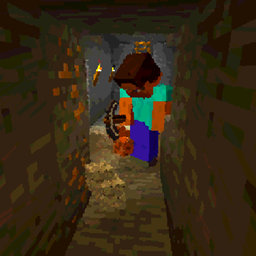
Harder Branch Mining gives you tools to make branch mining more difficult in various ways and to encourage caving.
Default Settings
Harder Branch Mining is ready to go with reasonable default settings and support for other common mods. You don't need to do anything to start using it.
You may find you only want to change one or two settings after you play it a while. By default, it starts getting harder at depth 48 and maxes out at depth 5 and ore remains easy to dig.
Tool Configuration Line
"The Mod:The Tool", "The Mod:Dimension", "Height Digging Gets Slower and More Exhausting", "Dig Speed Divider For Tool"
Version 11 and earlier.
So this "Minecraft:Diamond_Pickaxe" in the "minecraft:overworld", at height Y=48, divides the normal block break speed by 1.2.
If the normal minecraft block breakspeed was 5, then it would be lowered to 4.16, roughly 20% slower.
Version 12 and later (minecraft 1.18.1)
The tool Y value modifier determines the Y height that a tool starts to slow down and get more exhausting.
Pre 1.18.1 (version 12) The tool modifier slows the tool down more than the default. 1.00 has no effect. 1.2 slows slightly. 2.0 *further* halfs the speed from the default dig modifier.
Post 1.18.1 (version 12) The tool modifer is a percentage slowdown. 1.00 doesn't slow. 0.9 slows it to 90% speed (and makes it 10% more exhausting).
Settings
Exhaustion Type
Exhaustion rates are configured per tool type and dimension. They do not apply to "soft" items (like torches, rail, dirt) with hardness of 1 or less.
You can control the depth which extra exhaustion starts. Extra exhaustion makes the player consume food faster.
The default starting depth is set to y=48 for tools in the sample configuration and you can change that to any height from 5 to 255.
Three Types of Exhaustion
You can control the type of exhaustion.
Proportional Exhaustion (default)
As a player mines deeper below the Exhaustion Depth, they gradually consume increasing amounts of food to mine.
No Exhaustion
This setting slows down mining proportionally but doesn't use extra food. (suggested by user Powraca1)
Fixed Exhaustion
When mining below the Exhaustion Depth, digging is slowed a fixed amount and players consume a fixed extra amount of food to dig.
Notes
From testing, good values for Fixed exhaustion are about 1/4th to 1/6th those for Proportional exhaustion.
Setting exhaustion to 0.0 for a particular tool and dimension combination effectively disables the mod for that particular item.
If an item or tool isn't configured for a dimension, it will fall back to dimension 0, the Overworld, values.
If an item or tool isn't configured at all, it will fall back to the values set by "HBM:Default:0".
Digging Speed Modifiers
There are two digging speed modifiers. The Digging Speed Modifier always applies. The Downward Digging Speed Modifier only applies when digging blocks lower than the player's feet.
Digging Speed Modifier (thru version 13. As of 14 is now on each tool instead of global)
The Digging Speed Modifier ranges from 1.0 to 11.0. 1.0 is "no change" and 11.0 is "really slow".
The effect scales with depth.
This feature was suggested by user Oxebjc who also provided some sample code. Thank you Oxebjc!
Downward Digging Speed modifier (version 13 and below. For 14 is simple percentage slower)
Soft Items
Items with hardness of 1 or less do not cause exhaustion or affect digging speed. These include torches, ladders, rail, redstone dust, etc. Anything you can normally dig up easily probably has hardness of 1 or less. There is a list of item hardness on the minecraft official wiki. (not sure it's okay to post a link to it directly).
Normal Ore Speed and Exhaustion Option (default)
Ore blocks use ordinary vanilla exhaustion and digging speed by default (true). But you can change this to false and they will be harder and more exhausting to dig. Keep in mind this will include ore blocks in caves.
Whitelist (thru version 13, Ignore Blocks List in version 14+)
List of blocks the mod will ignore. HBM will not make these blocks slower or more tiring to dig. They are useful for custom oreblocks not based on OreBlock and BlockOre types. They are also useful for ignoring non-soft blocks like wood planks, and fences in mines, and you could set it to ignore some kinds of stone, effectively making them faster and softer. The default whitelist has some popular blocks as examples. I'd be happy to add more to the default list based on user suggestions. Suggested by user: Zeromus92. Thanks!
Debugging Levels
There are three debugging levels to help develop modpacks and values:
Config Screen (1.12 Only)
Config Commands (1.14.4, 1.15.2, 1.16 only)
Requires Operator Level or local Creative.
Note: On a server, you must exit the world and reenter after changing these to load the new values currently. You do not have to completely exit the client
Config Commands (1.17.1)
Requires Operator Level or local Creative.
Note: On a server, you must exit the world and reenter after changing these to load the new values currently. You do not have to completely exit the client
Config commands version 14+ (mc1.18.1+)
Removed digging speed modifier. Digging speed now a simple % slower on tools list.
Permission!
You have permission to use this in Modpacks, on servers, etc. -- If you could leave us a comment that would be great!
Like this Mod?
Check out our other mods!
Easy Redstone Extras: 9 simple but powerful redstone items and blocks including waterproof up, down, and sideways redstone pipes.
Nasty Mobs: Six Smarter Skeletons with custom AI, abilities, completely configurable.
Enameled Armor: Cover your Diamond Armor with colored enamel and control whether the enchantment glow is on or off.
Happy Trails: Easily Configure movement on your server (or single person game) to be 1 to 11 times faster or slower on almost any solid block!
Regrowth: Configure Mobs to cause plant regrowth, eat grass and flowers, and villagers to repair and upgrade their villages.
Beekeeper: Beekeepers tend to the bees and buy and sell products like other villagers.
Vending Machine: A vending machine which restocks with 7 random* items every morning. (*or Fixed by Map Designers)
Villagers Respawn: Now that villagers have beds, they have begun to respawn at them most of the time when they are killed.
Poor Golems: Hey Buddy, can you spare an ingot? Control over how often and how many iron ingots iron golems drop.
Save Your Pets: Instead of dying immediately, pets fall down wounded. You have a while to save them with bandages or golden bandages.
FAQ
Q: Where is the configuration file?
A: For versions 1.14.4 to 1.16.1, Forge now saves configuration files in the folder : "saves/Worldname/serverconfigurations". As of 1.16.2 onwards, I changed to "common" config files which are stored in the /config folder.
Q: How do I save one configuration for all worlds?
A: Save a copy of your desired configuration in the "defaultconfigs" folder.
SPECIAL NOTE: Forge changed the way command line commands are registered as of 32.0.67.
use Harder Branch Mining Version 1.16.1 v2.0.0.10 for Forge versions 32.0.24 to 32.0.66
use Harder Branch Mining Version 1.16.1 v2.0.0.11 for Forge versions 32.0.67 onwards
These below are done pending forge issue #6464
Synchronize configuration editing features across all versions.
Do you like Two Guys Mods? Want to Support Our Work? Want to Play on the long term Test Server with other Two Guys Testers and Fans, gain insights to the mods?
This button links to our support options.

Bisect offers a hosting discount to Two Guys followers

You can join us on our Discord Server at the link below.