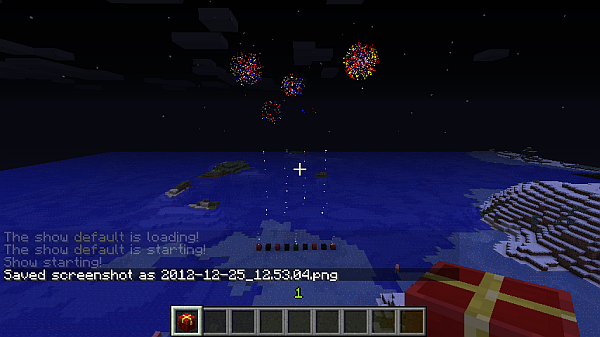
Create fully automated firework shows. Customize or randomize as you wish. That's really it.
Start by thinking in intervals, because the plugin does it this way ;)
So, first off, think about what your minimum time offset should be. Of course, this has to be planned beforehand, it can be changed anytime later but note that e.g. lowering your interval makes an already set up firework show quicker. I hope that is clear ;)
So, let's say you have the interval set at 10, that means that you are able to spam 2 firework definitions per second.
Now think about the total duration, measured in intervals. So having an interval of 10 would result a duration of 600 to get 300 seconds (5 minutes), that's what I would suggest for the start.
Now go and setup your firework, do this by setting spawns at certain interval positions. You can set NO positions or as many as you wish. If you have a low interval, you will not spam a charge at every tick, but you will notice this. This is where the TEST command will come in handy, to see when you're overdoing it :)
When having set the spawns, you have to set the firework type/shape string at this point of time. It can be random which effectively means that each charge will be random if you supply multiple spawn points. yay!
Now let's see an overview of all commands and their usage:
    fwfw:
        description: Fireworkshow Manager Firework Commands
        usage: |
           /fwfw [string] - add the firework effect to the current time
        permission: dwsm.admin
    fws:
        description: General Fireworkshow Manager Commands
        usage: |
           /fws time [hour] - the starting hour time (18=6pm)
           /fws duration [intervals] - the interval count
           /fws interval [ticks] - the interval duration in ticks
           /fws biginterval [seconds] - the SHOW interval
        permission: dwsm.admin
    fwsm:
        description: Fireworkshow Manager Moderation Commands
        usage: |
           /fwsm test - start the show for debug or fun
           /fwsm stop - stop any running show
           /fwsm fullstop - stop the main timer
        permission: dwsm.admin
    fwss:
        description: Fireworkshow Manager Setup Commands
        usage: |
           /fwss [n] - set spawn points for nth interval
        permission: dwsm.admin
First of all, remember that fireworks can consist of multiple effects, so you don't need to cramp everything in one effect, you can add multiple ones to add more precise effects :)
The general layout is that you have three parts separated by colons ( ':' ) and a PIPE ( '|' ) enables appending of a power. The highest set power will be applied!
The first part can be one to three digits. You should supply the TYPE at the first digit, and may add effects on top after that. Some examples should make it clearer:
'ctf': Creeper type, Trail and Flicker
'ot?': Ball type, Trail and random Flicker chance
'Of': Big ball type, Flair
'x??': Burst, Random Trail, Random Flicker
'*?': Star type, Random Effect, either Trail or Flicker
'???': Random type, up to 2 random effects
All values for each Type:
  BALL:    ['.','o']
  BIGBALL: ['O','0']
  BURST:   ['x','X','y','Y']
  CREEPER: ['c','C','#']
  STAR:    ['*']
The colors are set the same way, so I don't write this twice :p
They consist out of several strings separated by COMMA ( ',' ). The way the plugin understands it is the CSS (hex) way if you know this. So you might need to look into HEX color logic, being hexadecimal and in the order RRGGBB.
You can appreviate the color codes if both digits are the same value, so e.g. F00 parses to FF0000.
here's a little table to help you :) (oh and, it is NOT case sensitive, ff0 is the same as FF0)
Note: the power defaults to 2 seconds!
'otf:FF0000,00FF00' - ball,trail,flicker,red+lime
'*f:000,F00,FF0:0F0,FFF,00F' - star,flicker,black+red+yellow->red+white+blue
'x:000,fff|3' - burst,black+white, power 3!
'?ft:?|0' - random shape,flicker,trail,random color (1 max), igniting instantly!
'???:???:???|1' - pure randomness, power 1
Future versions will include multiple shows running at the same time







