Loading...
Beta Modpages Unclaimed

Easy Hammers

Say goodbye to the grind with Easy Hammers! This Minecraft mod introduces pickaxe-style tools that effortlessly break a 3x3 area.

0 Likes
307459 Downloads
Created by vuserr0

Description

Easy Hammers Logo

CurseForge Modrinth Discord License

Easy Hammers enhances your Minecraft mining experience by adding a collection of powerful hammers that mine a 3x3 area at once. Say goodbye to tedious strip mining and hello to efficient excavation!


🔗 Links

Platform Link
📥 CurseForge Download Here
📥 Modrinth Download Here
💬 Discord Join Community
🐛 Issues Report Bugs
📚 Wiki Documentation
💻 Source GitHub Repo
👤 Author Yiğit Güven | Website

✨ Features

  • 3x3 Mining: Break 9 blocks with a single swing! Perfect for strip mining and large-scale excavation.
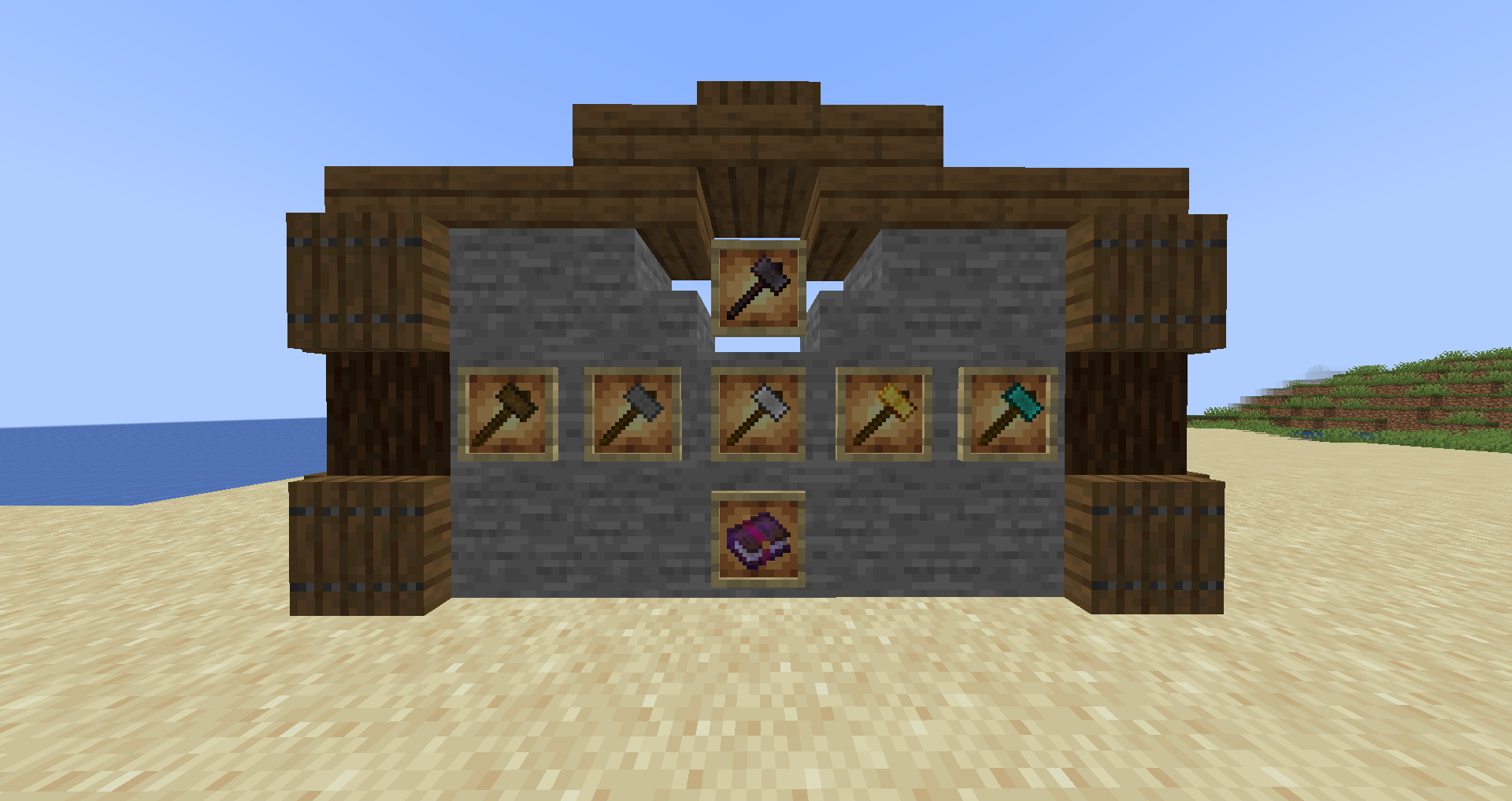
  • Vanilla-Friendly Tiers: Progression mirrors vanilla tools, from Wooden to Netherite.
    • Wooden Hammer: Early game clearing.
    • Stone Hammer: Solid starter option.
    • Iron Hammer: Reliable workhorse.
    • Golden Hammer: Fast but fragile.
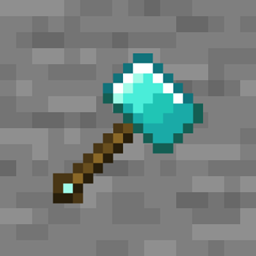
    • Diamond Hammer: High durability and speed.
    • Netherite Hammer: The ultimate mining tool.
  • Balanced Gameplay: Hammers are "Heavy" tools. They swing slower than pickaxes but pack a punch with higher damage and ~4x durability to compensate for the area effect.
  • Enchantments:
    • Soil Breaker: Allows the hammer to also mine dirt, sand, gravel, and grass in the 3x3 area (normally only mines stone-like blocks).
    • Smash: Chance to stun enemies for a short duration on critical hits, slowing them and reducing their damage.
  • Configurable:
    • gamerule easyhammersSneakingMode: When true (default), sneak-mining mines only 1 block (precision mode).
    • gamerule damageHammerByBlockCount: When true (default), durability is used for every block broken in the 3x3 area.

🛠️ Crafting

Craft a hammer using the standard pattern (similar to a pickaxe but "heavier"):

Recipe:

M M M
M S M
  S

(M = Material, S = Stick)

📦 Installation

  1. Download and install Modloader for Minecraft.
  2. Download the Easy Hammers mod jar from CurseForge or Modrinth.
  3. Place the jar file in your .minecraft/mods folder.
  4. Launch Minecraft and enjoy!

👨‍💻 Building from Source

If you want to contribute or build the jar yourself:

  1. Clone the repository. bash git clone https://github.com/yigit-guven/Easy-Hammers.git
  2. Copy gradle.properties.example to gradle.properties.
  3. (Optional) If your system Java is not Java 21, set org.gradle.java.home in gradle.properties.
  4. Run ./gradlew build.
  5. The jar will be in build/libs.

📜 License

This project is licensed under the GPL-3.0 License. See the LICENSE file for details.

❤️ Credits

  • Author: Yiğit Güven
  • Special Thanks: The Minecraft community for inspiration and support.


AD Become Premium to remove Ads!

What means Verified?

  • Compatibility: The mod should be compatible with the latest version of Minecraft and be clearly labeled with its supported versions.
  • Functionality: The mod should work as advertised and not cause any game-breaking bugs or crashes.
  • Security: The mod should not contain any malicious code or attempts to steal personal information.
  • Performance: The mod should not cause a significant decrease in the game's performance, such as by causing lag or reducing frame rates.
  • Originality: The mod should be original and not a copy of someone else's work.
  • Up-to-date: The mod should be regularly updated to fix bugs, improve performance, and maintain compatibility with the latest version of Minecraft.
  • Support: The mod should have an active developer who provides support and troubleshooting assistance to users.
  • License: The mod should be released under a clear and open source license that allows others to use, modify, and redistribute the code.
  • Documentation: The mod should come with clear and detailed documentation on how to install and use it.

AD Become Premium to remove Ads!

How to Install

1

Download Forge & Java

Download Forge from the offical Site or here. If you dont have Java installed then install it now from here. After Downloading Forge you can run the file with Java.

2

Prepare

Lounch Minecraft and select your Forge istallation as Version this will create a Folder called Mods.

3

Add Mods

Type Win+R and type %appdata% and open the .minecraft Folder. There will you find your Folder called Mods. Place all Mods you want to play in this Folder

4

Enjoy

You are now Ready. Re-start your Game and start Playing.

More Mods like this

Dark Utilities

Expansive content mod which adds a little bit of everything.

Building Gadgets

A collection of Gadgets to make building large structures a little bit easier!

Draconic Evolution

Draconic Evolution is a mod that adds some extremely expensive high tier items to the game.

Thermal Innovation

Thermal Technology marches on. Adds Thermal-style tools and equipment!

Redstone Arsenal

Behold the Redstone (Flux) Revolution - adds a set of RF-Powered Armor and Tools to make your adventuring Fluxtastic!

Advanced Hook Launchers

Adds different hooks with launchers which give you ability to climb, abseil, jump off the cliffs, pull entities or players, and even slay the dragons!

Ceramics

Form clay into tools and armor then harden it using heat