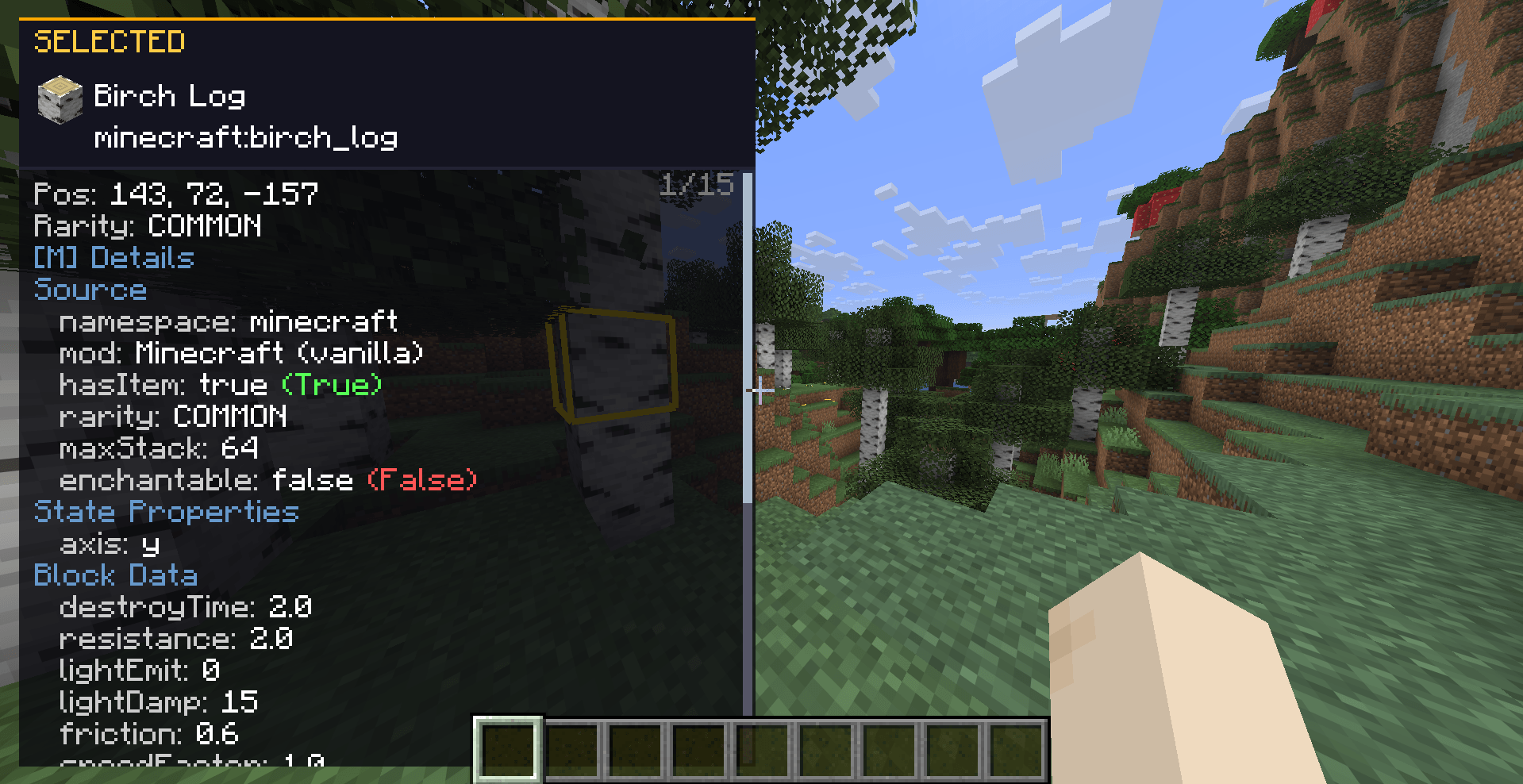
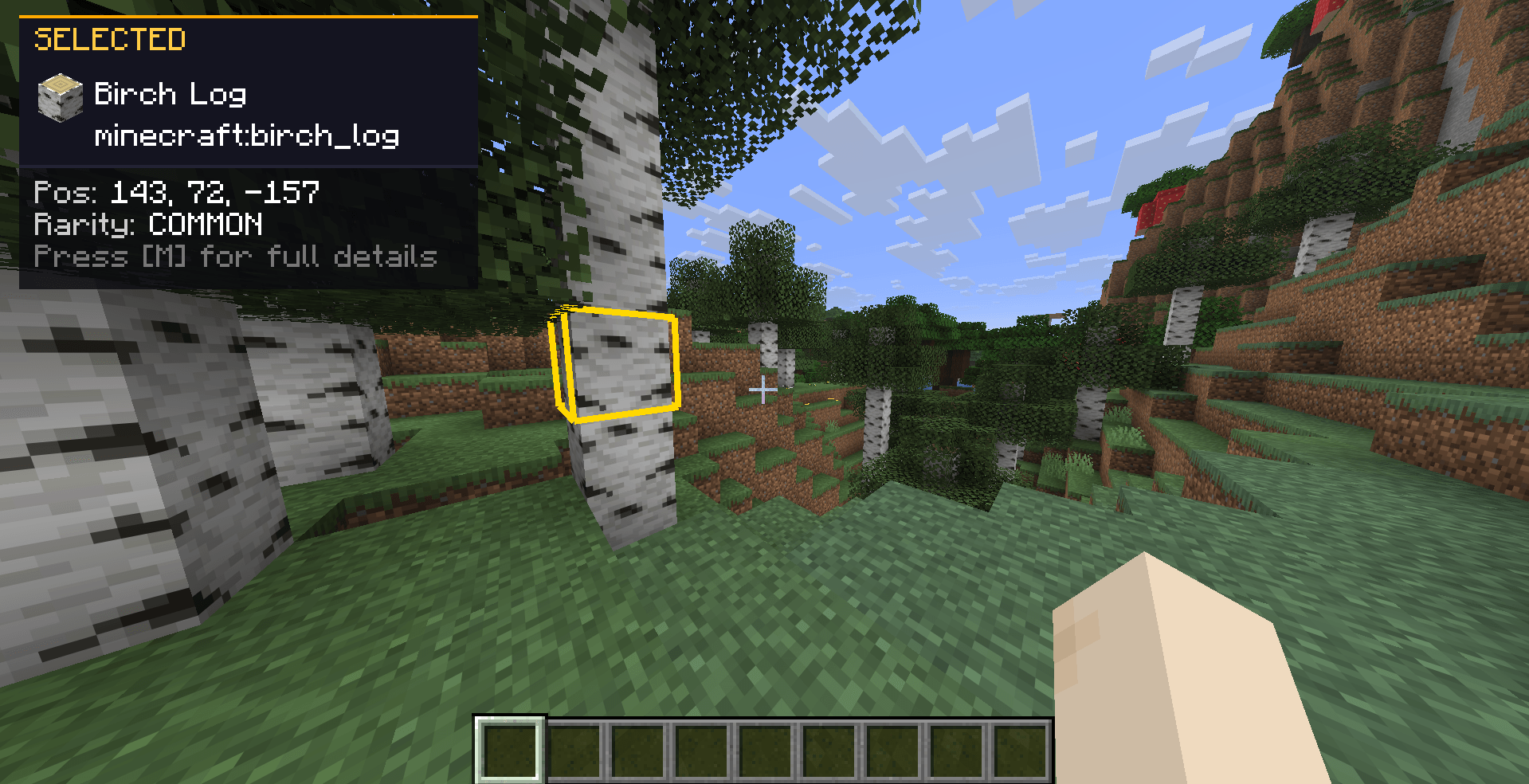
DevTools is a client-side Fabric mod for versions through 26.x-1.14.x that adds a powerful Inspect mode to your game. By freezing your movement and unlocking your cursor, you can point at blocks, fluids, dropped items, and entities to read rich, debug-style data directly on your screen.
It features customizable layouts, deep NBT-style data dumps, and clipboard copying.
| Requirement | Version / Constraint | Notes |
|---|---|---|
| Minecraft | 26.x-1.14.x |
Compatible with 26.x/1.21.x/1.20.x/1.19.x/1.18.x/1.17.x/1.16.x/1.15.x/1.14.x releases. |
| Mod Loader | Fabric >=0.18.6 |
Client-side only. Safe to leave in your mods folder when joining servers. |
| Fabric API | * (Any version, but the latest is reccomended) |
Required for core mod functions. |
mods folder.When you turn Inspect mode on, the game adjusts your interactions so you can focus on the environment data.
| Feature | Behaviour |
|---|---|
| Movement | You stay completely still. Movement is suppressed so you do not accidentally walk away from your inspection point. |
| Mouse Freedom | Your cursor is unlocked. Vanilla left-click does not punch blocks or attack; it is used exclusively for selecting targets. |
| Smart Raycasting | The mod picks targets based on camera + cursor. You can target blocks, flowing fluids, item entities on the ground, XP orbs, and mobs. |
| World Outlines | A thin outline shows what you are hovering over. A thicker, brighter outline shows what you have selected. |
| Scrolling | Use your mouse wheel over the info panel to scroll through long text. |
All keys can be remapped under Controls → DevTools. The info panel always displays the actual names of the keys you have currently bound.
| Action | Default Key | Description |
|---|---|---|
| Toggle Inspect | F6 |
Turns Inspect mode on and off. |
| Select Target | Left Mouse |
Locks the HUD onto the hovered block/entity. |
| More Info | M |
Toggles the detailed NBT/data dump. |
| Free Player | Hold L-Alt |
Restores movement and camera while keeping Inspect on. |
| Copy Value | Hold L-Ctrl |
Click any line in the HUD to copy its value to your clipboard. |
If you hold Left Alt, you temporarily get your movement and camera controls back. Raycast updates are frozen, so the outlines stay fixed to your last targets, and the HUD becomes transparent so you can see the world.
Opening any fullscreen menu (for example the Pause or Inventory screen) suspends and freezes raycasting and its updates, so you won't mess up your selection.
The HUD is designed to provide immediate summary data, with the option to expand into detailed categories.
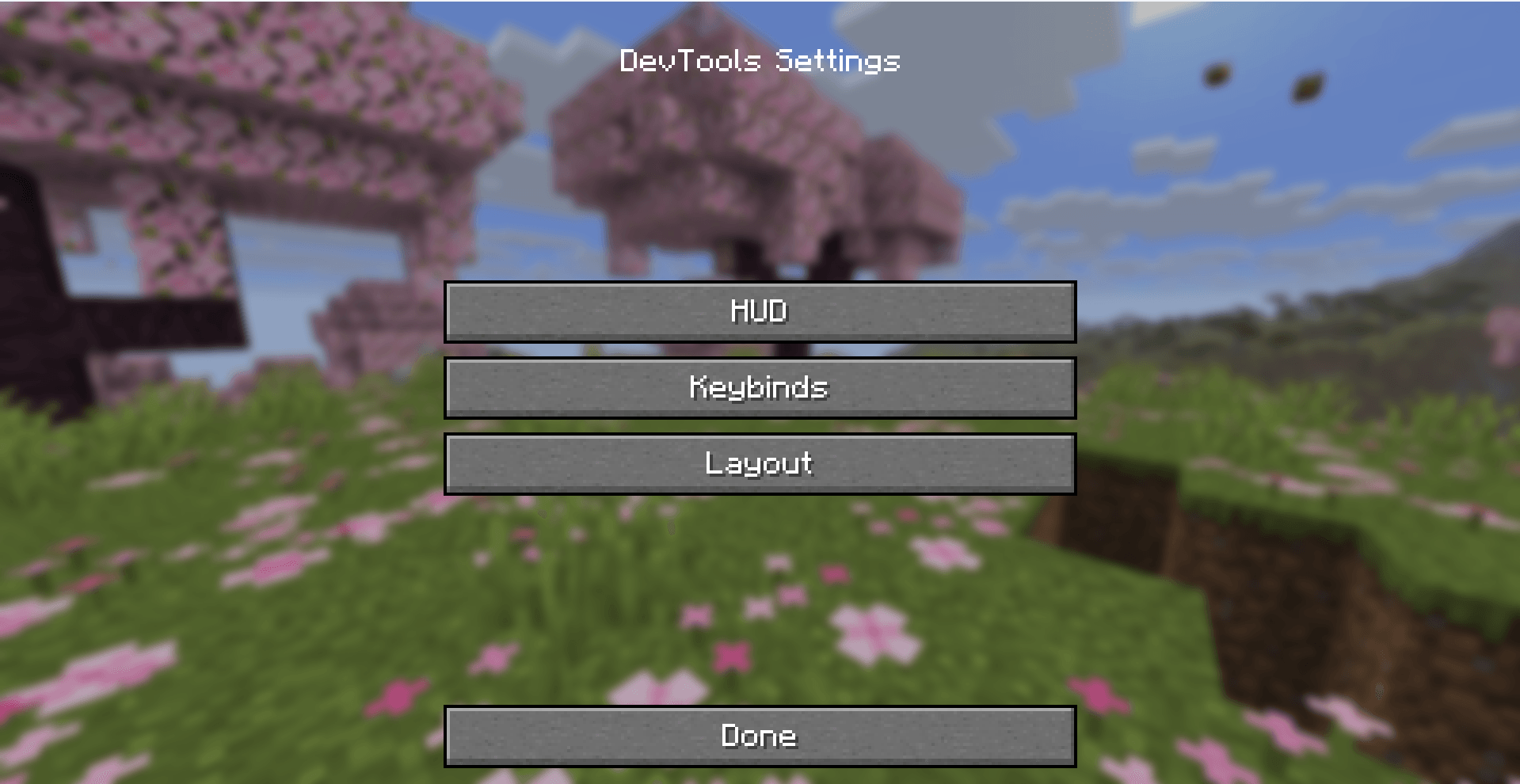
M opens a categorized text dump. Default category order: Source, Item Form, State Properties, Block Data, BlockEntity, Environment, Type, Identity, State, Living, Equipment, Effects, Mob, Raw NBT.true / false lines are coloured distinctly for quick scanning.Options → DevTools… opens the settings menu. The button is placed under the FOV slider, in the middle.
| Button | Opens |
|---|---|
| HUD | Submenu for Colours and Preferences |
| Keybinds | Vanilla Key Bindings screen |
| Layout | Panel corner positioning and category ordering |
devtools.properties)Location: .minecraft/config/devtools.properties
| Key | Type | Purpose |
|---|---|---|
tutorialSeen |
true / false |
Tutorial already shown / skipped forever |
hud.color.<name> |
8 hex digits AARRGGBB |
HUD colour overrides (see table below) |
pref.<key> |
true / false |
Per-line / per-section HUD preference |
layout.position |
TOP_LEFT, TOP_RIGHT, BOTTOM_LEFT, BOTTOM_RIGHT |
Inspector panel corner |
layout.categoryOrder |
Comma-separated names | Custom More info category order |
Each line has a colour square, a hex code field, a copy button, and a reset button. Clicking the square opens a colour picker with Hue, Saturation, and Brightness sliders.
hud.color.*)| Config suffix | UI label | Role |
|---|---|---|
bg |
Background | Panel fill |
borderTop |
Border (top) | Top accent line |
headerBg |
Header background | Header band |
header |
Header label | “HOVERING” / “SELECTED” text |
category |
Category label | Section titles in dumps |
key |
Property key | Text before : |
value |
Property value | Text after : |
dim |
Dim text | Hints / secondary lines |
scrollbar |
Scrollbar track | Scroll gutter |
scrollThumb |
Scrollbar thumb | Scroll handle |
boolTrue |
True value | Boolean badge / styling |
boolFalse |
False value | Boolean badge / styling |
(Note: Item rarity colours are strictly tied to vanilla and are not configurable here).
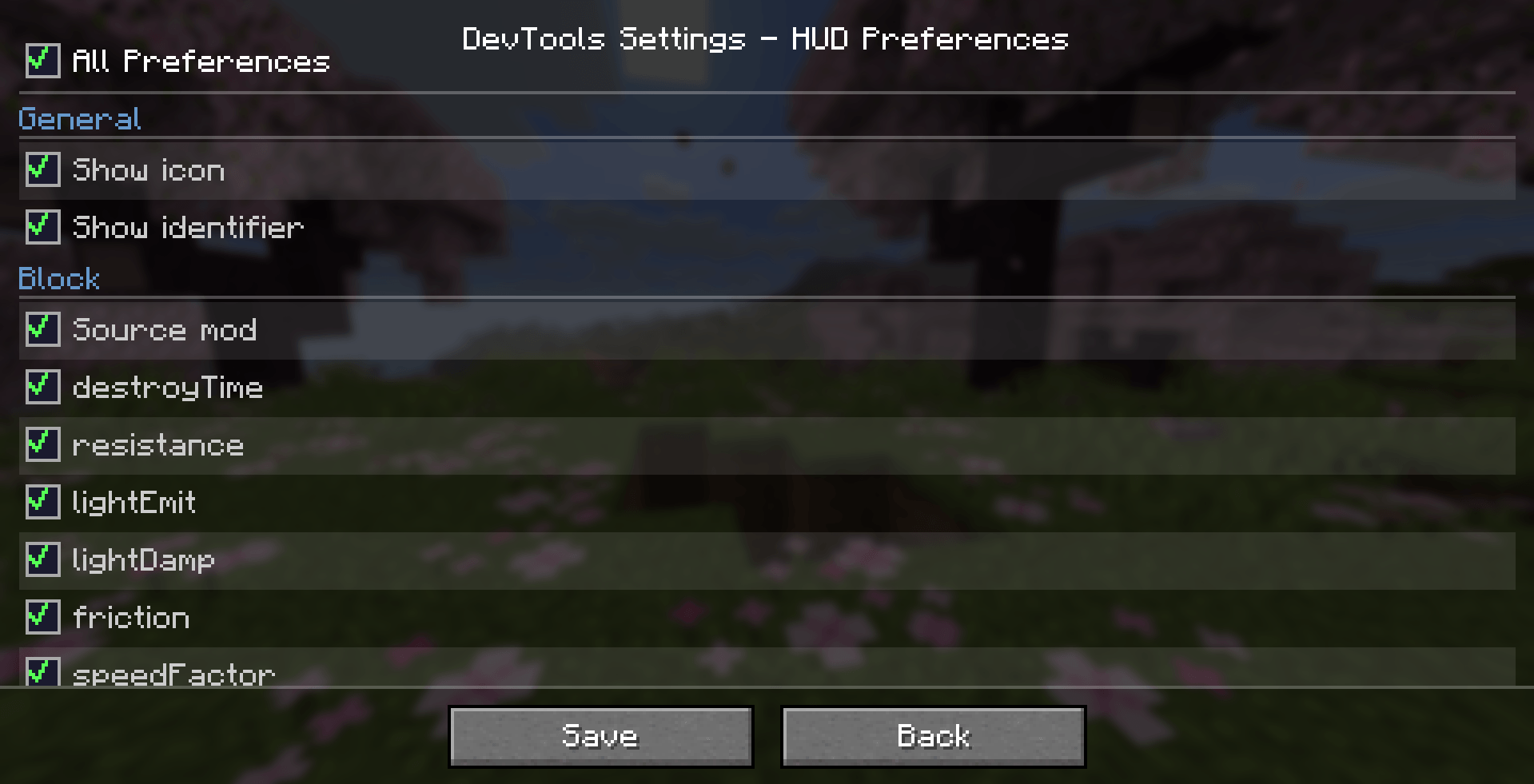
You can toggle exactly which lines show up. The top row, All Preferences, sets every other box on or off together.
| Key | Label |
|---|---|
pref.showIcon |
Show icon |
pref.showId |
Show identifier |
| Key | Label |
|---|---|
pref.block.source |
Source mod |
pref.block.destroyTime |
destroyTime |
pref.block.resistance |
resistance |
pref.block.lightEmit |
lightEmit |
pref.block.lightDamp |
lightDamp |
pref.block.friction |
friction |
pref.block.speedFactor |
speedFactor |
pref.block.jumpFactor |
jumpFactor |
pref.block.isSolid |
isSolid |
pref.block.isAir |
isAir |
pref.block.liquid |
liquid |
pref.block.blocksMotion |
blocksMotion |
pref.block.canOcclude |
canOcclude |
pref.block.redstone |
redstone |
pref.block.randomTick |
randomTick |
pref.block.ignitedByLava |
ignitedByLava |
pref.block.stateProps |
State properties |
pref.block.blockEntity |
Block entity NBT |
pref.block.environment |
Environment (biome/light) |
| Key | Label |
|---|---|
pref.entity.source |
Source mod |
pref.entity.category |
category |
pref.entity.dimensions |
dimensions |
pref.entity.fireImmune |
fireImmune |
pref.entity.uuid |
UUID |
pref.entity.customName |
customName |
pref.entity.tags |
tags |
pref.entity.onGround |
onGround |
pref.entity.invulnerable |
invulnerable |
pref.entity.silent |
silent |
pref.entity.glowing |
glowing |
pref.entity.noGravity |
noGravity |
pref.entity.frozen |
frozen |
pref.entity.inWater |
inWater |
pref.entity.onFire |
onFire |
pref.entity.HP |
HP |
pref.entity.armor |
armor |
pref.entity.isBaby |
isBaby |
pref.entity.effects |
Active effects |
pref.entity.equipment |
Equipment |
pref.entity.noAI |
noAI |
pref.entity.persistent |
persistent |
pref.entity.leftHanded |
leftHanded |
pref.entity.target |
target |
pref.entity.owner |
owner |
pref.entity.rawNbt |
Raw NBT |
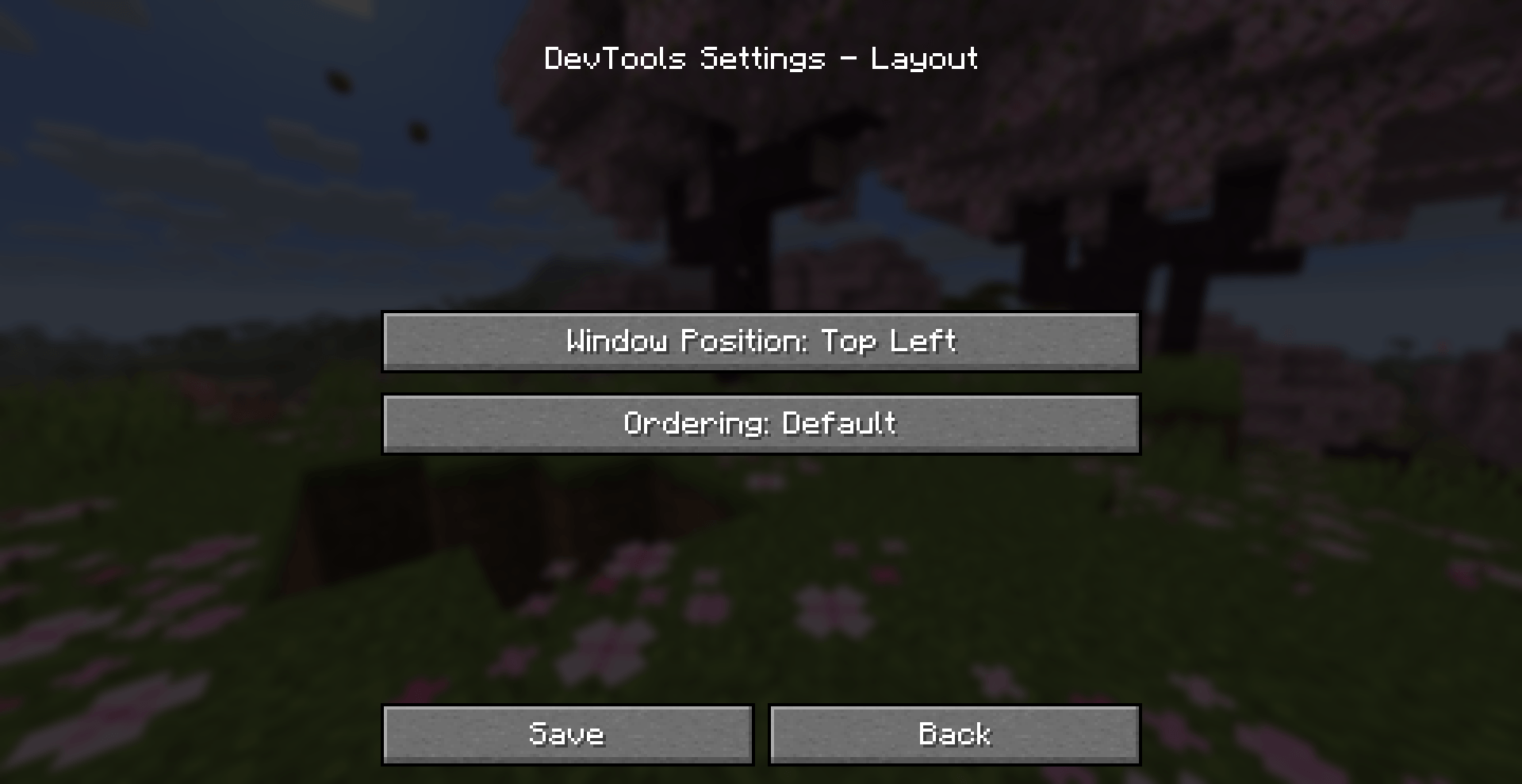
| Control | Cycles through |
|---|---|
| Window position | Top Left → Top Right → Bottom Left → Bottom Right |
| Ordering | Default, then “<Category> First” for each known category. |
Remember to press Save on the Colours, Preferences, and Layout screens to keep your changes.
| Mod ID | devtools |
| Authors | Beef and Capybarabeef Studios under Miljö AB |
| Source Code | GitHub Repository |
| Issue Tracker | GitHub Issues |
DevTools is released under the MIT License. The complete legal text is available in the LICENSE file at the repository root.