Most of you know "Connect Four" or "Four In A Line". This is the Minecraft version of it.

Simply put the ConnectFour.jar into your plugins folder and restart the server.
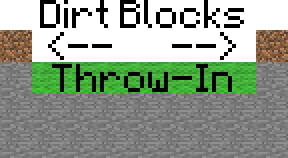
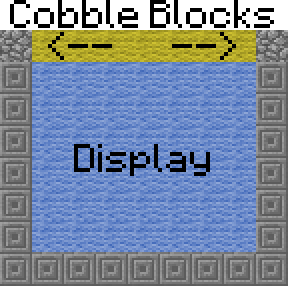
Build the Display
Select those Things


Set the Spawn
Create a spawn-sign
| LINE1 | [cfour] |
| LINE2 | <gameName> |
| LINE3 | empty |
| LINE4 | empty |
Set rewards (optional)
For example: /cfour setrewards game1 1:10 17:20:1 will set the rewards of "game1" to 10 cleanstone and 20 birchwood
When you've set some rewards but now you've changed your mind, do /cfour removerewards <gameName> for remove the rewards.
Set economy rewards (optional, needs vault)
Set a betting stake (optional, needs vault)
Change the block IDs (optional)
Congratulations! Your ConnectFour game is now playable :D
To remove a game type /cfour remove <gameName>
How to play
How to win
The target is to put the sand/gravel in a row of 4 blocks. This works horizontally, vertically and diagonally.
Be first or you will lose!
NOTICE: If you destroy the blocks whith WorldEdit or anything other, this will only have a visual effect. The real block positions will not be changed (but you can't play very good if you don't see where your block realy is).
ConnectFour is available in two languages (German and English).
If you want to change the language type in /cfour lang <DE|EN|custom>
| DE | German |
| EN | English |
| custom | loads the texts from the languagefile |
by Dragon252525
by VariationVault
#the language (DE|EN|custom)
language: de

#en-/disable "it's your turn" messages
enable-*itsYourTurn*-spam: true

#should the players be teleported to their previous position when the game is over?
teleportOnGameEnd: true

#should the display automaticaly be cleared when the game is over? (normaly it'll be cleared as soon as a new game beginns)
clearTheDisplayOnGameEnd: false

#should you be able to user join-signs
enableJoinSigns: true

#must the player be in the same world as the game to join?
sameWorldToJoin: false

#must the player be within a certain radius to join?
checkMaxDistaceToGameSpawnOnJoin: false

#radius
maxDistanceToGameSpawn: 20

#some MySql settings for online statistics
use_MySql: false
mysql_host: localhost
mysql_port: '3306'
mysql_database: database
mysql_username: username
mysql_password: '12345'
| Permission | Command | Description |
|---|---|---|
| cfour.user.* | none | All user permissions. |
| cfour.user.play | /cfour join | Join a game. |
| cfour.user.play | /cfour leave | Leave a game. |
| cfour.user.play | /cfour info | Shows a short Tutorial |
| cfour.user.tp | /cfour tp | Teleport to a game. |
| cfour.user.help | /cfour help | Shows the help page. |
| cfour.user.list | /cfour list | List all games. |
| cfour.user.stats | /cfour stats | Show the statistics. |
| cfour.admin.* | none | All admin and user permissions. |
| cfour.admin.reload | /cfour reload | Reload the config. |
| cfour.admin.lang | /cfour setlang <lang> | Change the language. |
| cfour.admin.clean | /cfour clear | Clear the display. |
| cfour.admin.create | /cfour create | Create a game. |
| cfour.admin.create | /cfour setspawn | Set the spawn of a game. |
| cfour.admin.create | /cfour remove | Remove a game. |
| cfour.admin.create | /cfour setrewards | Set the rewards for a game. |
| cfour.admin.create | /cfour removerewards | Remove the rewards from a game. |
| cfour.admin.create | /cfour setEcoReward | Set the economy reward for a game. |
| cfour.admin.create | /cfour removeEcoReward | Remove the economy reward from a game. |
| cfour.admin.create | /cfour setBetMoney | Set the stake for a game. |
| cfour.admin.create | /cfour removeBetMoney | Remove the stake from a game. |
| cfour.admin.create | /cfour setblocks | Change the blocks of a game (instead of sand and gravel). |
| cfour.admin.stop | /cfour stop | Stop a game. |
| cfour.admin.disable | /cfour disable | Disable a game to edit it. |
| cfour.admin.disable | /cfour enable | Enable a game. |
To see the statistics do /cfour stats
If you have a website, you can include this script to get some statistics about played games and players. Example here

Setup the Webstats script
Thanks to mig4ng for this awesome script :D
NOTICE