Block Memory is a lightweight, server-side Minecraft mod built for moderators and admins who want clear, reliable investigation tools without having to dig through logs or rely on guesswork.
It is available for Forge and Fabric builds.
Block Memory records direct player block activity and gives staff tools to inspect blocks, review incidents, check player activity, look at contextual presence, review saved alerts, manage saved watched/suppressed areas, monitor live burst alerts, and use staff queue summaries — all in-game.
The whole mod is built around one idea:
accuracy first.
If Block Memory knows something, it tells you. If it does not know something for sure, it says that too — clearly.
No client mod required.
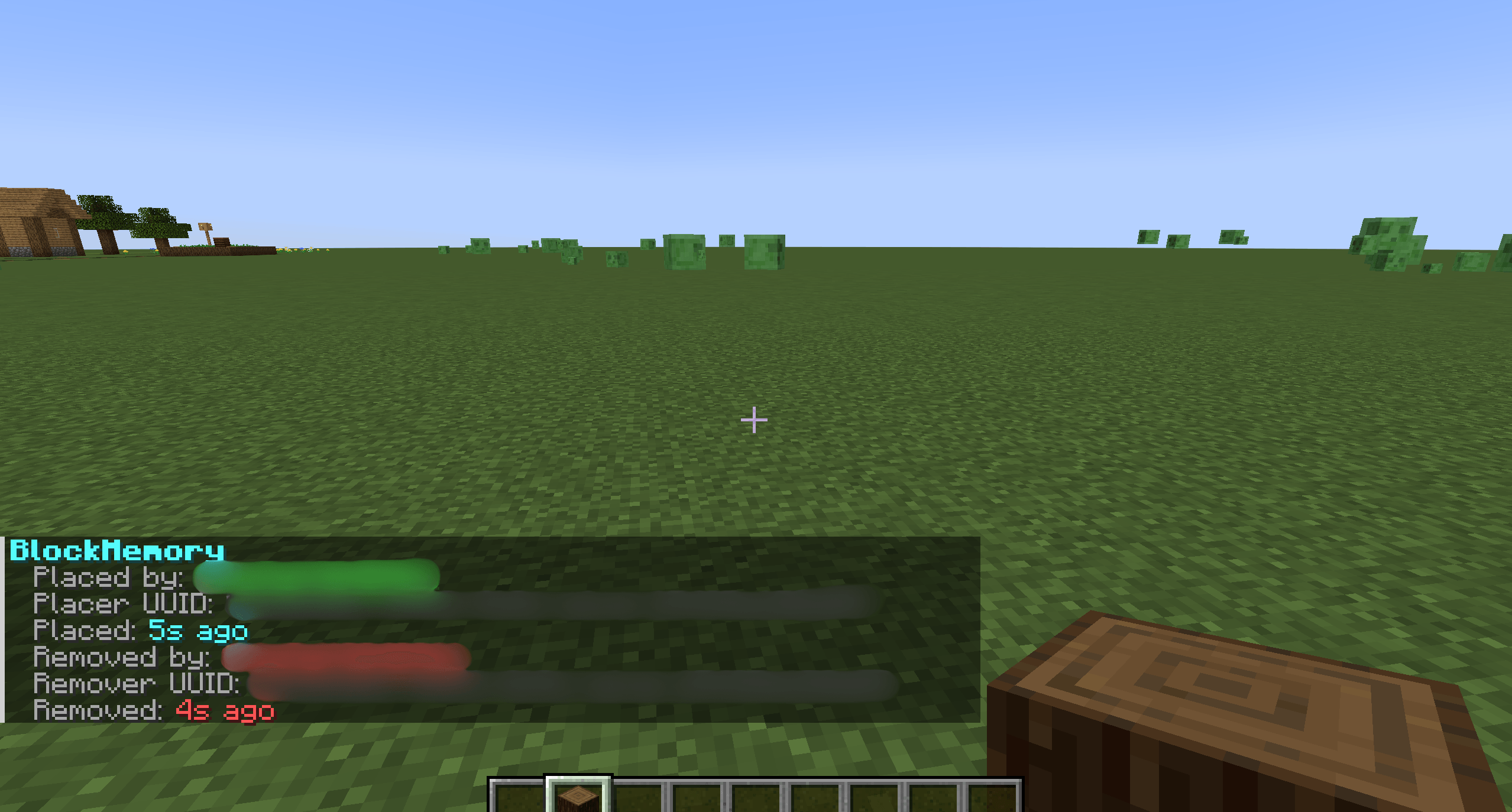
Block Memory records direct player block placement and removal and keeps that data around through restarts and relogs.
It is designed to stay lightweight and server-side, so you get useful investigation data without turning your server into a mess of extra overhead.
It also handles re-placement cleanly, so if a tracked block gets removed and then placed again later, the record flow still makes sense.
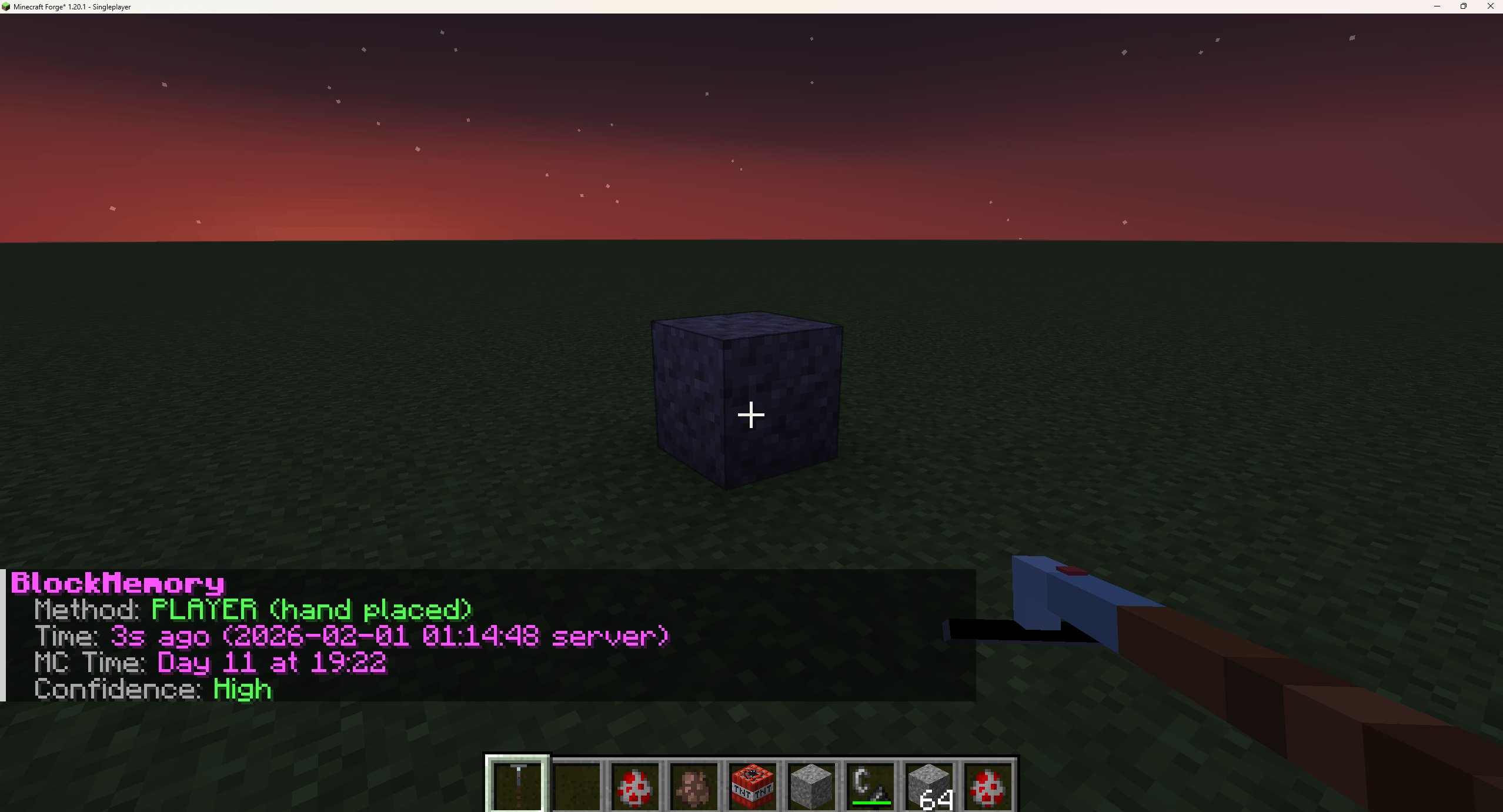
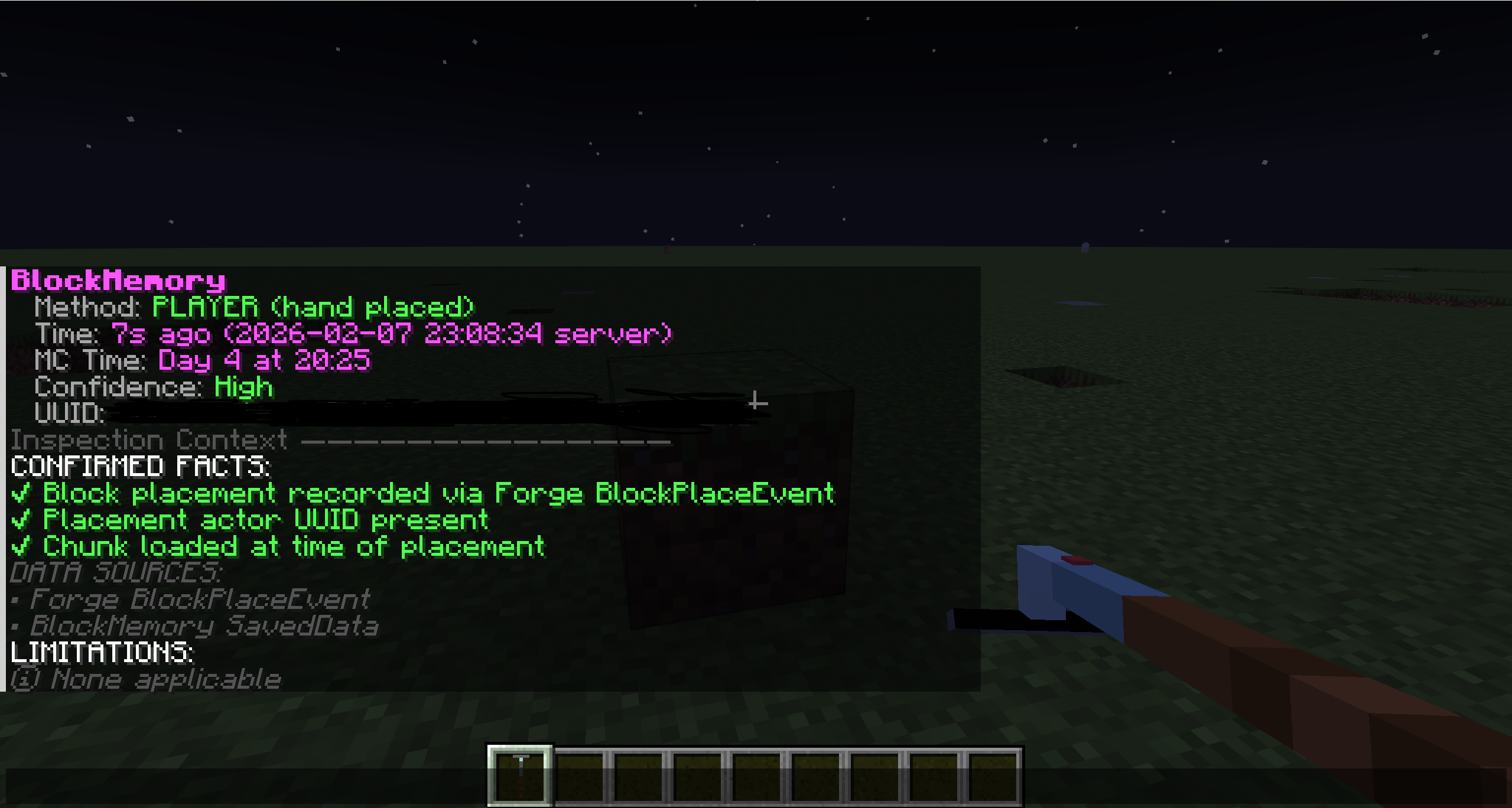
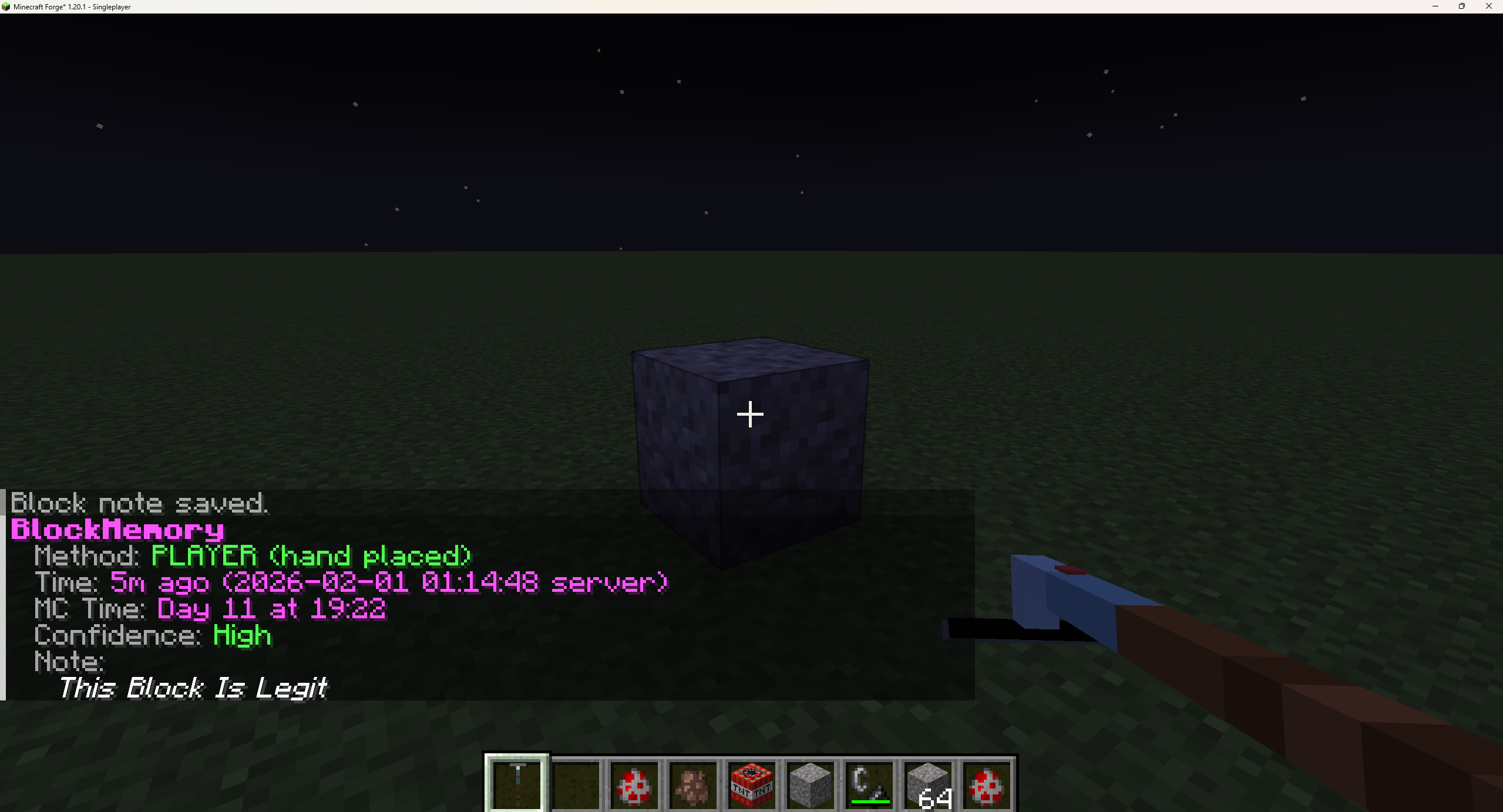
The Block Scanner gives staff a quick way to check tracked blocks without leaving the game.
Inspection can show:
And importantly, when Block Memory cannot confirm something directly, it does not pretend otherwise. It will tell you when the origin may be untracked, command-based, natural, or otherwise uncertain.
The Block Scanner also includes a small helper subtitle line:
Inspects tracked block history
One of the nicest usability improvements is that inspection no longer depends only on the exact block your crosshair hits.
/blockmemory inspect and /blockmemory inspect context can snap to the closest recorded block near what you are looking at, including the hit block, the face block, and nearby neighbors.
That makes a huge difference when you are inspecting dense builds, awkward angles, or recently changed areas.
Block Memory includes a contextual reconstruction tool for investigations:
/blockmemory inspect context [seconds] [radiusChunks]
Instead of just showing one block, this command builds a local timeline around the block you are looking at. It anchors to that block’s own tracked event time — removed time if it was removed, otherwise placed time — and shows nearby tracked activity around it.
It gives you:
This is meant for reconstruction and context, not for mind-reading.
That is why it always includes the disclaimer:
Presence ≠ intent. Context only.
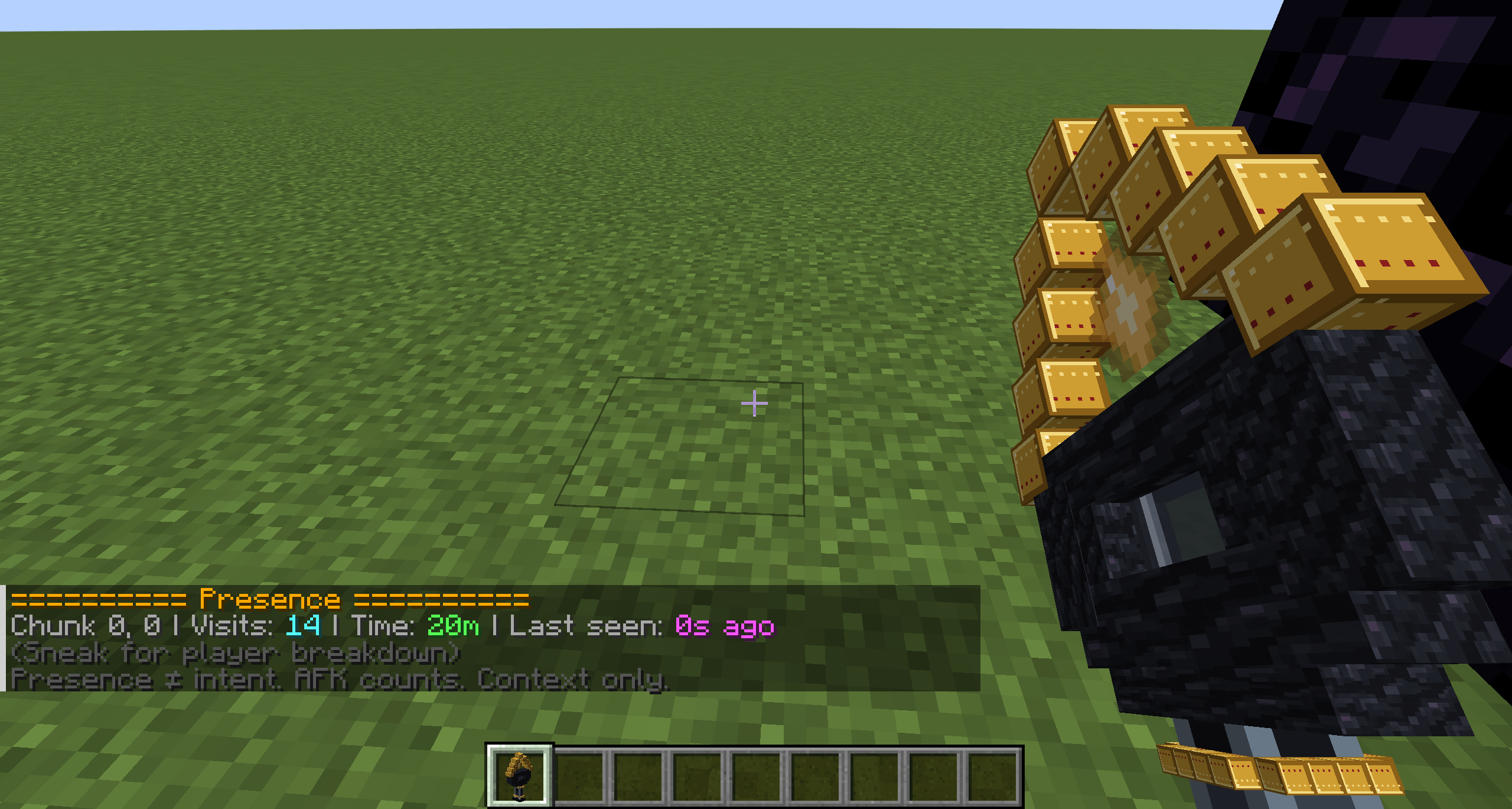
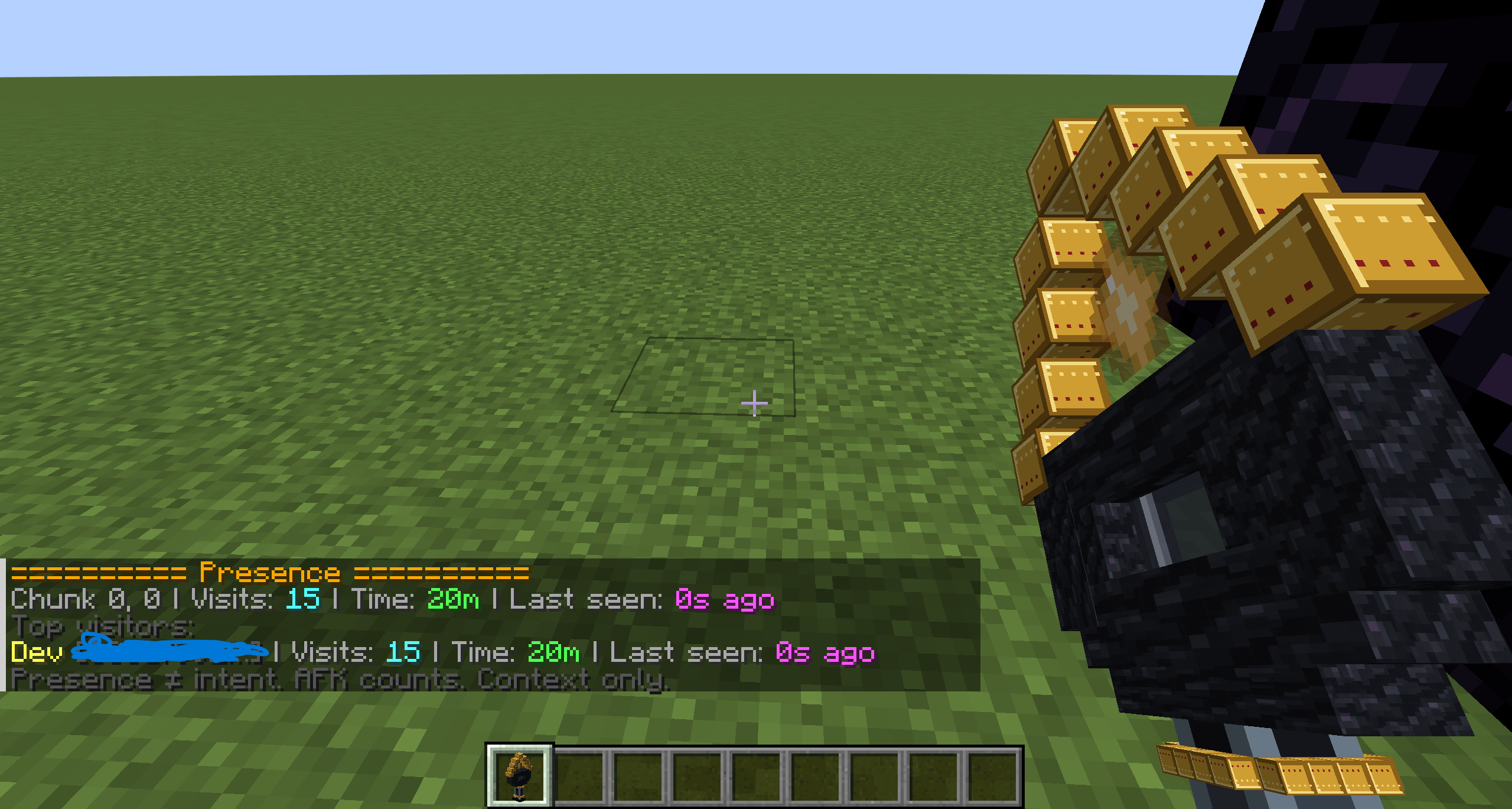
The Presence Wand is for context, not blame.
It tracks presence per chunk and lets staff see:
Sneaking shows more detail, including top visitors and clickable UUID copy support.
Presence data is persistent, dimension-aware, and capped so it does not grow forever.
And just like the rest of the mod, it is very explicit about what that data means:
Presence ≠ intent. AFK counts. Context only.
Block Memory keeps a clear line between:
That separation is intentional.
The Presence Wand also includes a small helper subtitle line:
Shows contextual player presence
Block Memory also includes a player investigation summary:
/blockmemory player <name> [timeWindow]
Default window: 7d
This works for:
It checks exact online names first, then stored historical data. If the result is ambiguous, it fails cleanly rather than guessing.
The summary can include:
Again: facts only. No intent inference.
Staff queue for faster moderation checks
Block Memory includes a staff queue command:
/Blockmemory Queue
The queue gives staff a quick overview of moderation work that still needs attention.
It can show:
total incidents
total alerts
unreviewed incident count
unclaimed alert count
claimed alert count
unclaimed unreviewed incident count
claimed but unreviewed incident count
oldest unreviewed incident
newest unclaimed alert
The queue also includes clickable shortcut buttons for common staff follow-up actions, such as opening unreviewed incidents, alerts, and the incident list.
Staff join notices can also warn staff when there is pending queue work, making it easier for teams to notice unresolved alerts or incidents after logging in.
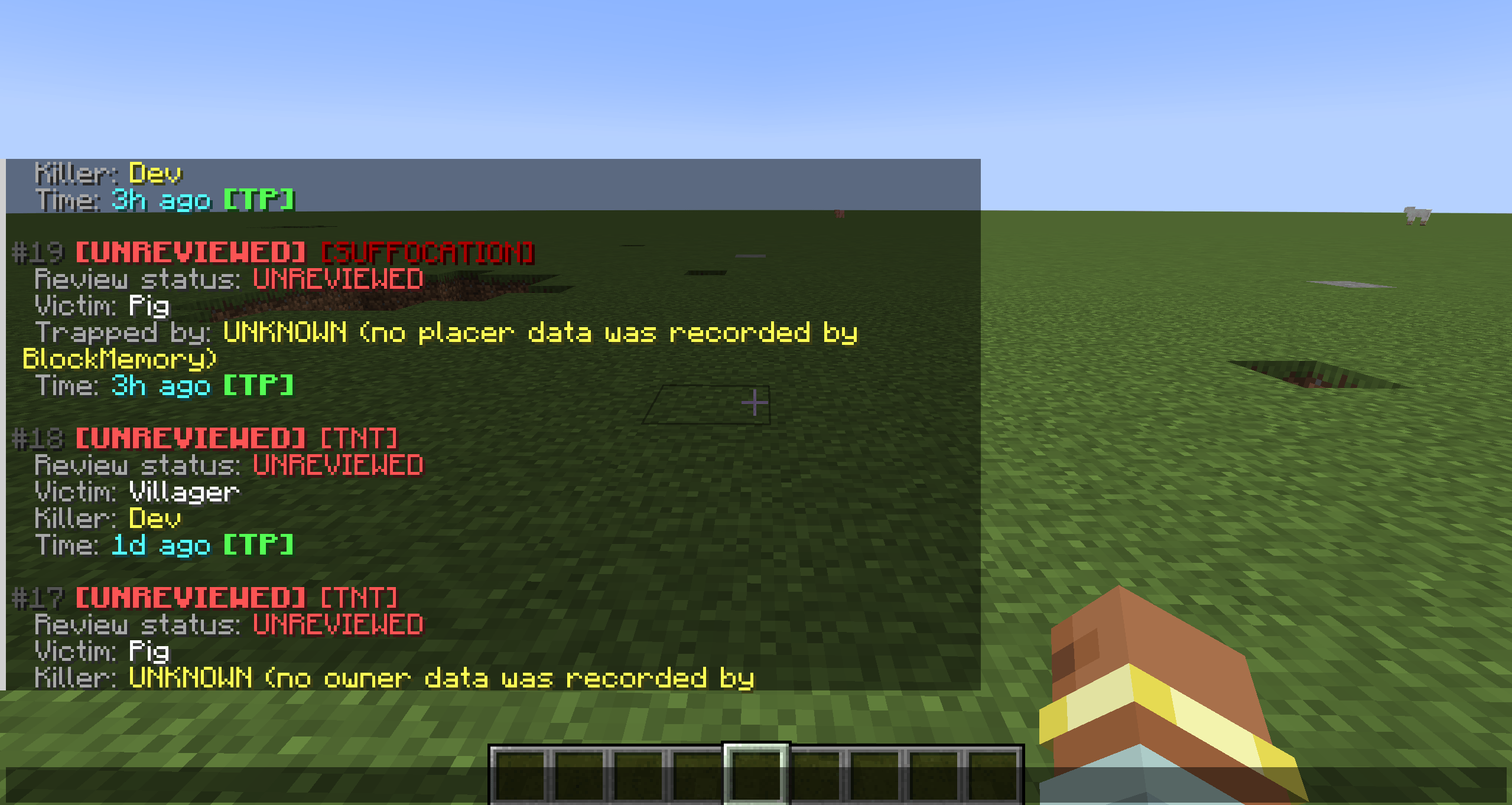
Block Memory tracks TNT explosions and TNT deaths using the same accuracy-first approach as its block systems.
It can:
It also tracks inWall suffocation deaths.
That includes:
Unified incident workflow
Block Memory has a full incident system for TNT and suffocation cases.
That includes:
Incident output can show:
Quick actions include:
[TP] to teleport to the location[COPY] to copy a compact summary to clipboard[REPORT] to copy a full staff handoff reportIncident claim commands let staff mark an incident as being handled:
/blockmemory incidents claim <id>/blockmemory incidents unclaim <id>This is useful on servers with multiple staff members, because it makes it clear when someone is already looking into an incident.
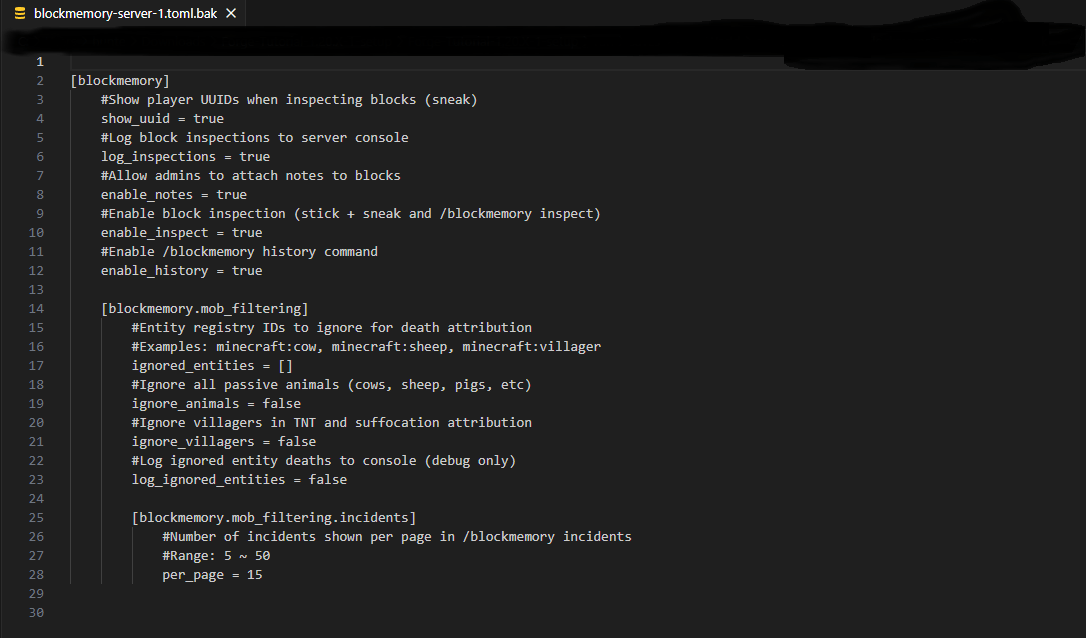
You can also control how many incidents appear per page through config.
Block Memory includes staff-only live removal burst alerts for unusual tracked removal activity.
These alerts are deliberately neutral. They are there to tell staff that a lot of tracked removal happened in a chunk area within a configured time window — nothing more, nothing less.
That means:
Just facts.
Burst alerts support:
[TP] quick action[COPY] clipboard summary actionIf a watched area matches, the alert can show its name instead of just raw chunk data.
Suppressed areas take priority over watched naming, which helps avoid noisy false alarms in known high-activity zones.
Block Memory also keeps alert history, so burst alerts are not just a live-only feature.
Saved alert commands:
/blockmemory alerts/blockmemory alerts inspect <id>/blockmemory alerts claim <id>/blockmemory alerts unclaim <id>/blockmemory alerts delete <id>Alert inspect output includes quick staff actions:
[TP] to teleport to the alert location[COPY] to copy a compact alert summary[REPORT] to copy a full staff handoff reportAlerts can also be claimed and unclaimed, making it easier for staff teams to see when an alert is already being handled.
Saved alert IDs remain stable and non-reused, so staff can reliably reference a specific alert later.
Saved areas are built directly into the burst-alert workflow.
You can create and manage both watched and suppressed areas with full in-game commands:
/blockmemory area watch add <name> <x1> <y1> <z1> <x2> <y2> <z2>/blockmemory area watch list/blockmemory area watch remove <idOrName>/blockmemory area suppress add <name> <x1> <y1> <z1> <x2> <y2> <z2>/blockmemory area suppress list/blockmemory area suppress remove <idOrName>/blockmemory area inspect <idOrName>Saved areas support:
That makes them much more useful for real servers with vertical builds, underground spaces, floating bases, and stacked structures.
Staff handoff reports and claims
Block Memory 1.7 adds stronger staff handoff tools for alerts and incidents.
Incident and alert inspect views now include a [REPORT] action. This copies a full multi-line report to the clipboard, designed for Discord tickets, staff logs, moderation notes, or handoff between staff members.
Reports can include details such as:
Block Memory also supports staff claims for alerts and incidents.
Claims do not change the incident or alert result. They simply mark that a staff member is currently handling it.
This keeps the system factual and lightweight while making staff coordination easier.
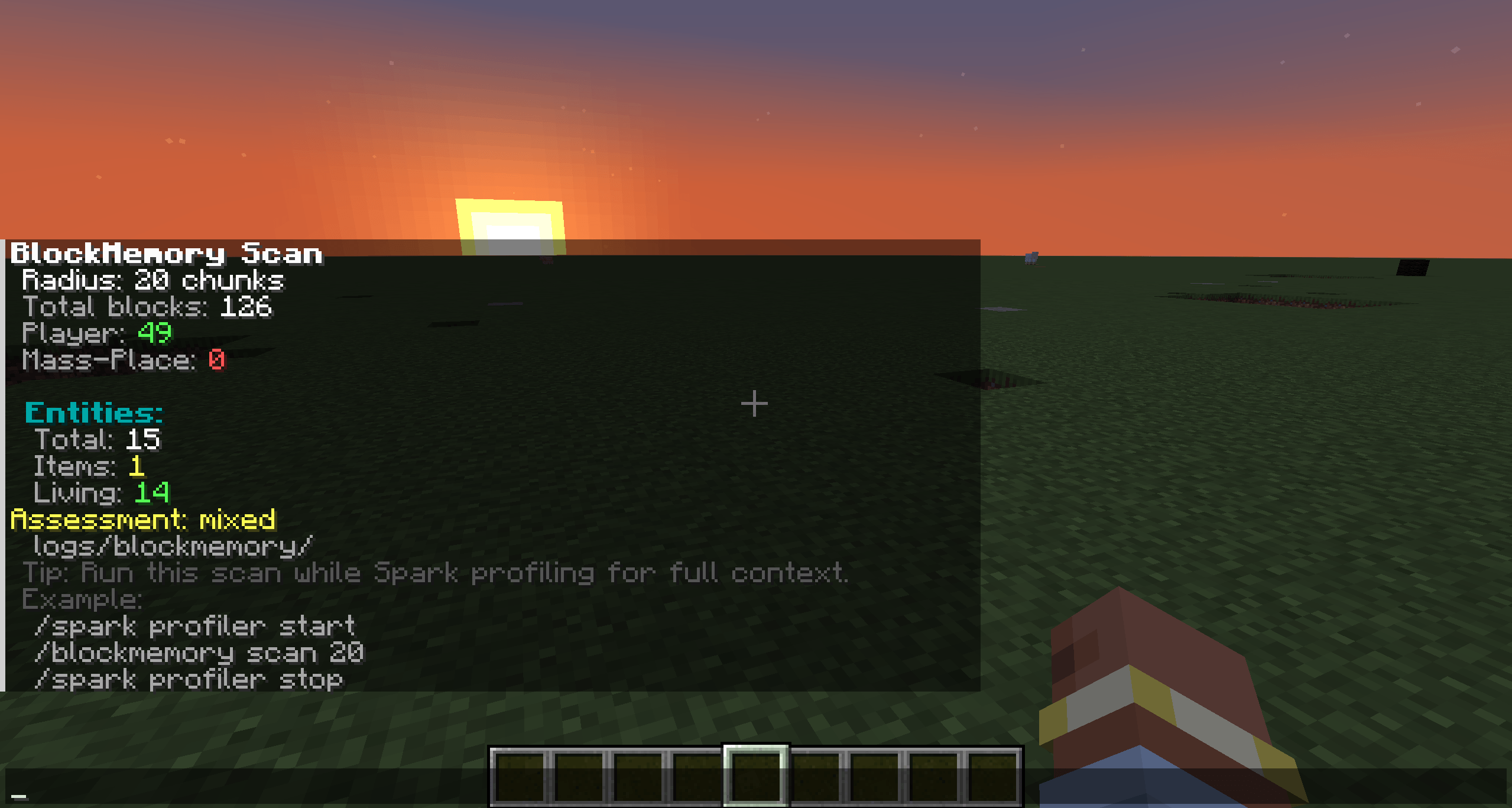
Block Memory includes area scanning for quick moderation checks.
Scan output can include:
The scan output also includes a [COPY] action for quickly sharing a compact summary.
Scan exports now include extra staff-useful details such as command counts, top actors, and recent actions, making scans easier to share in tickets, staff chats, or moderation notes.
It is a useful “what’s going on around here?” tool without trying to become a full rollback system.
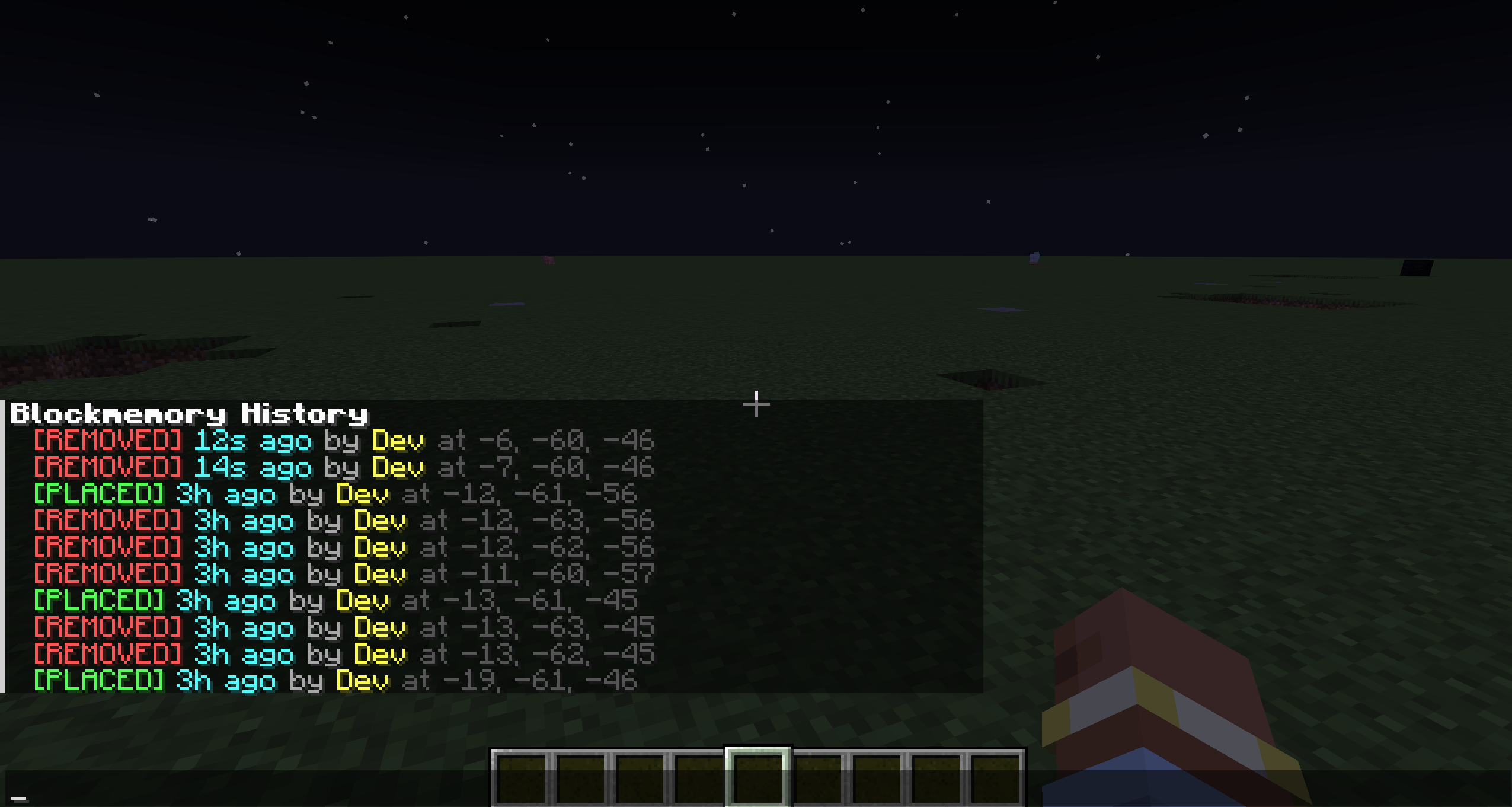
/blockmemory Inspect/blockmemory Inspect context [seconds] [radiusChunks]/blockmemory History [radius] [limit]/blockmemory Player <name> [timeWindow]/blockmemory Scan [radius]/blockmemory Alerts/blockmemory Alerts inspect <id>/blockmemory Alerts claim <id>/blockmemory Alerts unclaim <id>/blockmemory Alerts delete <id>/blockmemory Area watch add <name> <x1> <y1> <z1> <x2> <y2> <z2>/blockmemory Area watch list/blockmemory Area watch remove <idOrName>/blockmemory Area suppress add <name> <x1> <y1> <z1> <x2> <y2> <z2>/blockmemory Area suppress list/blockmemory Area suppress remove <idOrName>/blockmemory Area inspect <idOrName>/blockmemory Incidents/blockmemory Incidents tnt/blockmemory Incidents suffocation/blockmemory Incidents unreviewed/blockmemory Incidents reviewed/blockmemory Incidents false_positive/blockmemory Incidents action_taken/blockmemory Incidents inspect <id>/blockmemory Incidents claim <id>/blockmemory Incidents unclaim <id>/blockmemory Incidents review <id> <state>/blockmemory Incidents note <id> <text>/blockmemory Incidents note clear <id>/blockmemory Incidents delete <id>/blockmemory Note <text>/blockmemory Clearnote/blockmemory Tz <zone>/blockmemory Tzclear/tz <zone>/tz clearBlock Memory currently includes:
A lot of the recent work has been focused on making the mod easier to use quickly during real moderation, not just making it technically functional.
Block Memory uses a server-side config file:
blockmemory-server.toml
One important detail:
the active config is stored per world inside that world’s serverconfig folder.
BlockMemory also generates a blockmemory-readme.txt file there to make that easier to understand, especially for server owners wondering why the config is not sitting next to the mod jar.
That generated readme explains:
Config covers things like:
Config-defined watched/suppressed burst areas also support Y-aware vertical range fields, so config-based alert rules can be scoped properly for stacked or multi-level builds.
Block Memory is built around a pretty simple philosophy:
It reports what it knows, and it is honest about what it does not.
That is the whole point.
(If you would like this on another mod loader or minecraft version, leave a comment mentioning what)
Enjoy, and i am always looking for feedback in comments and other areas!
1.7.2
MIT