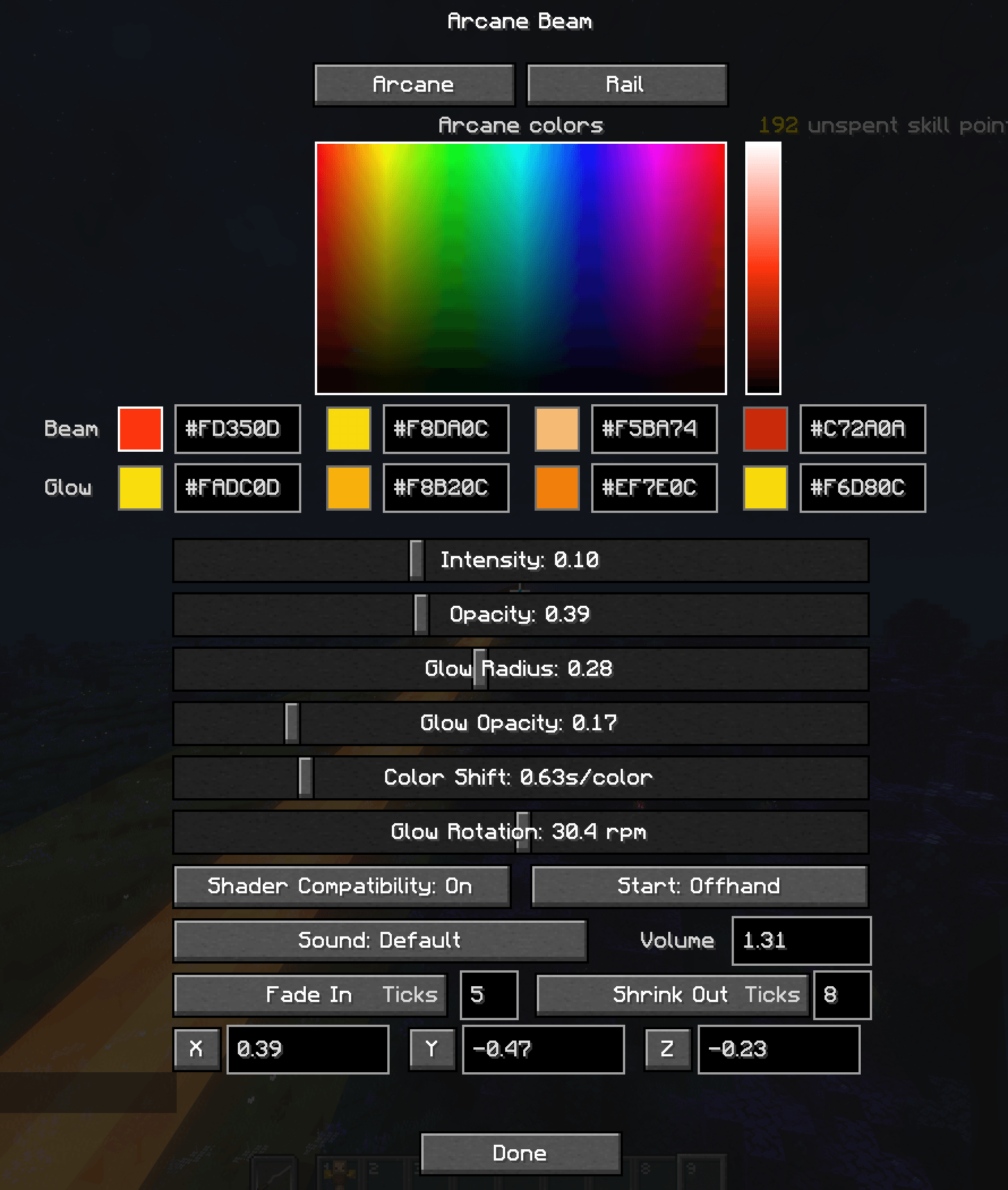
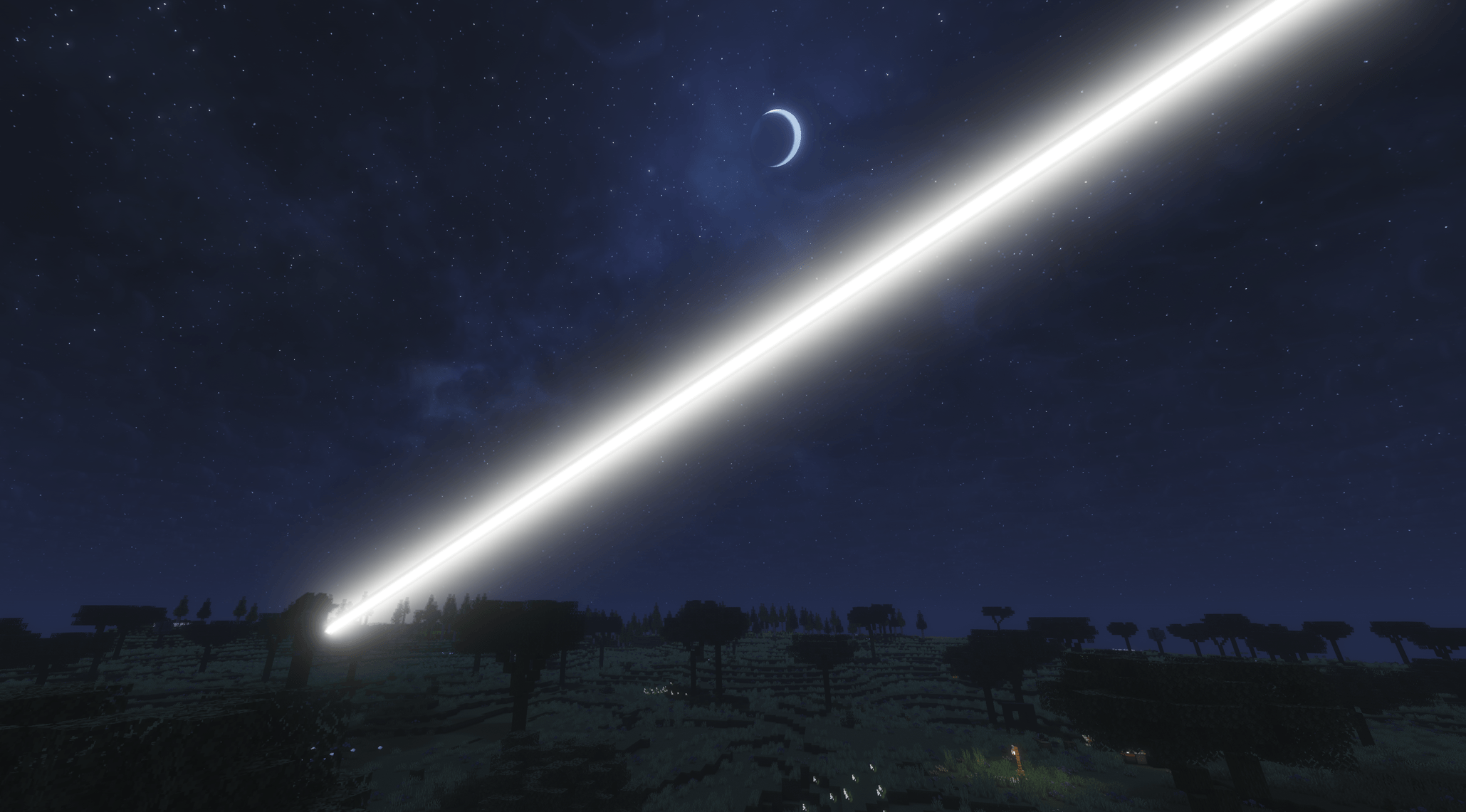
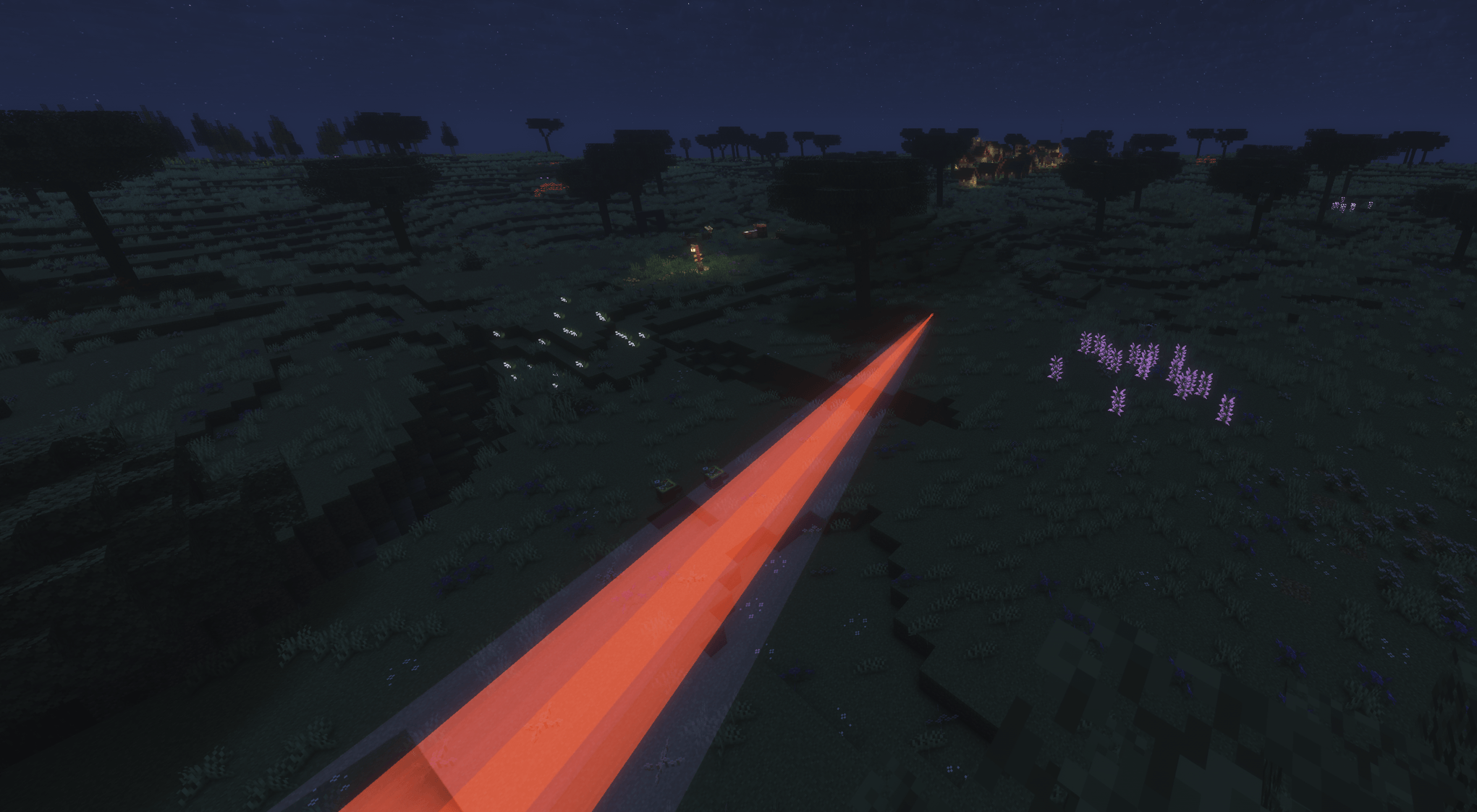
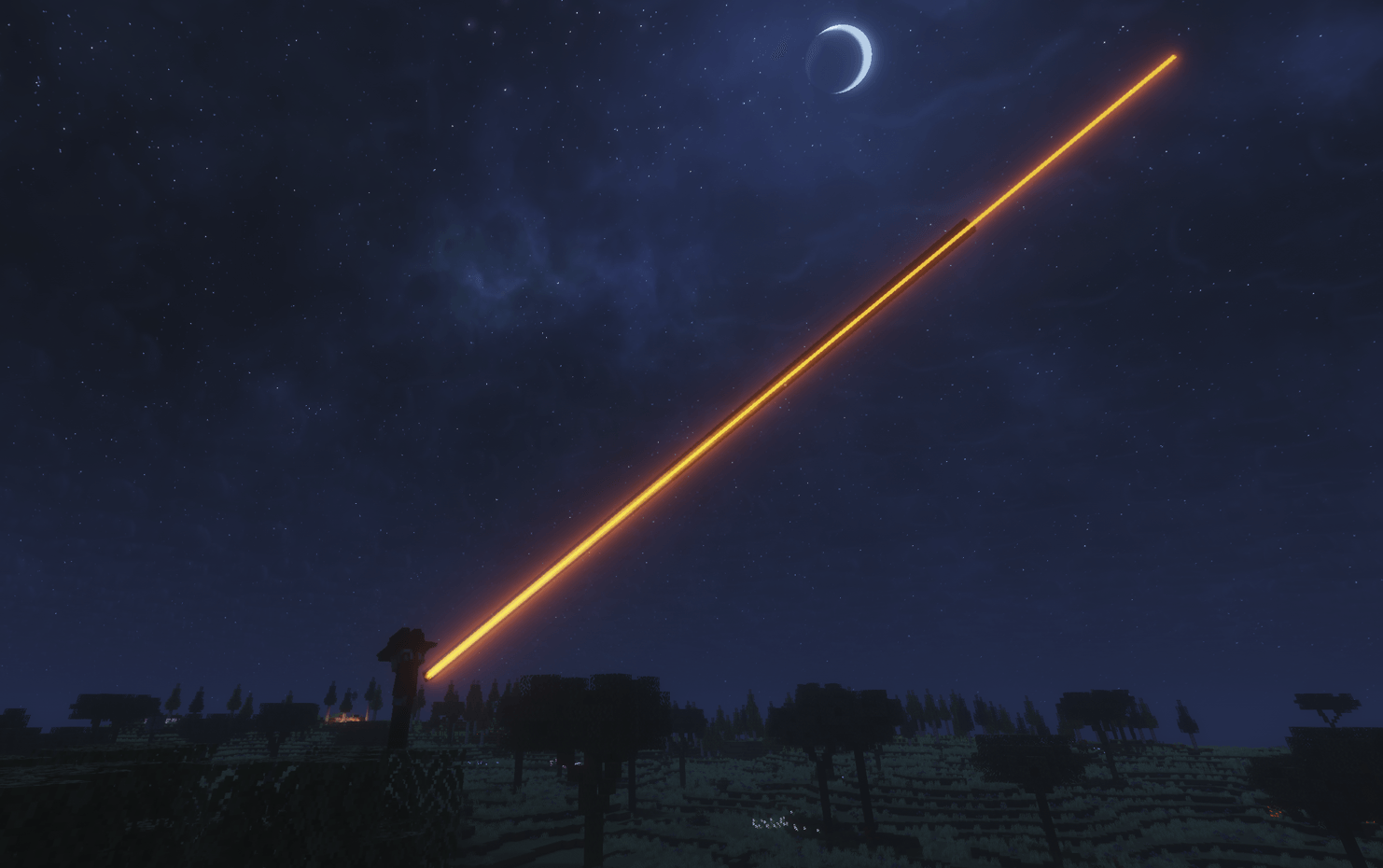
Arcane Beam is a client-side visual and audio replacement for Vault Hunters' Arcane and Arcane Rail abilities on Minecraft 1.18.2 Forge.
Instead of rendering long streams of particles, Arcane Beam draws clean configurable beams that follow the player's crosshair, stop on collision, and preserve the original behavior of both abilities. Arcane remains a held beam, and Rail remains a short single-shot beam.
config/ArcaneBeam.jsonThis mod is intended for Vault Hunters 3rd Edition and requires:
1.18.240.x17The VaultShout out to Masuary for the new menu
## 0.1.14

This update focuses on Arcane Beam's beam configuration and keeps the mod centered on Vault Hunters ability visual replacements. Gameplay behavior, damage, cooldowns, targeting, mana costs, and server logic are unchanged.

### Beam Configuration

- Added a new Crosshair Aim toggle for Arcane/Rail beam rendering
- When Crosshair Aim is enabled, the rendered beam points directly at the block or entity under the crosshair instead of staying locked to the player's look vector
- This helps the beam visually line up with close targets, far targets, blocks, and entities even when the beam is cut off at different distances
- Crosshair Aim is optional and defaults to off, preserving the previous beam behavior unless enabled
- Crosshair Aim is saved per beam profile

### Config Menu

- Updated the Arcane Beam config menu to the newer tabbed layout
- Improved spacing and organization for the existing ability replacement settings
- Kept existing profiles, color controls, shader compatibility options, sound options, and resource pack sound slots intact

### Mod Cleanup

- Sophisticated Storage compatibility fixes have been moved out of Arcane Beam and into a standalone mod

### Notes

- This is still a client-side visual/audio replacement mod
- Existing Arcane, Rail, Lightning Strike, Vault Altar, Storm Arrow, Smite, and Archon gameplay behavior is unchanged## 0.1.11
This update improves Arcane Beam's custom sound handling and reduces the chance of Minecraft audio cutting out during longer play sessions.
### Audio Stability
- Improved cleanup for Arcane Beam custom sounds when leaving a world, disconnecting, or when Minecraft stops active sounds
- Changed Arcane Beam's bundled ability sounds to avoid unnecessary streamed audio playback
- Changed Arcane Beam's runtime custom sounds to use the lighter non-streamed sound path by default
- Improved cleanup for active Arcane, Lightning Strike, Rail, Vault Altar, Storm Arrow, Smite, and Archon replacement sounds
- Kept all existing sound options, resource pack sound slots, visual effects, and ability behavior unchanged
This is a maintenance release focused on client audio stability. Gameplay behavior, damage, cooldowns, targeting, mana costs, and server logic are unchanged.## 0.1.10
This update adds several new client-side visual and sound replacements for Vault Hunters abilities and altar imbuement effects. All gameplay behavior, damage, targeting, cooldowns, mana costs, and server logic are unchanged.
### Vault Altar Imbuement
Adds a configurable Vault Altar imbuement replacement.
When an altar imbuement starts, the default particle column is replaced with four small corner beams that converge on the altar, followed by a center beam and outer glow rising from the altar surface.
Config options include:
- Enable/disable replacement
- Profiles
- Shader Compatibility
- Fullbright
- Corner beam colors
- Center beam colors
- Center glow colors
- Beam opacity, size, taper, height, and fade
- Corner beam origin height and radius for aligning the beams with ceiling builds
- Optional origin marker X renders for easier setup
- Timing controls for the corner hold, convergence, and center growth
- Sound mode and volume
Sound options:
- Default
- Altar 1
- Resourcepack1
- Resourcepack2
Resource pack sound paths:
- `assets/arcanebeam/sounds/abilities/vault_altar_resourcepack_1.ogg`
- `assets/arcanebeam/sounds/abilities/vault_altar_resourcepack_2.ogg`
### Storm Arrow
Adds a configurable Storm Arrow replacement.
The fired arrow is replaced with a small rolling target designator sphere, and successful Storm Arrow strikes are replaced with fast orbital-style energy bolts from above. Impacts include a larger rendered spark plume without using a heavy particle system.
Config options include:
- Enable/disable replacement
- Profiles
- Shader Compatibility
- Fullbright
- Targeting circle
- Optional actual-radius display
- Circle color, opacity, and width
- Bolt color, core color, width, length, lifetime, and origin height
- Impact flash color and size
- Audio range
- Sound volume
Sound options include separate selections for:
- Strike sound
- Projectile/designator launch sound
Resource pack sound paths:
- `assets/arcanebeam/sounds/abilities/storm_arrow_resourcepack_1.ogg`
- `assets/arcanebeam/sounds/abilities/storm_arrow_resourcepack_2.ogg`
- `assets/arcanebeam/sounds/abilities/storm_arrow_projectile_resourcepack_1.ogg`
- `assets/arcanebeam/sounds/abilities/storm_arrow_projectile_resourcepack_2.ogg`
### Smite
Adds a configurable Smite replacement.
Smite strikes are replaced with the same style of fast orbital energy bolt used by Storm Arrow, including configurable impact flashes and spark plumes. Smite does not use a projectile replacement, but it does support a separate activation sound.
Config options include:
- Enable/disable replacement
- Profiles
- Shader Compatibility
- Fullbright
- Targeting circle
- Optional actual-radius display
- Circle color, opacity, and width
- Bolt color, core color, width, length, lifetime, and origin height
- Impact flash color and size
- Audio range
- Sound volume
Sound options include separate selections for:
- Strike sound
- Activation sound
Resource pack sound paths:
- `assets/arcanebeam/sounds/abilities/smite_resourcepack_1.ogg`
- `assets/arcanebeam/sounds/abilities/smite_resourcepack_2.ogg`
- `assets/arcanebeam/sounds/abilities/smite_activation_resourcepack_1.ogg`
- `assets/arcanebeam/sounds/abilities/smite_activation_resourcepack_2.ogg`
### Archon
Adds a configurable Archon replacement.
Archon is treated separately from Smite and uses a small homing missile-style visual inspired by Whistling Birds. Missiles spawn from a configurable radius around the player, curve toward their target, and use a configurable plume color, core color, impact flash, and short lifetime.
Config options include:
- Enable/disable replacement
- Profiles
- Shader Compatibility
- Fullbright
- Targeting circle
- Optional actual-radius display
- Circle color, opacity, and width
- Missile color/plume color, core color, width, length, lifetime, height, and origin radius
- Impact flash color and size
- Audio range
- Sound volume
Sound options include separate selections for:
- Strike sound, including the bundled Whistling Bird option
- Activation sound
Resource pack sound paths:
- `assets/arcanebeam/sounds/abilities/archon_resourcepack_1.ogg`
- `assets/arcanebeam/sounds/abilities/archon_resourcepack_2.ogg`
- `assets/arcanebeam/sounds/abilities/archon_activation_resourcepack_1.ogg`
- `assets/arcanebeam/sounds/abilities/archon_activation_resourcepack_2.ogg`
### Resource Pack Example
The example Arcane Beam resource pack zip has been updated with the new Storm Arrow, Smite, Archon, and Vault Altar sound replacement paths.
No custom `sounds.json` is needed for these Arcane Beam resource pack slots. Replace the placeholder `.ogg` files with your own Ogg Vorbis files, enable the resource pack, then select Resourcepack1 or Resourcepack2 in the relevant Arcane Beam config tab.## 0.1.9
- Added a configurable Vault Altar imbuement visual replacement
- Replaced the altar activation particle column with four corner beams that converge on the altar center
- Added Vault Altar color controls for corner beams, center beam, and center glow
- Added configurable corner beam origin height and radius so ceiling-mounted emitters can be aligned in-world
- Updated the example resource pack zip with Vault Altar sound replacement paths## 0.1.8
- Added a configurable Lightning Strike visual replacement inspired by a seismic charge shockwave
- Added a new Lightning Strike tab to the config screen with profiles, shader compatibility, color controls, visual tuning, and sound controls
- Added a custom Lightning Strike projectile render styled like a small seismic charge
- Added configurable Lightning Strike shockwave elements, including the expanding ring, center sphere, upper/lower cones, star-like spots, ripple settings, opacity, size, color, and lifetime
- Added Lightning Strike sound modes for Default, Seismic Charge, Resource Pack 1, and Resource Pack 2
- Added separate Lightning Strike cast and impact sound replacement support, with volume control
- Included bundled Seismic Charge cast and impact sounds
- Set the default Lightning Strike settings to the tested `Main` profile values
- Improved Lightning Strike shader compatibility for both the shockwave and projectile render
- Improved Lightning Strike impact reliability by using the Vault impact sound as a fallback trigger when the client projectile hit hook misses
- Fixed Lightning Strike replacement effects so projectile expiration and non-target impacts do not trigger the shockwave or impact sound
- Fixed Lightning Strike color picker layout and color update behavior
- Improved Arcane activation and release handling so the custom beam and sound track the key press more reliably
- Hardened the optional client-side Sophisticated Storage limited-barrel front-face interaction helper## 0.1.7
- Added a client-side Sophisticated Storage limited-barrel interaction fix
- Preserved normal front-face behavior for item deposit, double-right-click deposit-all, dyes, packing tape, and upgrades
- Added Sneak + right-click empty-hand opening from the limited-barrel front face, matching the user's configured Sneak keybind
- Skipped the new Sophisticated Storage interaction mixin when Vault Additions is installed, matching Arcane Beam's existing Vault Additions compatibility guard## 0.1.6
- Added Arcane and Rail profile support in the config screen
- Added per-category profile creation and selection, with profiles saved in `config/ArcaneBeam.json`
- Migrated existing Arcane and Rail settings into `Default` profiles on first launch with the new config format
- Safely skipped Arcane Beam's Sophisticated Storage / Compressium mixins when Vault Additions is installed## 0.1.5
- Fixed Compressium compressed blocks not displaying correctly on Sophisticated Storage barrel display faces
- Added optional client-side compatibility handling for Sophisticated Storage display rendering paths
- Improved Compressium block display sizing and face alignment so barrel displays match normal block display behavior more closely
- Kept the compatibility path optional, so Arcane Beam can still load without Sophisticated Storage or Compressium installed
- Improved the Arcane/Rail config screen so it scales down to fit larger GUI scales and smaller screens
- Added two resource-pack sound slots for Arcane and two resource-pack sound slots for Rail## 0.1.4
- Fixed beams being pulled straight north in some vault themes
- Hardened beam direction rendering so theme particles and collision endpoints cannot rotate the rendered beam away from the caster's aim
- Kept block collision behavior intact: beams can still stop early on blocks, but collision can only shorten the beam instead of changing its direction
- Added fallback handling for brief invalid look-vector frames so beams keep their last valid aim instead of snapping to a world direction## 0.1.3
- Improved Arcane beam stability in multiplayer while moving, strafing, and jumping
- Improved local Arcane activation tracking so nearby players are less likely to trigger a beam or sound from your character
- Fixed Arcane release timing so the local beam and custom looped sound stop much more quickly when the cast key is released
- Kept remote player beam rendering through particle detection while separating it from local-player ownership
- Smoothed the beam origin when entering or leaving sneak so the start point transitions instead of snapping vertically
- Improved beam color cycling so transitions blend more smoothly through all configured colors## 0.1.2
- Fixed Arcane beam and glow jitter caused by fade-out/shrink-out starting too early during active refresh
- Added a fade-out grace window so active Arcane beams stay visually rigid between particle refreshes
- Replaced the square beam core geometry with an 8-sided tube for a rounder look
- Replaced the square glow shell geometry with an 8-sided tube
- Updated shader compatibility rendering to use the same 8-sided beam and glow geometry## 0.1.1
- Added per-ability sound volume controls
- Added configurable `Fade In` / `Grow In` transition mode per ability
- Added configurable `Fade Out` / `Shrink Out` transition mode per ability
- Added per-ability `Fade In Ticks` and `Fade Out Ticks` fields
- Added mouse wheel support for transition tick fields
- Added mouse wheel support for sound volume fields
- Added live preview support for the newer transition and origin settings
- Fixed Arcane option 2 startup sound so it stops immediately when Arcane ends
- Fixed false local beam/audio triggering from nearby players casting through the local player
- Restricted local ownership attribution to the beam origin area instead of the full ray
- Fixed default/custom sound suppression so Vault sounds only suppress when a custom ArcaneBeam sound is selected
- Fixed Rail `Default` sound fallback
- Refined config screen layout for color rows, hex box alignment, transition buttons, and tick labels## 0.1.0
Initial public release.
- Replaced Vault Arcane and Arcane Rail particle streams with rendered beams
- Added separate Arcane and Rail settings
- Added beam and glow color controls
- Added in-game color picker and live preview
- Added hand-based origin selection and XYZ origin offsets
- Added shader compatibility toggle
- Added custom Arcane and Rail sound selection
- Added suppression for default Vault cast sounds when custom ArcaneBeam sounds are selected
- Added client config persistence in `config/ArcaneBeam.json`Arcane Beam’s renderer was built with direct reference to VaultLootBeams by JustAHuman, with additional credit to that project’s listed contributors shiroroku (elise) and amo, and to the upstream Loot Beams renderer lineage.