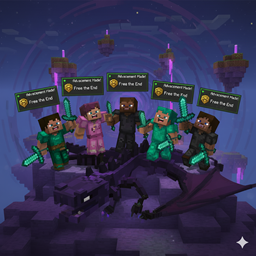
Give your whole party credit: share kill advancements and XP from mobs/bosses with everyone who actually helped.
What it does
Shares advancements: Re-fires the vanilla player_killed_entity trigger for all eligible participants so boss/mob “kill” advancements go to the whole group.
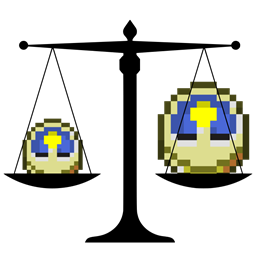
Shares XP: Splits the dropped XP among players who dealt damage. XP can be delivered as orbs (Mending-friendly) or directly.
Server-side only: No client install required.
Features
Participation-based credit:
Advancements: everyone who damaged the mob (and optionally anyone within a radius at death).
XP: only players who actually dealt damage.
Configurable XP sharing:
Mode: proportional by damage or equal split.
Delivery: spawn orbs at each player (preserves Mending) or give XP directly.
Boss-only toggle via tag: Restrict to bosses or specific mobs by setting an entity type tag (e.g., forge:bosses or your own datapack tag).
Pet damage counts: Tamed pets credit their owner as a participant.
Works with most mods that use the standard minecraft:player_killed_entity advancement criterion.
Note: If a mod uses custom criteria for boss achievements, those won’t be auto-shared (the standard kill trigger is shared). Damage-source-specific conditions in advancements still apply based on the actual killing blow.
Configuration (server-side, per world)
File: world/serverconfig/bossadvshare-server.toml
Options:
general.useDamageParticipants: true — include players who dealt damage (advancements)
general.includeRadiusPlayers: false — also include nearby players for advancements
general.radius: 32 — radius in blocks (if above is true)
general.minDamageToQualify: 1.0 — minimum total damage to be considered a participant
general.onlyWhenKillerIsPlayer: true — only share advancements if a player dealt the killing blow
general.targetEntityTypeTag: "" — e.g., forge:bosses to limit scope
xpSharing.enableXpSharing: true — enable XP sharing
xpSharing.xpShareMode: "proportional" or "equal"
xpSharing.xpShareAsOrbs: true — spawn XP orbs at each participant (recommended for Mending)
Installation
Drop the jar into your server’s mods folder. No client install needed.
Start the server to generate the config, tweak as desired, and restart.
Notes
Items and loot are unchanged; the mod only shares advancements and XP.
Lightweight: per-entity fight data is tracked and cleaned up automatically.