Mineuniverse
Log in Register
Mods

Admin Anti-Cheat

This alerts ops when players show suspicious ore mining behavior.
by Eddie_Hugo
Download Claim this project
2,171 downloads
0 likes
Updated Jul 6, 2026
0 hypes
Addons Server Utility

AdminAnticheat is a lightweight Forge mod designed to help server operators keep Minecraft fair.
It tracks when players mine valuable ores (diamonds, emeralds, ancient debris) and maintains streak counters to detect suspicious behavior.
When a player’s streak crosses a configurable threshold, ops receive alerts in chat and warnings are logged to the server console.

The mod also provides admin commands to reset streaks, view stats, toggle alerts, or clear all tracked data.
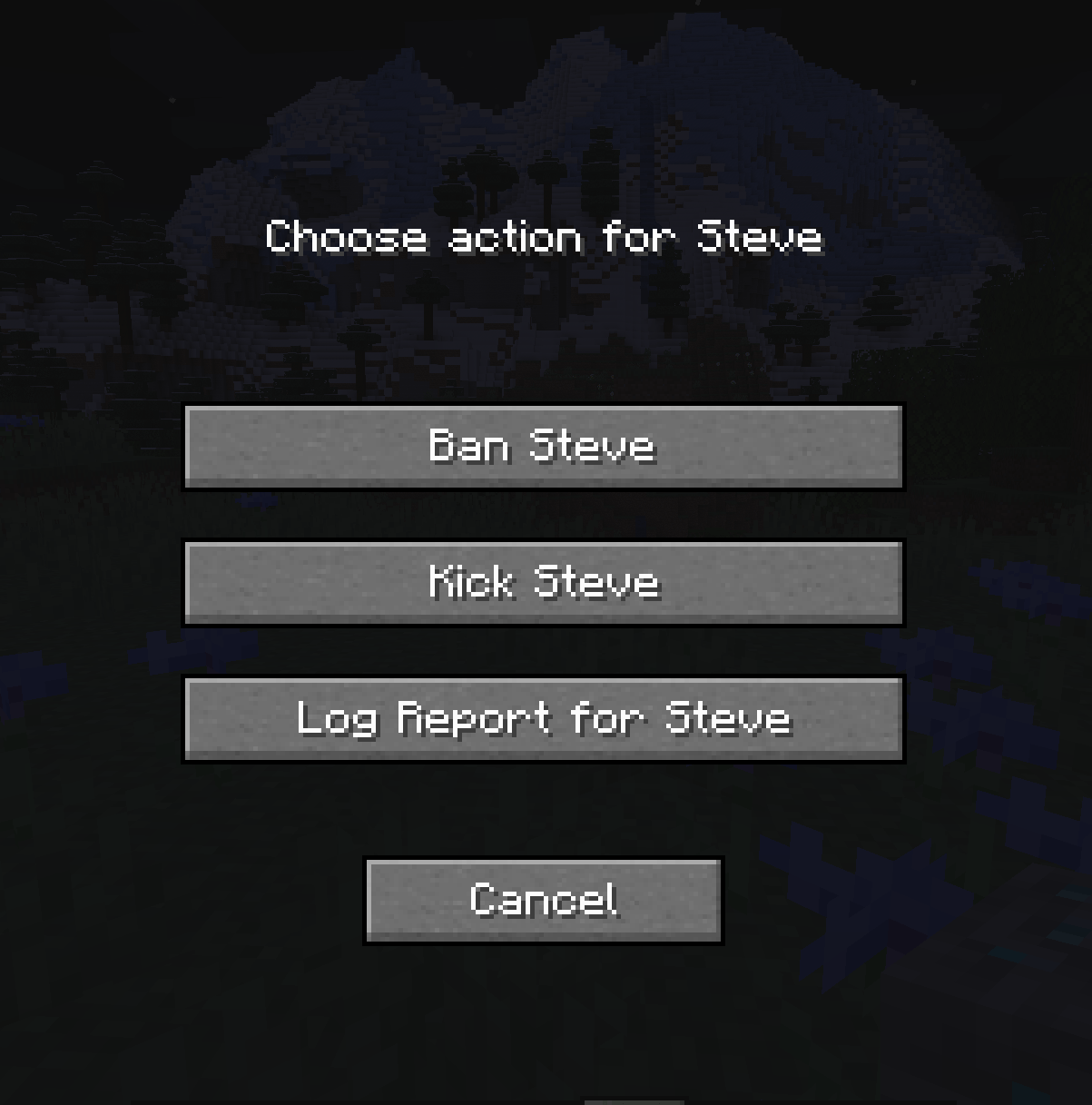
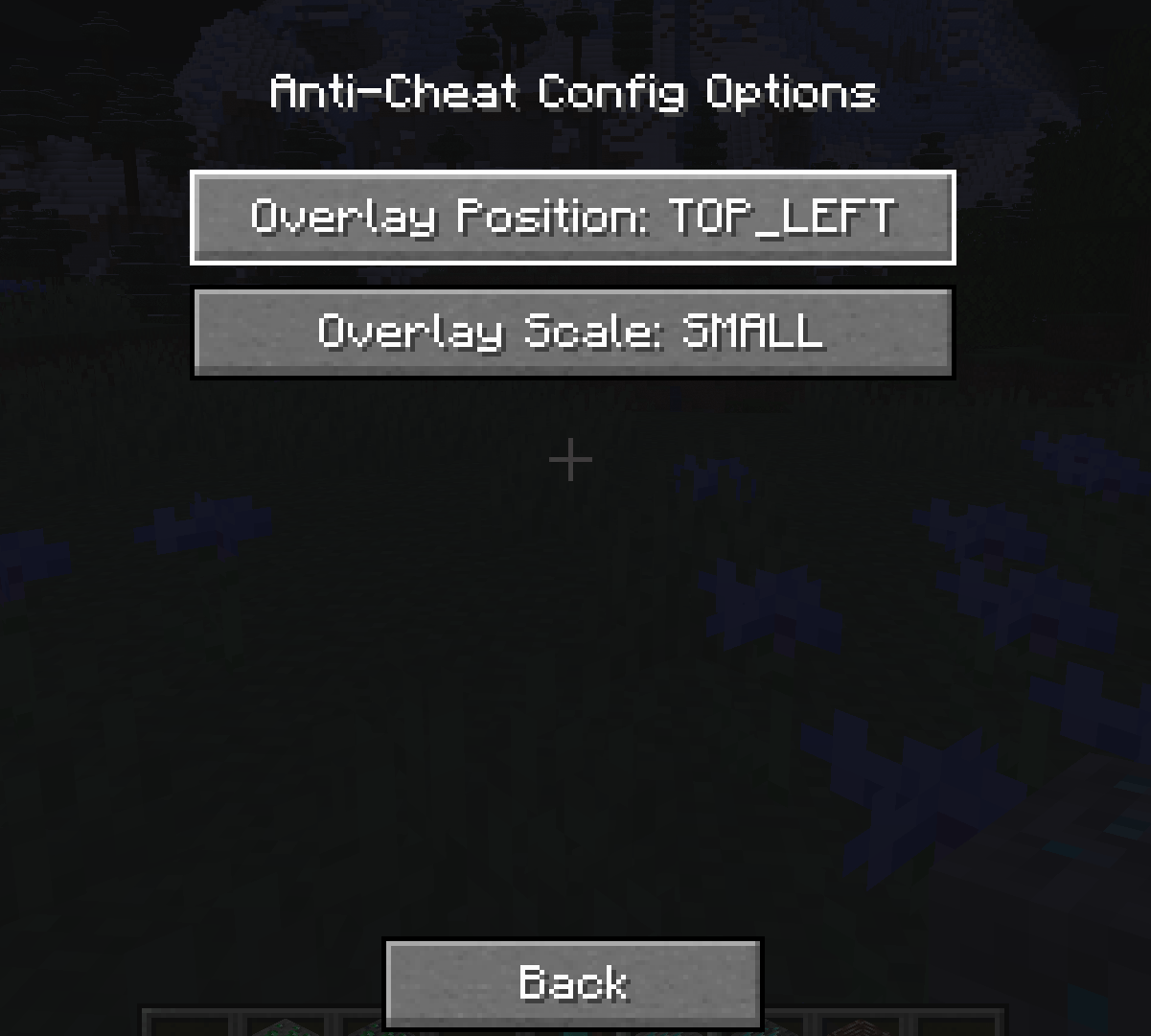
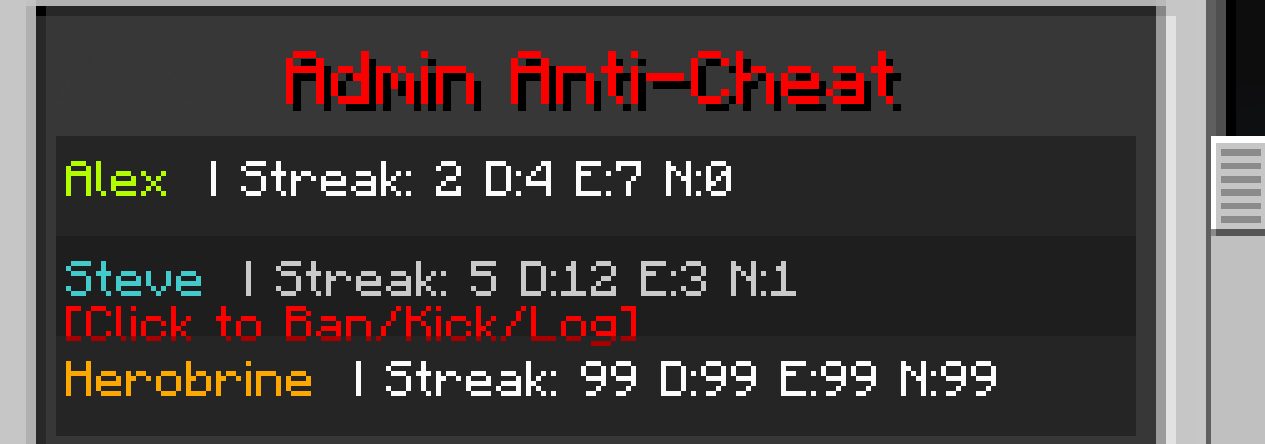
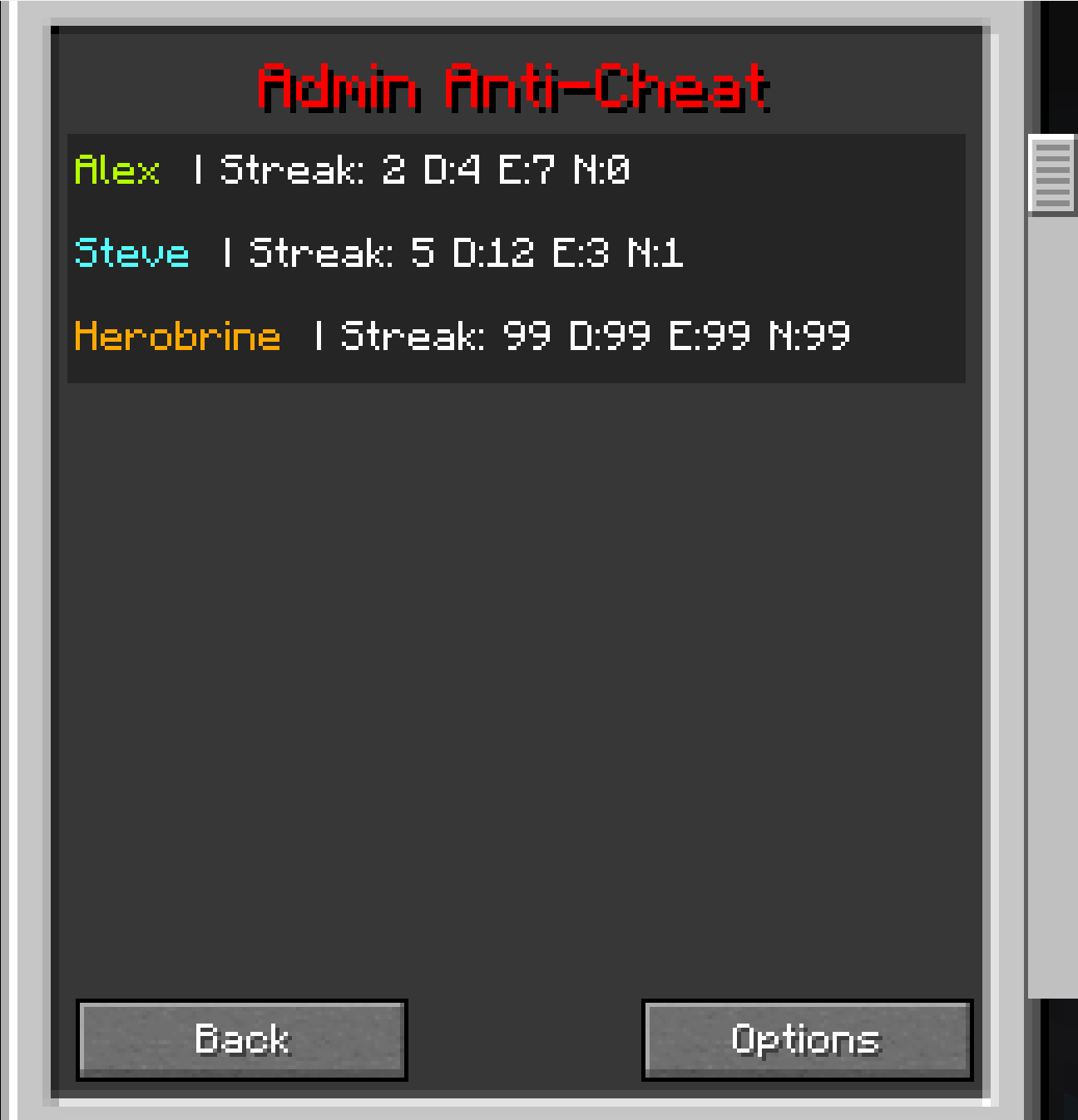
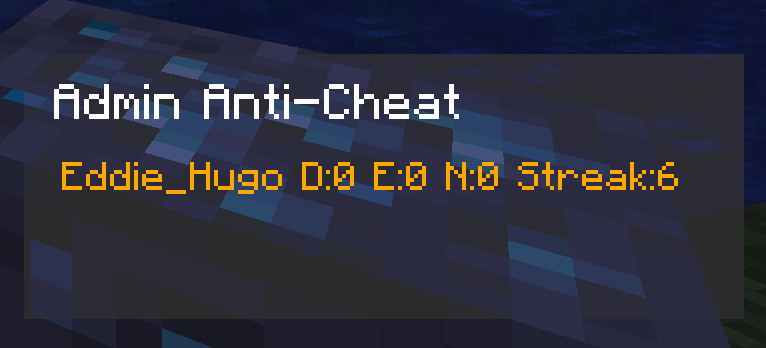
With the client overlay, ops can see live ore stats for each player directly in‑game, and from the main GUI screen you can now set the size and location of the overlay, also with live stats and the option to ban kick or log players.

This mod makes it much easier to spot cheaters before they ruin the fun.


Features

Features
  • Tracks diamond, emerald, and ancient debris mining
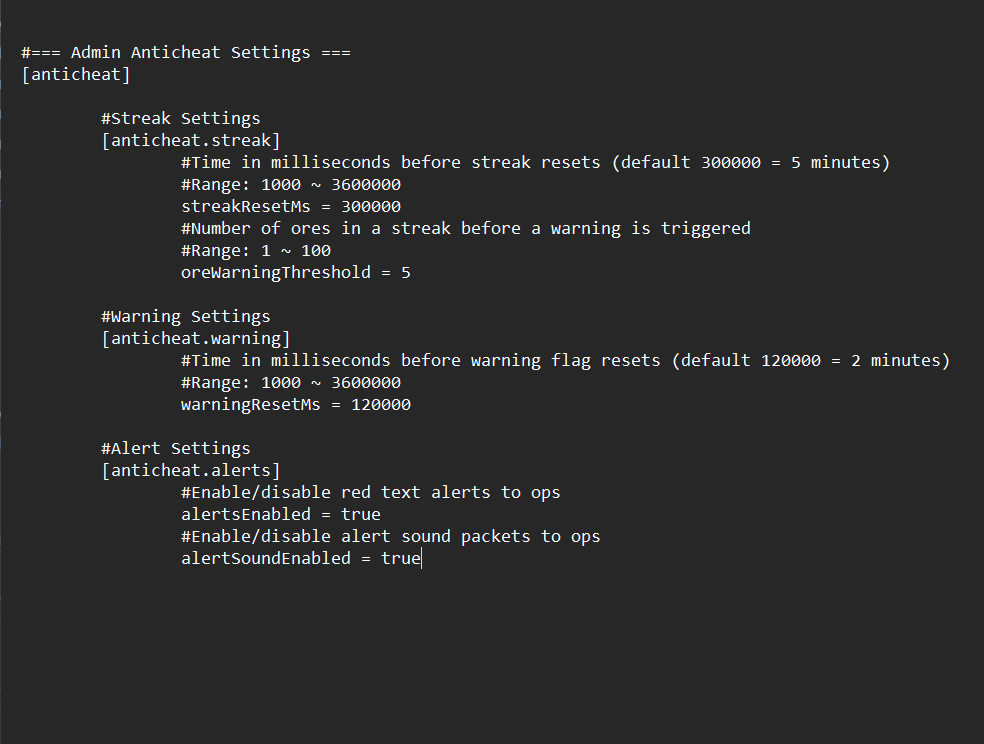
  • Change the settings in server config
  • Configurable streak reset times
  • Alerts ops in chat and logs to console
  • Client overlay for ops
  • Overlay Keybind set to (O)
  • New: GUI live data screen set to (N)
  • New: Admin GUI with modular action screens (Ban/Kick/Log)
  • New: Button to choose the overlay size and position
  • New: Button to choose whether to (Ban/Kick/Log)
  • New:Set your own keyBind
  • New: Client to server handshake HelloS2C
  • New: File logging of reports to adminanticheat-reports.log

Commands

Commands
  • /anticheat reset – Reset a player’s streak
  • /anticheat stats – View ore mining stats
  • /anticheat togglealerts – Enable or disable alerts
  • /anticheat resetall – Clear all tracked data
  • New: Enable or disable sound alerts

For server owners ONLY

Summary
    Installation Guide

    Server:
    Place adminanticheat-server and adminanticheat-shared in the server’s /mods folder.

    All Players:
    Place adminanticheat-shared in the client’s /mods folder. This is required for everyone to connect.

    Ops:
    Place adminanticheat-client alongside adminanticheat-shared in the client’s /mods folder to enable the overlay.

  • Everyone needs shared.jar
  • Server needs server.jar + shared.jar
  • Ops need client.jar + shared.jar
  • Go into versions to get the server.jar and client.jar

Versions

  • First release (still supported):

    • adminanticheat-server.jar-1.0.1
    • adminanticheat-shared.jar-1.0.1
    • adminanticheat-client.jar-1.0.2
  • Latest update (with new features):

    • adminanticheat-server.jar-2.0.0
    • adminanticheat-client.jar-2.0.0
    • adminanticheat-shared.jar-2.0.0

adminanticheat-shared-2.0.0.jar
MC 1.20.1, Forge
Release 2025-12-06 Get

More from Eddie_Hugo

frozen mobs
930
Torch Light
50,281
Killer Zombie Manhunt
397
Lab Blocks
1,650
No Villages
14,453

You Might Also Like

APTweaks: Items (11.x Classic)
Item clustering (fallen blocks, experience orbs, ...) and garbage cleanup.
9,884,514
VanillaDeathChest (Fabric)
Places containers when players die that contain their items.
994,762
Styled Nicknames
Simple, but configurable nicknaming mod allowing your server's players (and admins) to change their nickname with full formatting support
989,499
Tiquality
Make server lag the problem of the source player.
99,489
Blame (Fabric)
Those gosh darn crashlogs not saying which worldgen feature is crashing!
99,012
Weathering with You
Forecast Minecraft weather with a radar or a hat!
98,579